Templates allow you to create reusable SMS and email review request messages that can be applied across multiple locations. They help keep your messaging consistent, save time, and make it easier to reuse your most effective requests.
Templates are available in the All Locations dashboard for agencies and multi-location businesses.
Creating a template
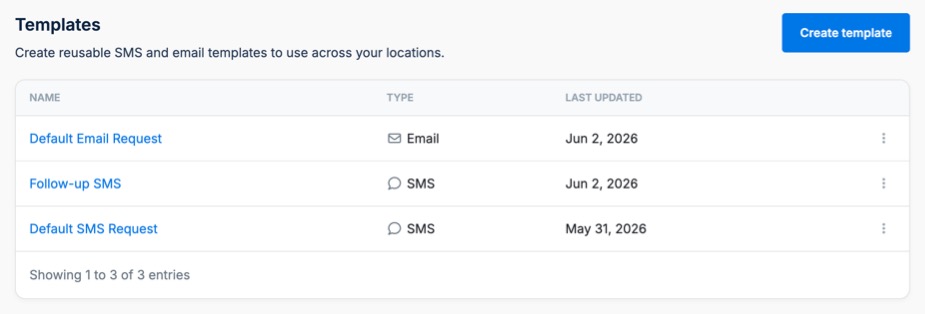
To create a template, open the All Locations dashboard and navigate to Templates. Click Create Template, choose whether you want to create an SMS or Email template, customize the content, and save your template.
Applying a template to a request
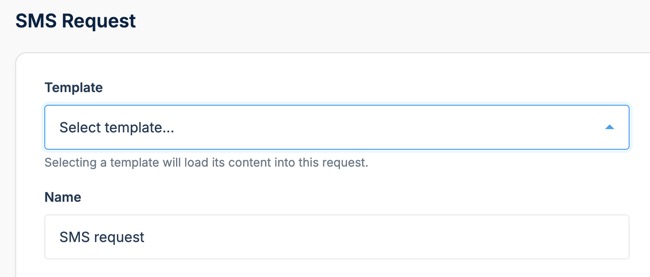
When creating a new SMS or email request for an individual location, you can select a template from the Template dropdown. The template content will be loaded into the request, allowing you to quickly start with a pre-built message instead of creating one from scratch.
You can modify the request after applying a template without affecting the original template.
Editing a template
To update a template, open the Templates page, select the template you want to edit, make your changes, and save the template.
Changes made to a template will only apply to future requests. Existing requests that were previously created using the template will not be updated.
Deleting a template
Templates can be deleted at any time from the Templates page. Deleting a template will not affect any existing requests that were previously created using it.
Frequently asked questions
Will updating a template change existing requests?
No. Templates are copied into a request when selected. Updating a template will not change any requests that have already been created.
Can I customize a request after applying a template?
Yes. Templates are intended to be a starting point. After applying a template, you can make any changes you want before saving the request.
Can I create both SMS and email templates?
Yes. Separate templates can be created for SMS and email requests.
Who can create templates?
Templates are available to agencies and multi-location businesses using the All Locations dashboard.