Request Links make it easy for technicians, employees, teams, or locations to send review requests without needing access to your LocalImpact account.
Create a unique link for each person or team you want to track. They can save the link on their phone, tablet, or computer and use it to add customers to your review campaign after completing a job or interacting with a customer.
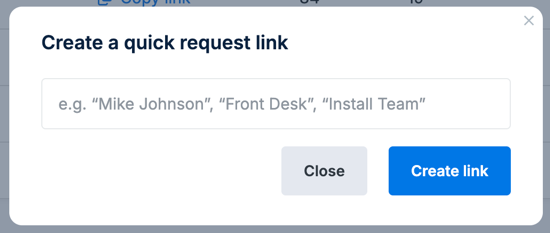
LocalImpact tracks requests and conversions for each link, making it easy to see which team members are actively requesting reviews and driving results.
Create a request link
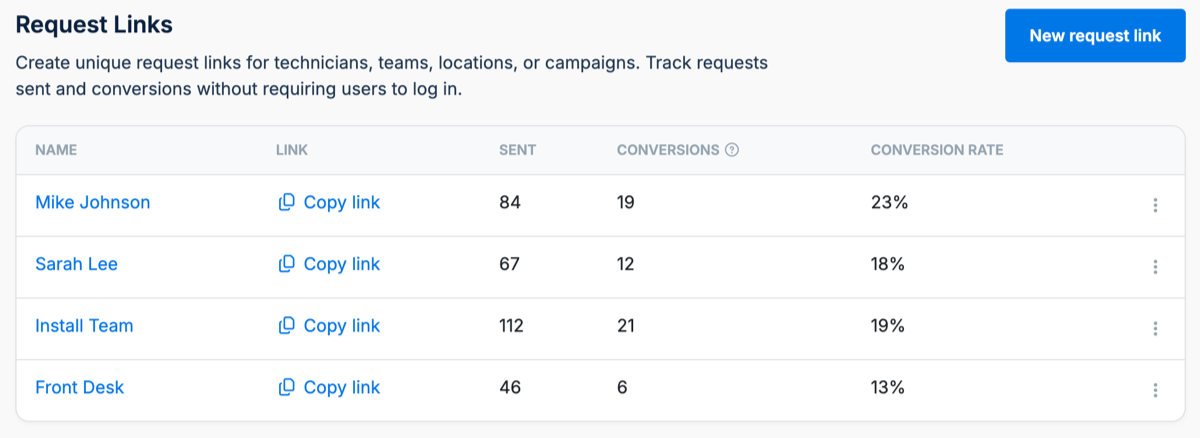
Go to Campaigns → Request Links and click New request link.
Enter a name that makes it easy to identify who or what the link belongs to. For example, you can create separate links for:
- Individual technicians or employees
- Teams
- Locations
- Front desk or office staff
Click Create link when you're finished.
Each Request Link has a unique URL that can be used without logging in to LocalImpact.
Share the link with your team
From the Request Links page, click Copy link and share the unique URL with the person or team who will use it.
For quick access, team members can bookmark the link on their phone, tablet, or computer. They can also add it as a shortcut to their phone's home screen, making it easy to open after completing a job.
No LocalImpact login is required to use a Request Link.
Send a review request
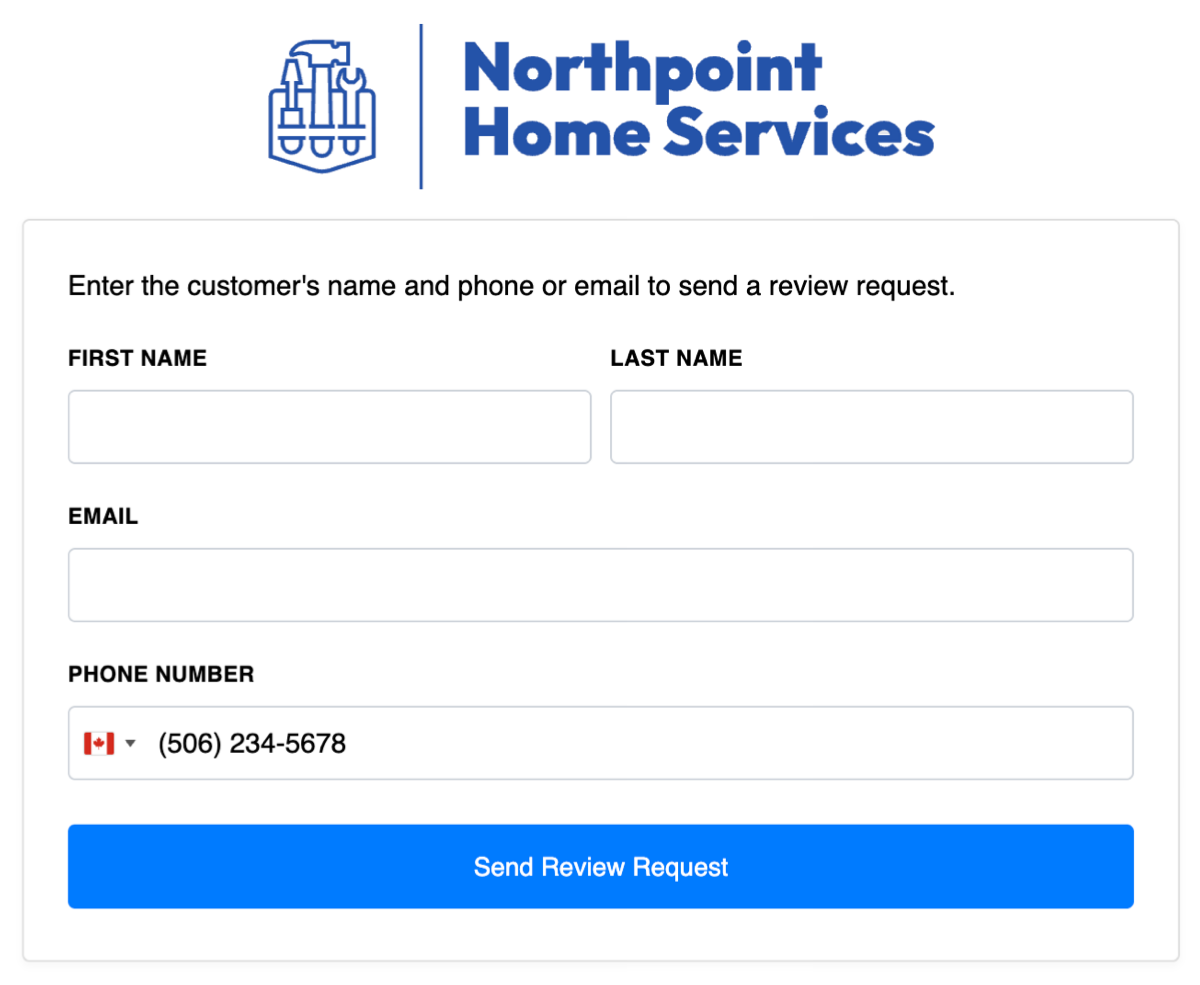
Opening a Request Link displays a simple form where a team member can enter the customer's name, email address, and/or phone number.
After entering the customer's information, click Send Review Request.
The customer is added to your review campaign and receives the email and/or SMS messages you've configured based on the contact information provided.
For more information about the messages customers receive, see How Review Campaigns Work.
Track team performance
Each Request Link tracks its own performance, allowing you to compare results between technicians, employees, teams, or locations.
From Campaigns → Request Links, you can see:
- Sent — The number of contacts who were sent a review request through that link.
- Conversions — The number of contacts who clicked a review site after receiving a request through that link.
- Conversion rate — The percentage of requests that resulted in a conversion.
A conversion means the customer clicked through to one of your review sites. It does not necessarily mean they submitted a review.
By creating a separate Request Link for each team member, you can quickly see who is consistently requesting reviews and how those requests are performing.
Frequently asked questions
Do team members need a LocalImpact account?
No. Anyone with the unique Request Link can use it to send a review request without logging in to LocalImpact.
What happens after a customer is added through a Request Link?
The customer is added to your existing review campaign and follows the same email and SMS message sequence as other campaign contacts.
See How Review Campaigns Work for more information about campaign messages, delays, and sending schedules.
What counts as a conversion?
A conversion is recorded when a customer clicks through to one of your review sites after receiving a request. It does not necessarily mean the customer submitted a review.
Can I create more than one Request Link?
Yes. You can create separate Request Links for individual technicians, employees, teams, locations, or other groups you want to track.