Sharing your best customer reviews on social media is a simple way to build trust, attract new customers, and keep your business active online. With LocalImpact, you can manually share any review in just a few clicks or automatically publish new 5-star reviews to your connected social media accounts.
This guide walks you through both options.
In this article
Automatically share new reviews
Automatic Social Sharing lets LocalImpact publish eligible new reviews directly to your connected social media accounts.
Current supported platforms include:
- Google Business Profile
Step 1 – Enable automatic sharing
Go to Business Settings → Social Sharing and turn on Automatically share new reviews.
Enabling the feature unlocks the automatic sharing settings.

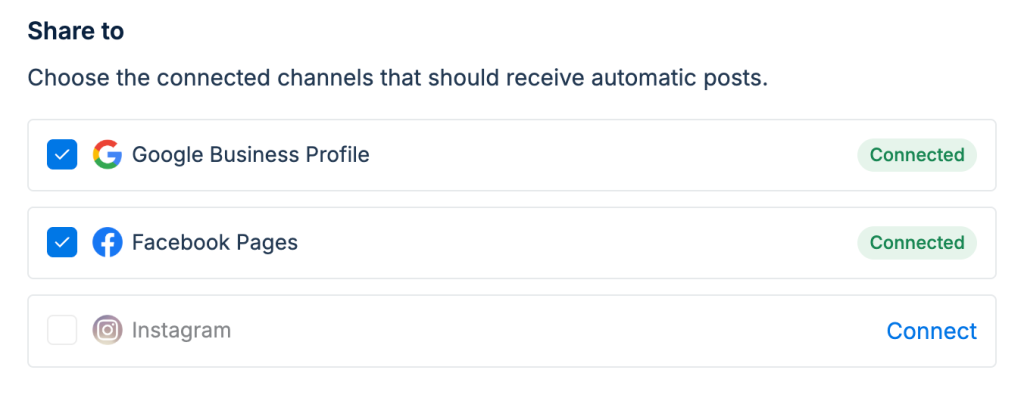
Step 2 – Connect your social media accounts
Connect the social media accounts where you'd like reviews to be published, then choose which connected channels should receive automatic posts.
Step 3 – Customize your settings
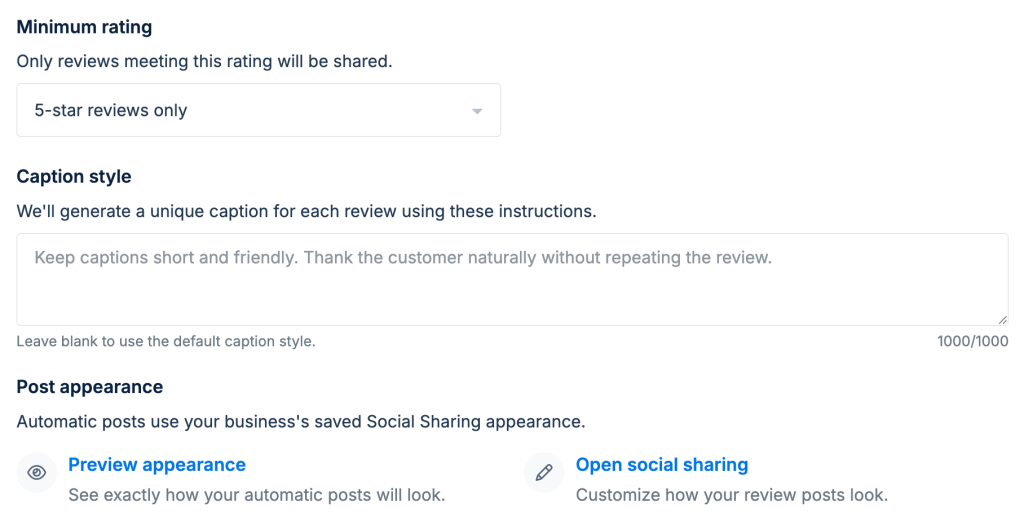
Choose which reviews should be shared by selecting the minimum rating, then customize the appearance of your review graphics to match your brand. LocalImpact will automatically publish future reviews that match your settings, complete with a unique AI-generated caption for each post.
Manually share any review
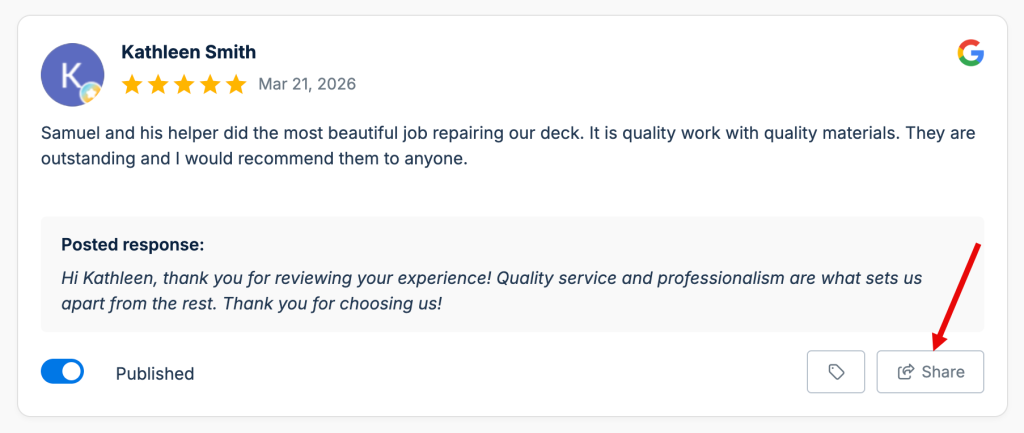
You can also share individual reviews whenever you'd like.
Open any review and click Share.
Edit the caption
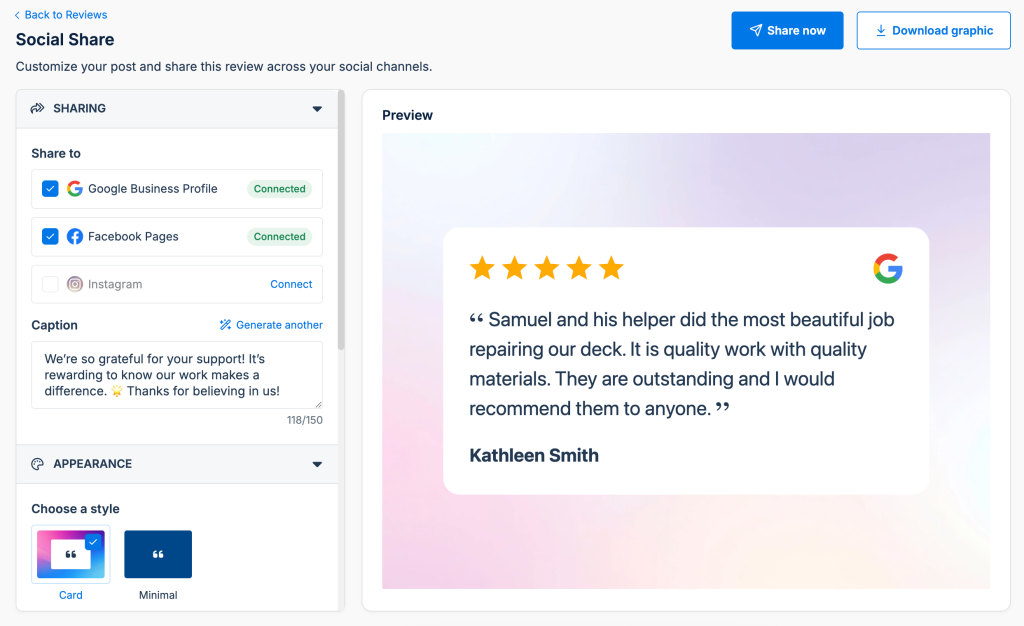
LocalImpact generates a unique AI caption for every review.
Before publishing, you can edit the caption or generate another version.
Customize the graphic
Use the Appearance section to personalize your review graphic before sharing.
You can choose different layouts, backgrounds, and colors to match your brand.
Share or download
When you're happy with your post, choose one of the following:
- Share now to publish directly to your connected social media accounts.
- Download graphic to post manually anywhere you'd like.
Frequently asked questions
Which social media platforms are supported?
You can currently share reviews to Google Business Profile, Facebook, and Instagram.
Can reviews be shared automatically?
Yes. Enable Automatically share new reviews in your Social Sharing settings to automatically publish eligible reviews based on your preferences.
What happens if I receive multiple eligible reviews on the same day?
If multiple reviews qualify for automatic sharing, LocalImpact will publish up to one review per day by default. Any additional eligible reviews are automatically queued and shared over the following days, helping keep your social media feed active without overwhelming your audience.
Can I edit the AI-generated caption?
Yes. When manually sharing a review, you can edit the caption or generate another version before publishing.
Can I customize how my review graphics look?
Yes. You can customize the layout, background, and colors to match your business branding. Automatic sharing uses your saved appearance settings.
Can I download the review image instead?
Yes. If you'd rather publish manually, click Download graphic to save the image and upload it to any social media platform.
Can I share a review more than once?
Yes. Reviews can be shared again at any time. If a review has already been shared, LocalImpact will let you know when and where it was most recently published.
Why isn't a review being shared automatically?
Automatic sharing only publishes reviews that meet your configured settings, such as the minimum rating and selected social media channels. Make sure your accounts are connected and automatic sharing is enabled.