
For real estate agents and brokerages, reputation is the business, since most buyers and sellers check reviews before they ever pick up the phone.
This guide is for agents, team leaders, and brokerage owners who want to collect more client reviews, stay visible where prospects search, and turn happy clients into their next referral.
Below, we walk through the six top real estate reputation management tools, with a clear look at features, pros and cons, what users say, and pricing so you can find the right fit.
How we chose these tools
We spent over 100 hours testing reputation management platforms against the realities of real estate, focusing on how each one helps agents and brokerages collect client reviews, stay visible where buyers search, and turn feedback into new business.
Here's what we weighed:
- Review generation: We looked at how well each platform automates SMS and email review requests, since a steady flow of client reviews after closings is what builds an agent's reputation over time.
- Syndication and visibility: We evaluated where each tool pushes reviews and listings, because showing up accurately on Google and the sites buyers and sellers actually search directly affects how often agents get found.
- Ease of use and setup: We assessed how quickly a solo agent or office could get running, given that most real estate professionals don't have a dedicated marketing team to manage software.
- Response tools: We examined the quality of AI-assisted and templated replies, since responding to every review consistently signals to prospective clients that an agent is engaged and trustworthy.
- Multi-location support: We checked how each platform handles brokerages with several offices, including agent permissions and location-level reporting, which matters as teams grow.
1. LocalImpact
LocalImpact is a review management platform that helps real estate agents and brokerages collect, monitor, and showcase reviews across Google, Facebook, and other major sites from one dashboard.
It's aimed at agents who want a steady flow of client feedback without manual follow-up, and it imports reviews from 36+ platforms so everything lives in a single place.
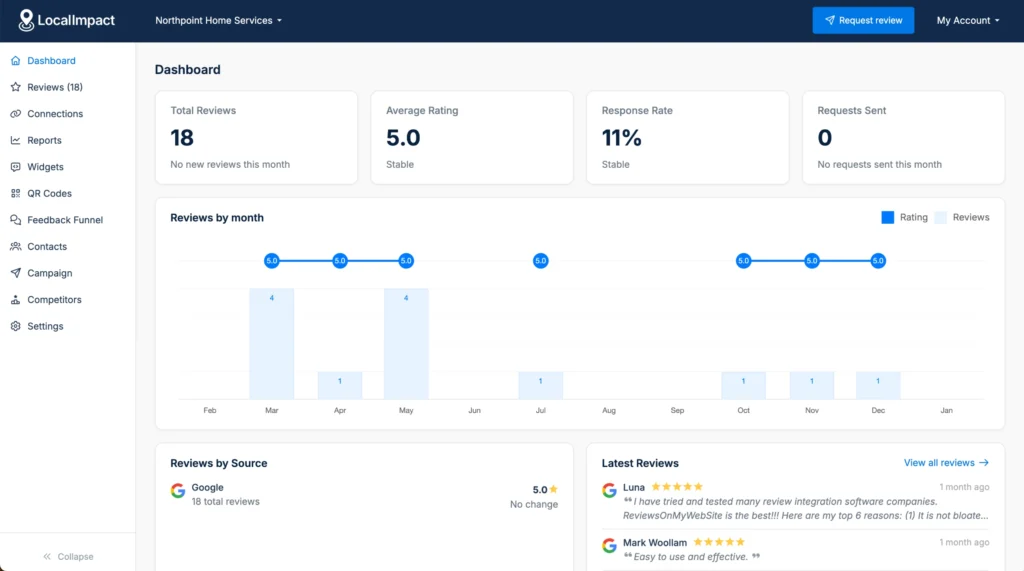
What sets it apart for real estate is the combination of automated review requests and website widgets that turn closed deals into visible social proof.
Agents can send SMS and email requests after a closing, route happy clients to public review sites, and embed a branded widget on their site or listings pages in minutes.
Key features
- Automated review requests: Send personalized SMS and email requests after a closing, with follow-up reminders for clients who don't respond the first time.
- Review widget: Embed a customizable, code-free review widget that displays your best Google and multi-platform reviews on any page.
- AI review replies: Generate personalized, sentiment-aware responses using AI so you can reply to every client review in seconds.
- Feedback funnel: Give clients a branded path to leave a public review or share private feedback, so you can surface your strongest experiences.
- Social sharing: Turn standout reviews into ready-to-post branded graphics for your social channels.
Pros & cons
Pros
- Quick, code-free setup that connects to your website in minutes
- Affordable entry pricing that suits solo agents and small teams
- Imports reviews from 36+ platforms into one dashboard
- Responsive customer support that users mention often
Cons
- Review display offers fewer design customization options than some agents want
- New reviews can take a few hours to sync to your site
- SMS and email request volume is capped by plan tier
What users say
Agents and small business owners point to how fast it is to set up and how reliably LocalImpact automates review collection.
"The platform is extremely easy to set up and integrate with my existing website. The dashboard is simple to navigate, and the automation tools save me time collecting and displaying reviews."
Pricing
LocalImpact offers a 14-day free trial with no credit card required.
Paid plans include:
- Growth ($49/month)
- Pro ($99/month)
- Agency ($149/month)
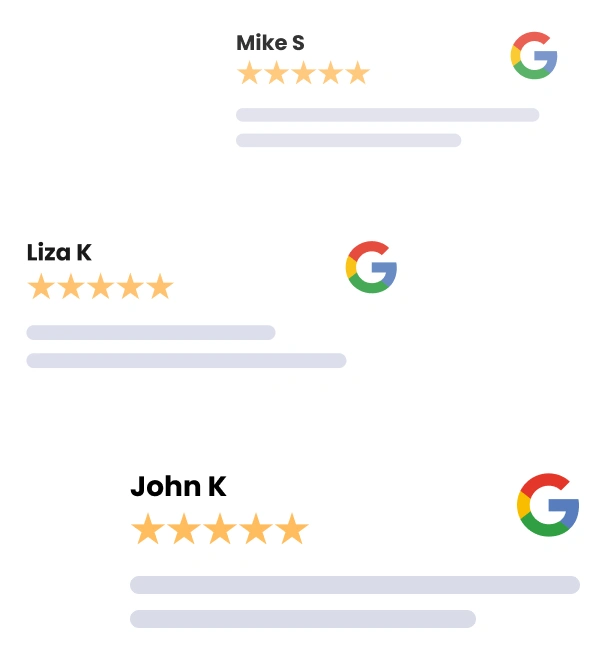
Manage all your reviews in one place
Get more reviews, build trust, and grow your business with LocalImpact.
2. TestimonialTree
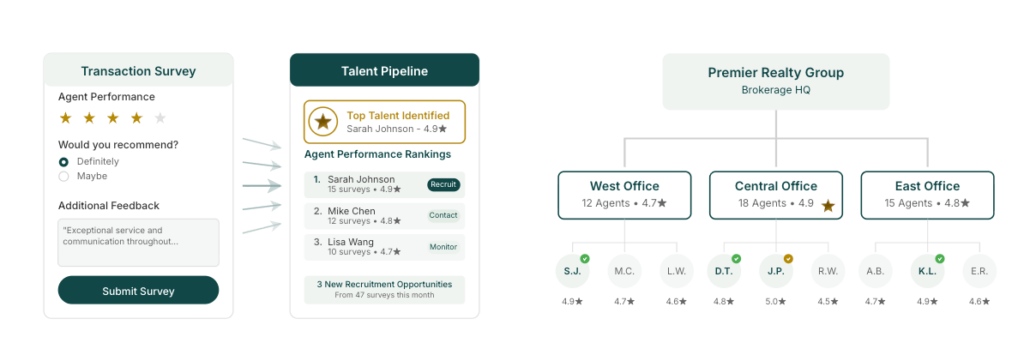
Built specifically for real estate brokerages, Testimonial Tree automates review collection and syndicates client testimonials across the platforms buyers and sellers actually search.
It's designed for brokerage owners, team leaders, and agents who want a systematic way to turn closed transactions into reviews and referrals.
Where it stands out is the depth of its real estate integrations. It connects with CRMs like Follow Up Boss and Chime, transaction tools like DocuSign and SkySlope, and pushes reviews straight to Google, Facebook, Zillow, and Realtor.com, so requests can fire automatically at the moment a deal closes.
Key features
- Automated review collection: Sends SMS and email requests timed to the post-closing window when client satisfaction is highest, with follow-up reminders built in.
- Review syndication: Distributes positive reviews across Google, Facebook, Zillow, Realtor.com, and other major platforms from one place.
- Sentiment Guard: Uses AI to pause auto-publishing on reviews that fall below your star threshold so your team can look first.
- CRM and transaction integrations: Connects with real estate CRMs and transaction systems to trigger review requests from closing milestones.
- Team management: Supports multi-office brokerages with agent permissions, approval workflows, and brand compliance controls.
Pros & cons
Pros
- Deep integrations with real estate CRMs, transaction tools, and franchise website platforms
- Syndicates reviews directly to Zillow and Realtor.com where home buyers look
- Sentiment Guard routes lower-rated reviews to your team before anything goes live
- Multi-office controls make it workable for larger brokerages
Cons
- Entry pricing sits higher than basic review tools
- The Pro plan carries a one-time setup fee
- Lower tiers cap how many testimonial requests you can send each month
What we like
The real estate integration list is the real draw, since pulling review triggers from transaction tools like DocuSign and SkySlope means reviews get requested at closing without anyone on your team remembering to do it.
What users say
Reviewers point to easy automation setup and responsive support.
"We have been able to set up some wonderful automations that have made this tool very easy to use for our clients and employees."
Pricing
Testimonial Tree doesn't offer a free trial, though you can book a demo before committing.
Paid plans include:
- Basic ($45/month)
- Pro ($150/month)
- Enterprise (custom pricing)
3. Birdeye
Birdeye sits at the enterprise end of reputation management, built for multi-location brands and large real estate teams that need to manage reviews, listings, and social presence across many offices at once.
It leans heavily on AI agents that request reviews, draft replies, and surface insights automatically, so reputation work scales without adding headcount.
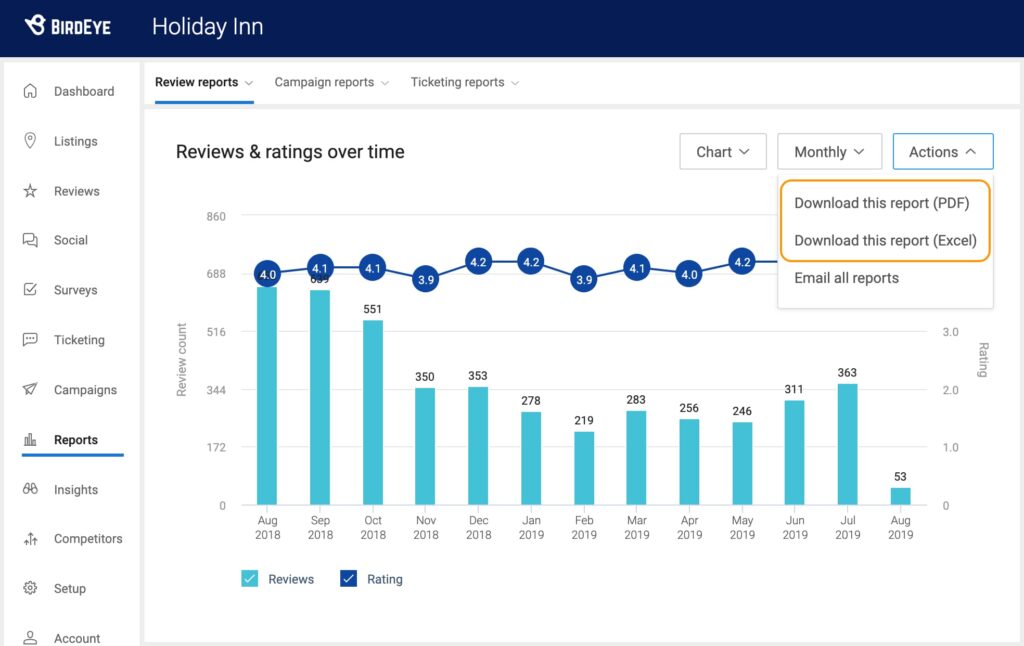
The platform's real estate fit comes from its multi-office controls and its AI-driven review tools.
Teams can sync business information across the sites buyers search, generate review requests timed by the system, and respond to feedback in a consistent brand voice across every location from one dashboard.
Key features
- Review Generation Agent: Identifies the best review source and message, then sends requests at the timing most likely to get a response.
- Review Response Agent: Drafts personalized, on-brand replies by reading sentiment, urgency, and even images in each review.
- Review monitoring: Tracks reviews across major sites from a single dashboard so nothing slips through.
- Listings management: Keeps your hours, address, and details accurate across the sites where home buyers and sellers look.
- Competitive benchmarking: Monitors competitors' reviews and surfaces location-level insights on where to improve.
Pros & cons
Pros
- Strong multi-location controls with role-based access and location-level reporting
- AI agents handle review requests, replies, and insights with minimal manual work
- Centralizes reviews, messages, listings, and social in one place
- Responsive onboarding and customer support that reviewers mention repeatedly
Cons
- The breadth of features creates a real learning curve during setup
- Pricing tends to climb as you add tools, with limited flexibility for existing customers
- AI replies don't always adapt to your brand voice without adjustment
What we like
The AI Review Response Agent does real work for a busy real estate team, reading the tone and content of each review to draft a reply that sounds human, which matters when a single thoughtful response can reassure the next buyer reading your profile.
What users say
Reviewers consistently call out how easy it is to manage reviews across locations and the quality of the support team.
"Birdeye is user-friendly and offers a wide range of features to help you get the most out of your reviews."
On the downside, several note the depth of the platform takes time to learn.
"There are a lot of features, so the setup and learning curve can take some time at first."
Pricing
Birdeye doesn’t share its pricing publicly. You’ll need to reach out to the company’s sales team to get a quote.
4. Reviewshake
Reviewshake is an AI-focused review management platform aimed at small and medium-sized businesses that want more 5-star reviews without much manual effort.
For real estate, it suits individual agents and smaller offices that need to collect reviews, monitor feedback across many sites, and showcase social proof from one dashboard.
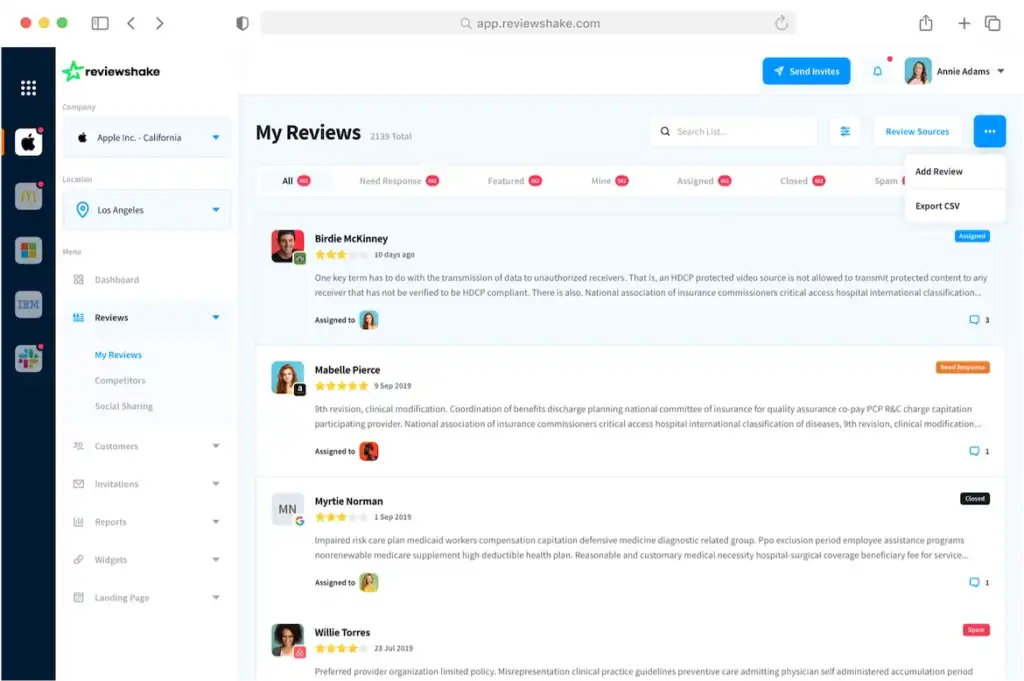
Its strength is breadth at an accessible price, tracking reviews across 100+ platforms and leaning on AI for reply suggestions and sentiment analysis.
Agents can automate SMS, email, and QR code review invites, then watch trends and benchmark against local competitors in the same place.
Key features
- Automated review requests: Sends invites by SMS, email, and QR code with built-in reminders to lift review volume.
- AI reply suggestions: Drafts on-brand responses to reviews so you can approve and publish in seconds.
- Multi-site monitoring: Pulls reviews from 100+ platforms into one inbox with real-time alerts for new feedback.
- Sentiment analysis: Summarizes what clients feel across all your reviews without you reading each one.
- Review widgets and social sharing: Displays your best reviews on your website and posts them to social automatically.
Pros & cons
Pros
- Affordable entry pricing that works for solo agents and small offices
- Easy to learn and quick to set up, by reviewers' accounts
- Responsive customer support with fast reply times
- Video review collection, which many competitors don't offer
Cons
- Review display widgets have limited formatting and customization
- Some integrations route through Zapier rather than connecting natively
- Analytics could go deeper on click-through and campaign data
What we like
The video review feature gives agents a way to capture client testimonials on camera, which carries real weight when a buyer is deciding who to trust with a major purchase.
Pairing that with sentiment analysis means you can spot what clients value and lean into it.
What users say
Reviewers point to how easy it is to set up and the quality of the support team.
"The setup process was simple and we were able to start using it right away. We found it had all the functionality of pretty much all the other review platforms available without the huge price tag."
A few would like more flexibility in how reviews display on their site.
"I had to use zapier instead of having internal integration functionality."
Pricing
Reviewshake offers a free trial you can use to test out the software. Paid plans include:
- Starter ($29/month)
- Growth ($59/month)
- Ultimate ($99/month)
5. Broadly
Broadly takes an AI-employee approach to reputation and lead management, built for local service businesses that want more reviews, calls, and booked jobs without extra admin.
Its industry focus leans toward home services, automotive, pet, dental, and legal, so a real estate team would use it as a general local-business platform rather than a real estate-native tool.
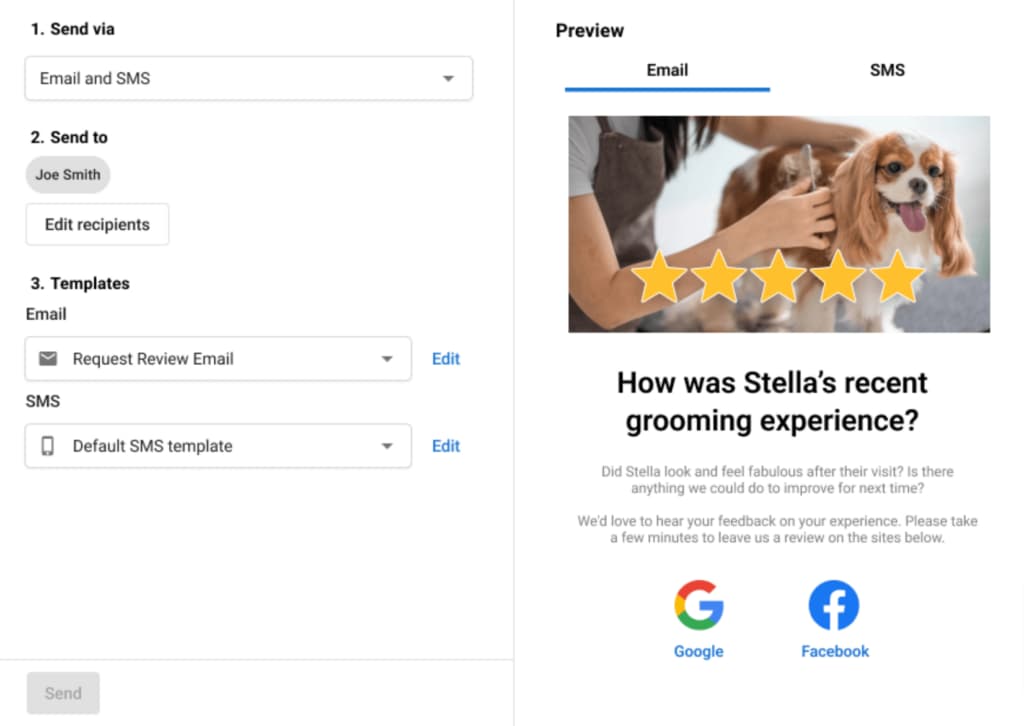
The platform bundles review collection, an AI reputation specialist, web chat, and a shared inbox that unifies messages from Google, Facebook, Instagram, and web forms.
Its AI drafts on-brand replies to every review and sends automated requests by text or email after a job, which maps cleanly to following up with a client after closing.
Key features
- AI Reputation Specialist: Generates review requests automatically and writes on-brand replies that match the tone of each piece of feedback.
- Automated review requests: Sends invites by text or email after a transaction, with follow-ups handled for you.
- Unified inbox: Brings messages from SMS, Facebook, Instagram, web chat, and contact forms into one place.
- Local SEO and listings: Keeps your business details accurate across 40+ listing sites to support local search visibility.
- NPS surveys: Collects quick feedback after each interaction so you can catch issues before they become public reviews.
Pros & cons
Pros
- AI handles review requests and replies with very little manual effort
- Unified inbox consolidates messages across channels and listing sites
- Easy enough for non-technical users to run day to day
- Strong fit for service-based workflows triggered by a completed job
Cons
- Industry focus skews toward home and field services rather than real estate
- Connecting multiple Google Business locations requires separate accounts
- A few users mention wanting more automation options for reminders
What we like
The unified inbox is a practical touch for an agent juggling inquiries across channels, since a buyer might reach out by web chat one day and text the next, and keeping it all in one thread means nothing gets lost between contact and closing.
The after-job review trigger fits the post-closing moment well.
What users say
Reviewers point to how easy it is to collect reviews and engage customers without much effort.
"With Broadly we easily collect reviews across sites. Plus, our website looks professional and we use Web Chat."
A few would like to handle more of their replies in one place rather than jumping between platforms.
"I do sometimes find it is faster to just reply to a review from the platform it was posted on."
Pricing
Broadly is priced at $799/month.
Manage all your reviews in one place
Get more reviews, build trust, and grow your business with LocalImpact.
6. ReviewTrackers
ReviewTrackers is an analytics-driven reputation platform aimed at multi-location and enterprise brands that want to monitor reviews, mine customer feedback for insight, and benchmark against competitors.
For real estate, it fits larger brokerages and groups that manage many office locations and care as much about feedback trends as about review volume.
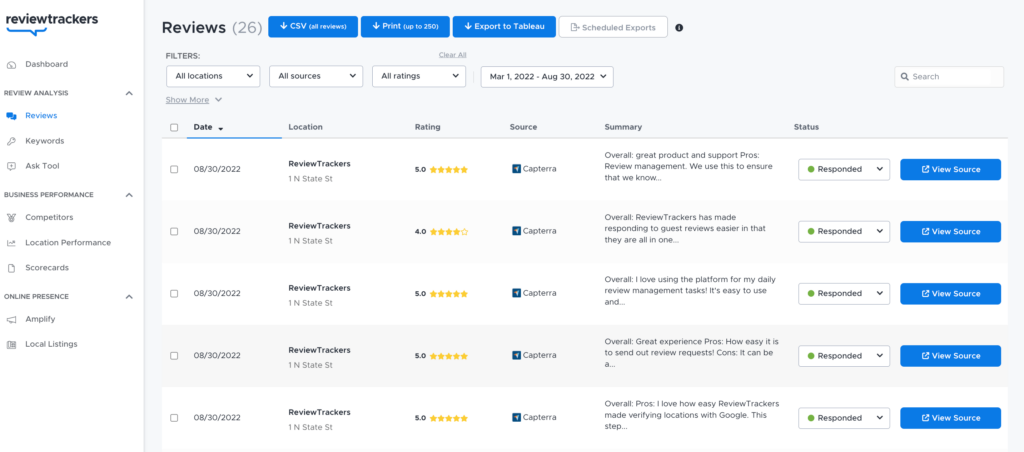
The platform's edge is depth of insight, pulling reviews from 100+ sources and layering on experience analysis, competitor tracking, and local search tools.
AI-generated Smart Response templates help teams reply on brand at scale, while location-based reporting gives leadership a clear read on how each office is performing.
Key features
- Review monitoring: Aggregates reviews from 100+ directories into one dashboard so every location stays visible.
- AI Smart Response: Generates on-brand review replies from personalized templates to speed up responses across locations.
- Review solicitation: Automates review request campaigns through direct integrations to build local search visibility.
- Competitor insights: Tracks rival review velocity, ratings, and sentiment to inform your local market strategy.
- Amplify widget: Displays your reviews on your website to add social proof and keep content fresh.
Pros & cons
Pros
- Strong aggregation that centralizes reviews across many sources and locations
- Experience analysis and competitor insights go deeper than basic review tools
- Unlimited users on its plans, which helps larger teams
- Responsive customer support that reviewers mention frequently
Cons
- Responding directly from the platform isn't smooth on every review site
- Notifications can be inconsistent, by some accounts
- The feature-dense interface can feel busy for new users at first
What we like
The competitor insight tools give a brokerage a real read on how rival offices are performing on review velocity and sentiment, which helps when you're deciding where to push for more client reviews in a tight local market.
Pairing that with experience analysis turns raw feedback into something you can act on.
What users say
Reviewers point to how much time the aggregated dashboard saves and the quality of the support team.
"The aggregation feature is great. I can easily see reviews all in one place and don't have to worry about collecting it from individual sources."
A few would like a smoother way to respond on certain platforms directly.
"It can be a little difficult to respond to reviews on some platforms straight from the software."
Pricing
Pricing starts at $89/location/month.
How to choose the right real estate reputation management tool for you
The best platform depends on how you work, how big your team is, and where your clients look before they reach out.
Keep these considerations in mind as you weigh your options:
- Scale of your operation: A solo agent and a 50-agent brokerage have different needs, so think about whether you need single-user simplicity or multi-office controls with permissions and location reporting. Choosing a tool that matches your size keeps you from paying for capabilities you won't touch.
- Where your reviews need to live: Buyers and sellers search across Google, Facebook, and industry sites, so look at which platforms a tool can push reviews and listings to. The right syndication reach puts your reputation in front of prospects at the moment they're deciding.
- Automation and timing: The window right after a closing is when clients are most willing to leave a review, so look for automated SMS and email requests that fire at the right moment. Built-in follow-up reminders matter too, since one nudge often doubles your response rate.
- Ease of setup and daily use: Most agents don't have a marketing team, so a clean interface and quick setup determine whether a tool actually gets used. Look for copy-and-paste widgets, simple dashboards, and onboarding support that gets you running fast.
- Budget and growth room: Pricing ranges widely, so weigh what each plan includes against what you'll realistically use this year and next. A tool that fits your current budget but can scale as you add agents saves you from switching platforms later.
Take advantage of free trials and demos where they're offered, since a week or two of hands-on use tells you more than any feature list. The goal is a tool you'll actually keep using, not the one with the longest spec sheet.
Wrap-up
Strong reviews are how real estate professionals earn trust before the first conversation, and the right platform makes collecting and showcasing them feel effortless.
Most of the tools here offer a free trial or demo, so the easiest next step is to pick one or two that fit your size and budget and try them with your next few closings.