
We've spent over 200 hours testing, comparing, and evaluating marketing agency tools to find the ones that are actually worth your time and money.
The result is this list of 41 tools across 15 categories, covering everything from project management and CRM to sales outreach, SEO, and AI search optimization.
Whether you're building your stack from scratch or looking to replace a tool that isn't cutting it anymore, there's something here for you.
How we chose these tools
Our goal was to recommend tools that genuinely help agencies work better, not just compile every popular name in each category.
Here's what we looked for:
- Relevance to agency work: Every tool on this list solves a problem that marketing agencies specifically face. We skipped general-purpose tools that aren't built with client work, multi-account management, or agency workflows in mind, unless they've become genuinely essential to how agencies operate.
- Hands-on testing: We tested each tool's core features ourselves. We evaluated how easy the tool is to set up, how intuitive the interface feels, and whether the key features work as advertised.
- User feedback: We reviewed hundreds of user reviews across G2, Capterra, and Reddit to understand how each tool performs in real agency environments over time, not just during a trial period. Recurring complaints about reliability, support, or hidden costs factored into our decisions.
- Pricing transparency: We favored tools with clear, publicly available pricing. Where pricing is credit-based or usage-dependent, we noted the details so you can estimate your actual costs before committing.
- Current relevance: We deliberately included newer tools that are gaining traction in the agency space alongside established platforms. The marketing tool landscape evolves fast, and a list that only features tools from 2018 isn't serving you well in 2026. Where a category has shifted significantly (like the emergence of AI search optimization), we made sure the list reflects that.
We excluded tools that felt outdated, that we couldn't verify through testing, or that lacked enough real-world user feedback to recommend confidently. If a tool is on this list, it's because we believe it's one of the best options available in its category today.
Agency operations software
1. Productive
Best for: Agencies that need to track project profitability and resource utilization in one platform.
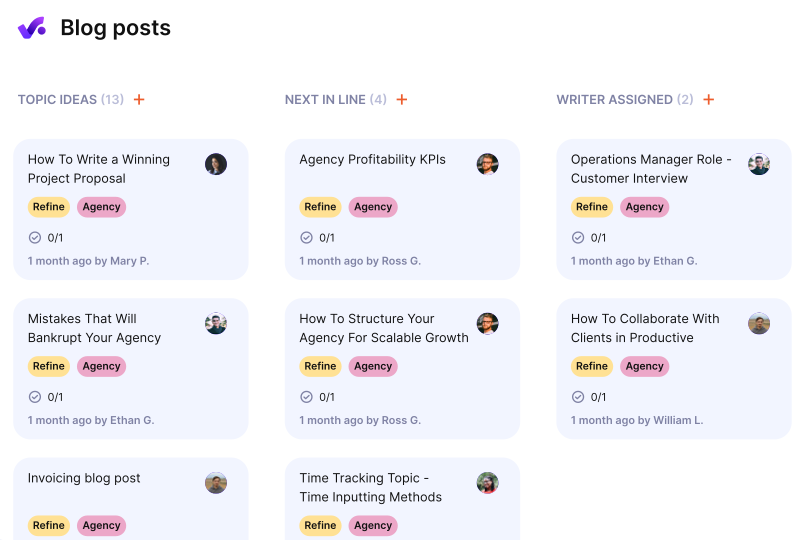
Productive is an agency management platform that covers a lot of ground: project management, time tracking, budgeting, resource planning, invoicing, and even sales pipeline management.
When we tested it, the profitability tracking stood out immediately. You can see exactly how much revenue each project and client is generating against the time and costs going in, which is something most project management tools either don't offer or bury in clunky reports. Productive surfaces it clearly and in real time.
The resource planning features are also well thought out. You get a visual overview of who's working on what, who's overbooked, and who has availability, which makes it easier to catch capacity issues before they turn into missed deadlines or burnout. You can also manage time-off requests directly within the platform.
The project management side supports multiple views (board, calendar, timeline, and more) with budget tracking and automated alerts when projects are at risk of going over budget.
The built-in invoicing lets you generate invoices from time entries in a couple of clicks.
We also liked that Productive includes a sales pipeline, so you can track deals, forecast revenue, and manage your sales KPIs without needing a separate CRM, though it's not as full-featured as a dedicated CRM tool.
What we like
The profitability tracking is the real draw here. Being able to see which clients and projects are actually making you money (and which ones are quietly draining your margins) is something most agency tools don't surface this clearly.
The resource planning view is also excellent for spotting capacity issues before they become problems.
Pricing
You can use Productive’s free 14-day trial to try out the platform. Paid plans include:
- Essential ($11/month)
- Professional ($28/month)
- Ultimate (custom pricing)
- Enterprise (custom pricing)
2. ManyRequests
Best for: Creative and design agencies that need a client-facing portal for managing requests and revisions.
ManyRequests gives you a branded client portal where clients can submit requests, track progress, and communicate with your team, all in one place.
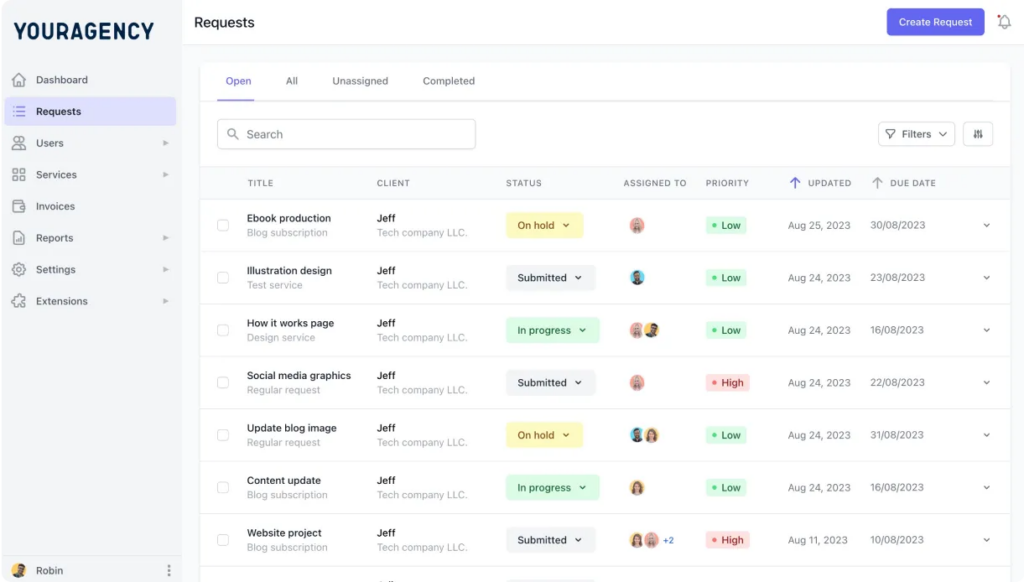
The setup is straightforward. You can create a service catalog with one-off and recurring services, build checkout forms, and set up client onboarding workflows without needing any technical help.
Once a client is onboarded, they get their own portal where they can submit new requests, view the status of existing ones, and make payments.
Where we found ManyRequests most useful is in the revision workflow. Clients can annotate files, leave comments, and request changes directly within the platform, which cuts down significantly on the back-and-forth that usually happens over email or Slack threads.
For agencies doing a lot of creative work (design, video, content), this alone can save hours per week.
The platform also handles invoicing, payment collection, and automated payment reminders, so you're not chasing clients for money in a separate tool.
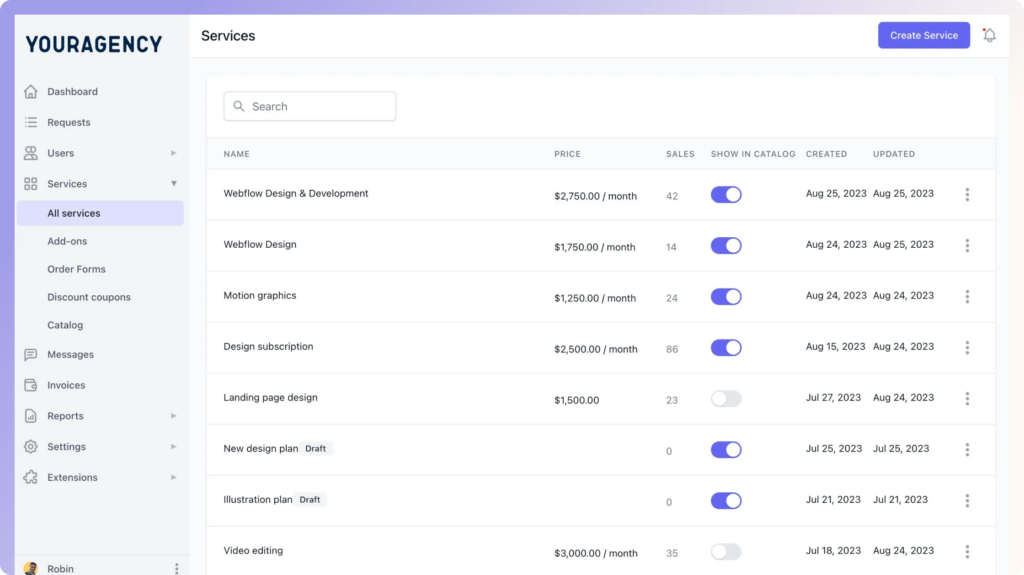
Overall, ManyRequests feels purpose-built for agencies that deliver creative work on a recurring basis. If your current process involves managing client requests through email and shared folders, the upgrade in professionalism and organization is immediately noticeable.
What we like
The client portal experience is polished and genuinely client-friendly. It makes your agency look more professional than managing everything through email and shared folders, and the built-in revision workflow saves a lot of back-and-forth on creative projects.
Pricing
You can try out ManyRequests for 14 days, completely free of charge. The pricing for paid plans is as follows:
- Starter ($99/month)
- Core ($149/month)
- Pro ($399/month)
3. Zendo
Best for: Agencies selling productized services or subscriptions that want a simple, all-in-one delivery platform.
Zendo takes a different approach to agency operations by centering everything around a chat-based interface. Each client request becomes a conversation thread, and from that single thread you can send quotes, share files, collaborate with team members, generate invoices, and collect payments.
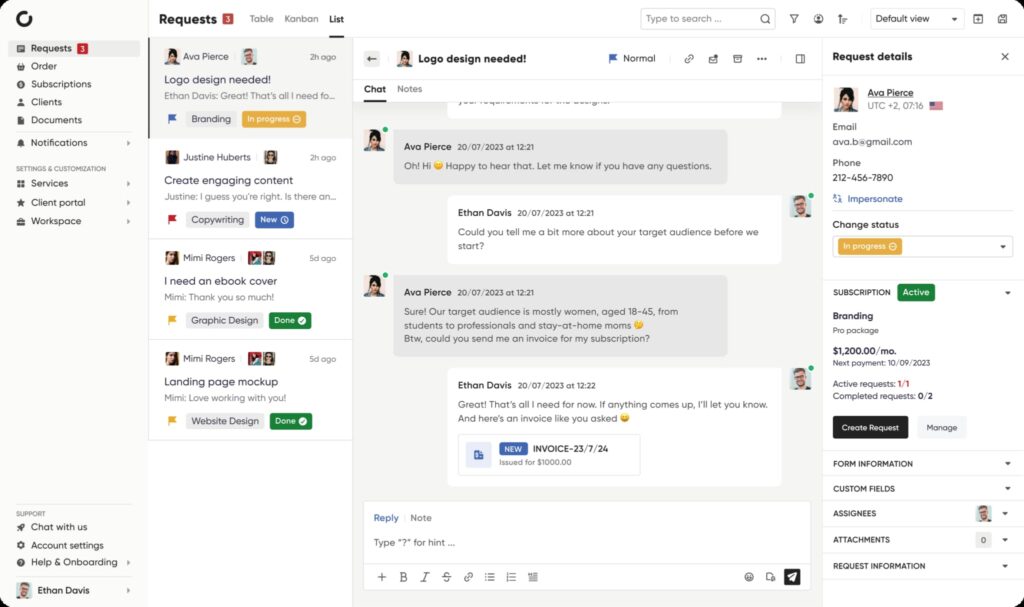
In our testing, this felt refreshingly simple compared to tools that try to organize everything through dashboards and project boards. There's very little setup overhead, and the learning curve for both your team and your clients is minimal.
One feature we found particularly useful is the service catalog. You can list your services with pricing and let clients browse and purchase directly, which works well for agencies that have moved toward productized offerings.
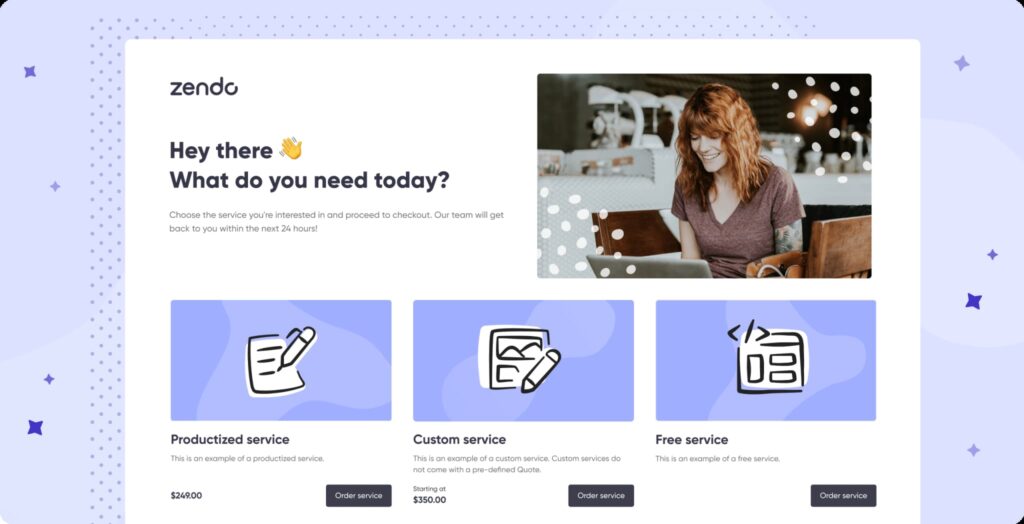
It supports one-off projects, custom scopes, and recurring subscriptions, so you're not locked into one service model.
You can also create custom workflows for different service types, automate invoicing, and apply white-label branding including a custom domain, branded colors, and a personalized chatbot. The white-label options are solid for the price point, especially on the higher-tier plans.
The trade-off is that Zendo is simpler than tools like Productive. If you need detailed resource planning, complex project management views, or granular reporting, it won't cover that.
But if your agency's workflow is more about receiving requests, delivering work, and getting paid without juggling five different tools, Zendo handles that really well.
What we like
The chat-based approach feels refreshingly simple compared to tools that try to do everything through dashboards and project boards.
It's one of the few platforms that handles the full cycle from purchase to delivery to payment in a single thread, which makes it a natural fit for productized services.
Pricing
Zendo offers a free plan for one user. Paid plans include:
- Essential ($15/month + $9/seat)
- Pro ($49/month + $15/seat)
- Unlimited ($99/month, flat fee)
4. Notion
Best for: Agencies that need a flexible internal workspace for documentation, project tracking, and team collaboration.
Notion is one of those tools that can be almost anything you want it to be. Internal wiki, content calendar, client database, project tracker, meeting notes hub, and more.
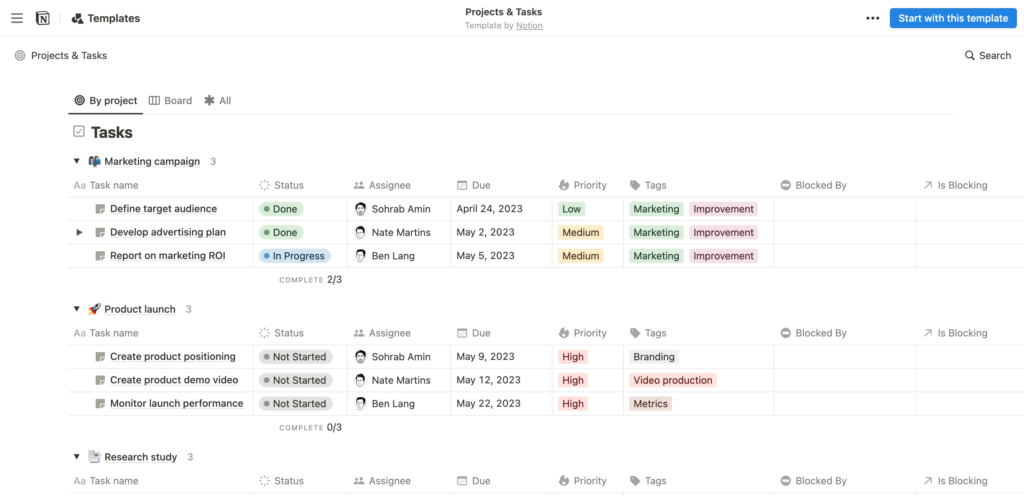
In our testing, this flexibility was both its biggest strength and its biggest challenge.
You can set up a workspace that mirrors exactly how your agency operates, but you'll need to invest some time upfront designing that structure (or borrowing from Notion's extensive template library, which saves a lot of that effort).
Where we found Notion most valuable for agency work is as a central knowledge base. SOPs, brand guidelines, client briefs, campaign plans, and meeting notes all live in one searchable workspace that the whole team can access.
The AI assistant has also gotten genuinely useful for surfacing information quickly across a large workspace, which matters once you've accumulated months or years of documentation.
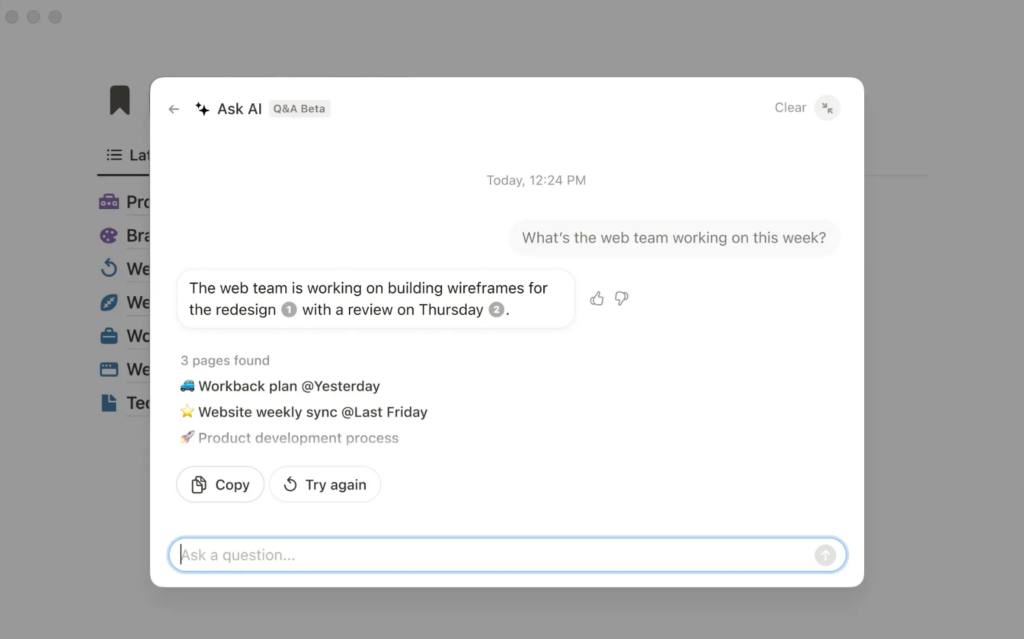
Notion also offers Notion Calendar (a calendar app that integrates seamlessly with the main workspace) and Sites (which lets you turn any Notion page into a live website in one click). These aren't core to the agency operations use case, but they're nice extras that come with the platform.
The main limitation is that Notion isn't a dedicated project management tool. It can handle basic task tracking and project boards, but if you need features like time tracking, resource planning, or Gantt charts, you'll want a purpose-built PM tool alongside it.
What we like
The flexibility is unmatched. You can build an internal wiki, content calendar, client database, and project tracker all in one workspace, and the templates community means you rarely have to start from scratch.
The AI assistant has also gotten genuinely useful for finding information across a large workspace.
Pricing
Notion offers a limited free plan. Paid plans include:
- Plus ($12/seat/month)
- Business ($18/seat/month)
- Enterprise (custom pricing)
5. Process Street
Best for: Agencies looking to standardize repeatable processes and onboard new team members consistently.
Process Street is focused on one thing: helping you turn your agency's repeatable processes into structured, trackable workflows.
If your team runs the same onboarding steps for every new client, follows the same QA checklist before launching a campaign, or needs a consistent process for monthly reporting, Process Street is built for that.
When we tested it, the workflow builder impressed us with how much logic you can pack into what looks like a simple checklist. You can add conditional steps that show or hide based on previous inputs, set up approval gates, schedule tasks, and route data from intake forms directly into workflows.
It's significantly more powerful than a shared Google Doc with checkboxes.
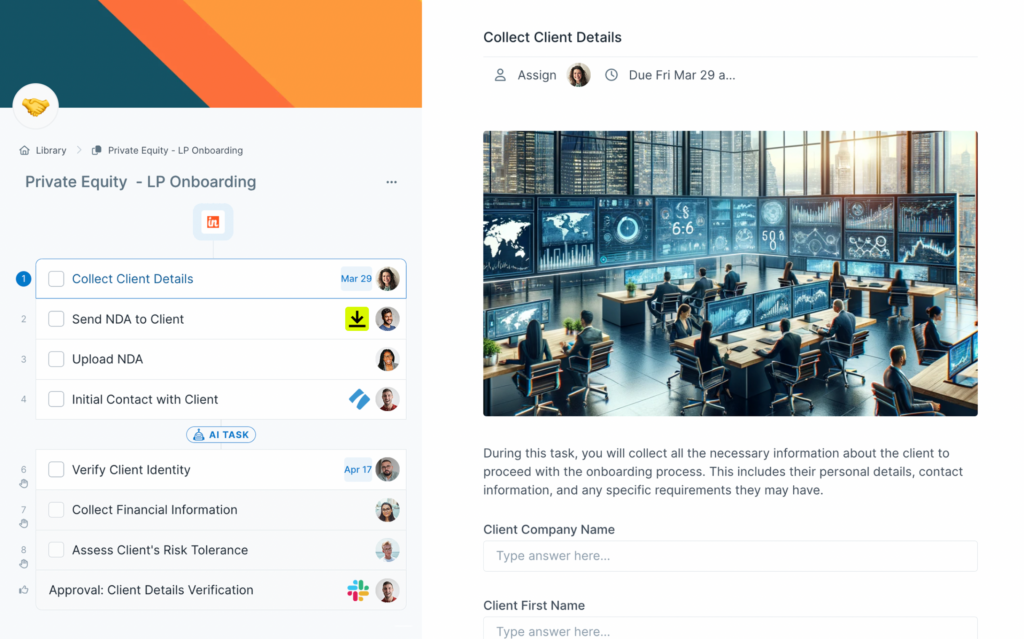
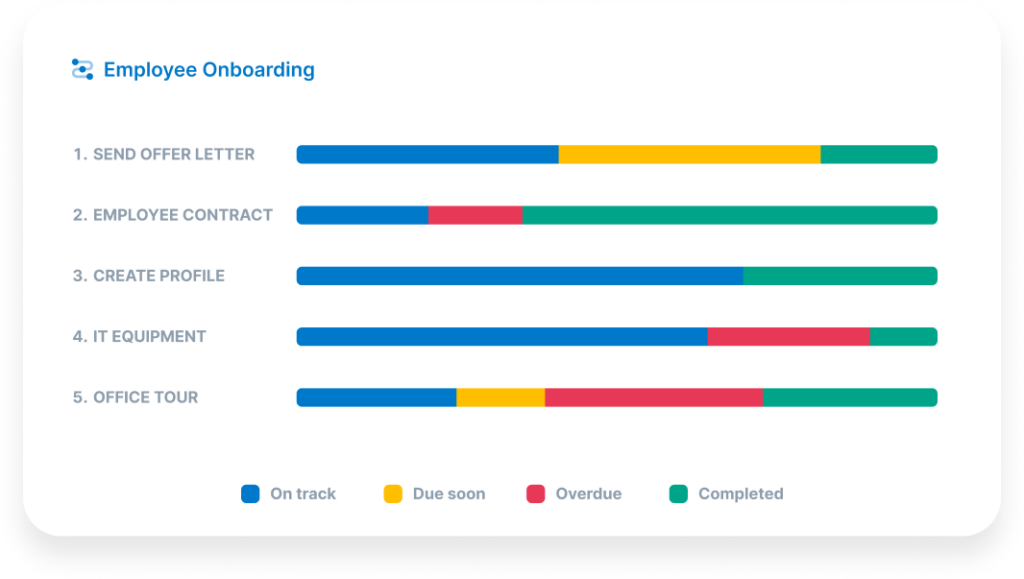
The analytics features are also worth mentioning. You can see where workflows are getting stuck, which steps take the longest, and where team members are falling behind.
For agencies that struggle with consistency (especially when onboarding new hires who need to learn established processes quickly), this kind of visibility helps you identify and fix bottlenecks.
What we like
If your agency struggles with consistency across team members or when onboarding new hires, Process Street solves that problem well. The conditional logic in workflows is surprisingly powerful, letting you build SOPs that adapt based on inputs rather than being static checklists.
Pricing
You can try Process Street for free by taking advantage of the 14-day trial offer. Paid plans include:
- Startup ($100/month)
- Pro ($1,500/month, billed annually)
- Enterprise (custom pricing)
Project management software
6. ClickUp
Best for: Agencies that want a highly customizable project management platform they can shape to their exact workflow.
ClickUp is one of the most flexible project management tools we tested.
You can organize work using dedicated spaces and folders for different teams, clients, or projects. And customize tasks with subtasks, checklists, custom fields, and multiple views until the platform mirrors exactly how your team thinks about work.
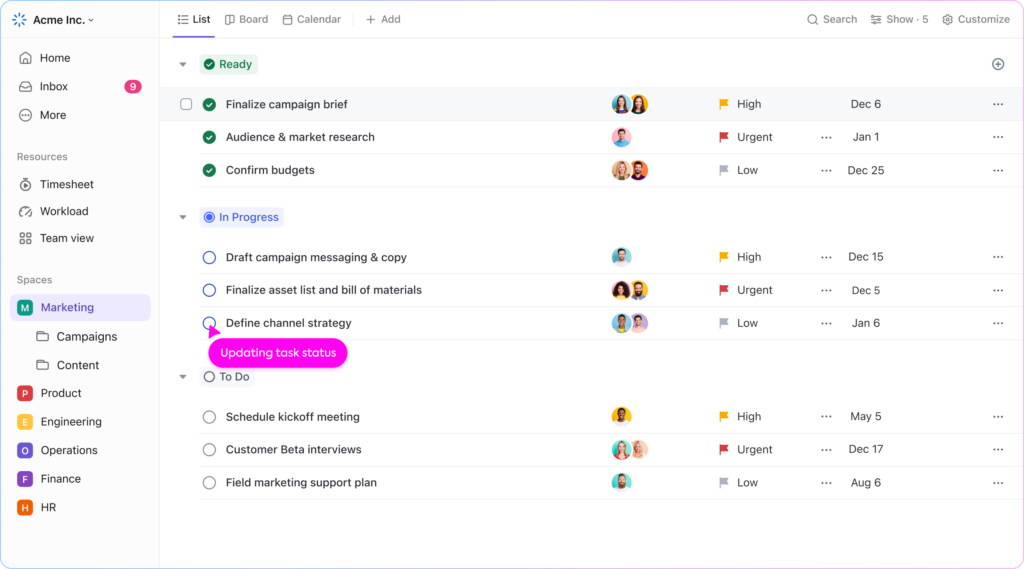
That customization depth is both the strength and the caveat. In our testing, ClickUp took longer to set up than simpler tools like Notion's project boards, but once configured, it was noticeably more powerful for managing complex, multi-client workloads.
The teams that get the most out of ClickUp tend to be the ones willing to invest in that initial setup.
The built-in automations help streamline repetitive work, and the AI-powered automation builder lets you create custom automations without writing any logic from scratch.
We also found the resource management features useful, including time tracking, workload views, and goals, though they're not as deep as what you'd get from a dedicated tool like Productive or Teamwork.
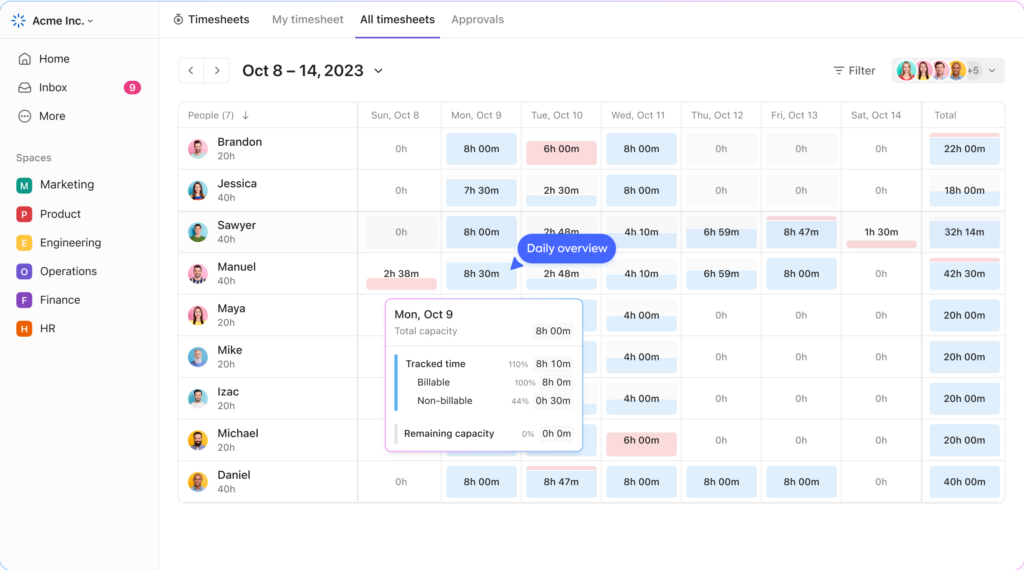
ClickUp also offers 35+ apps that extend its core functionality, and the free plan is genuinely usable for small teams, not just a stripped-down teaser to push you toward a paid tier.
What we like
The customization depth is hard to beat. You can set up ClickUp to work exactly the way your team thinks, which is why it tends to stick once teams commit to it.
The free plan is also genuinely usable, not just a teaser.
Pricing
ClickUp offers a free plan with a limited set of features. Paid plans include:
- Unlimited ($10/user/month)
- Business ($19/user/month)
- Enterprise (custom pricing)
Unlock a new revenue stream for your agency
Start offering online reputation management services with LocalImpact's white label review management software.
7. Teamwork
Best for: Client-services agencies that need project management with built-in profitability tracking and client access.
Teamwork is one of the few project management platforms we tested that feels like it was genuinely built for agency work rather than adapted to it after the fact.
It covers the full project lifecycle: task management, time tracking, budgeting, invoicing, and resource planning all live in one platform. You can manage tasks using boards, tables, Gantt charts, and timelines, set up dependencies between tasks, and create project templates for work you repeat across clients.
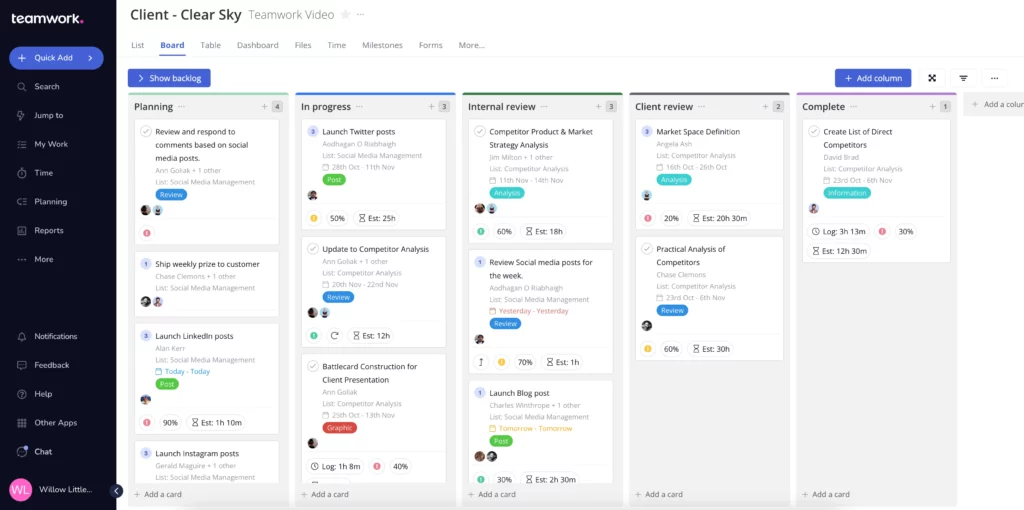
Where Teamwork really separates itself from general-purpose PM tools is profitability. You can set project budgets, track billable and non-billable hours, compare planned vs. actual time, and generate reports that show you exactly which clients and projects are making money.
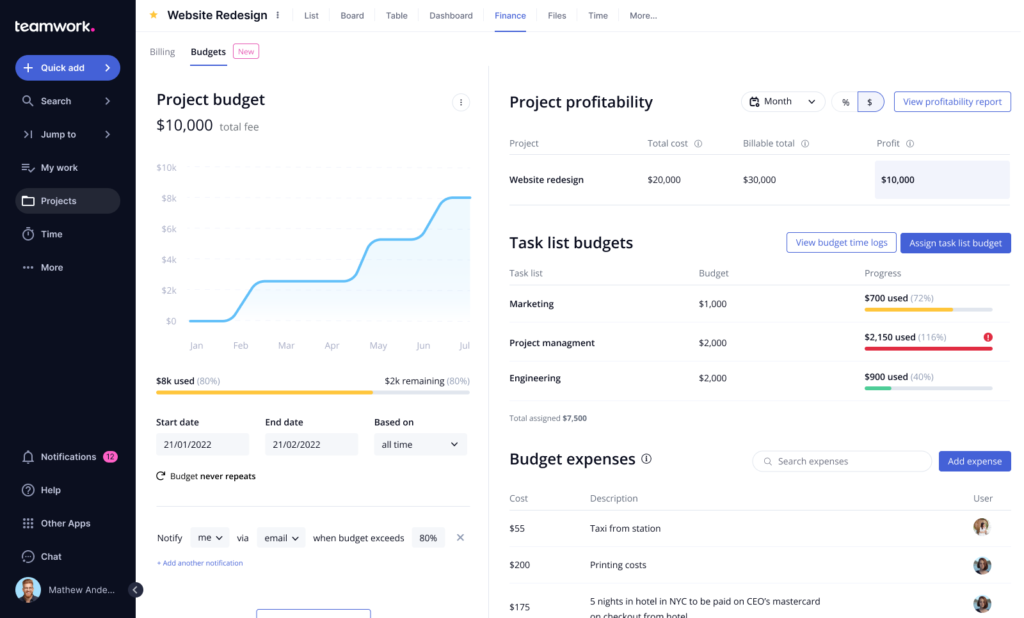
In our testing, this was the single most valuable feature for agency use: most PM tools track whether work got done, but Teamwork also tracks whether that work was profitable.
The workload planner gives you a clear view of who's overbooked and who has capacity, which helps with resource allocation and prevents the burnout that comes from unevenly distributed work.
We also liked that paid plans include unlimited free client seats, so you can give clients visibility into project progress without adding to your bill.
Higher-tier plans add retainer management and more advanced reporting, which are useful for agencies with ongoing client relationships rather than one-off projects.
What we like
This is one of the few project management tools that feels like it was actually designed by people who've run an agency. The profitability reports, retainer tracking, and unlimited free client seats make it clear the team understands client work in a way that generic PM tools don't.
Pricing
Teamwork offers a free plan for up to 5 users. Paid plans include:
- Deliver ($10.99/user/month, billed annually)
- Grow ($19.99/user/month, billed annually)
- Scale ($54.99/user/month, billed annually)
- Enterprise (custom pricing)
Time tracking tools
8. Toggl Track
Best for: Teams that need simple, frictionless time tracking that people will actually use every day.
We've tested a lot of time trackers, and Toggl Track is consistently the one that gets the least resistance from teams during rollout. The reason is simplicity: you click a button, the timer starts. There's almost zero friction, which means people actually use it.
The software works across web, desktop, and mobile, and syncs seamlessly between devices. You can start a timer on your phone during a client call and continue it on your desktop when you're back at your computer. Idle detection catches the times you forget to stop a timer, which helps keep entries accurate without requiring perfect discipline from every team member.
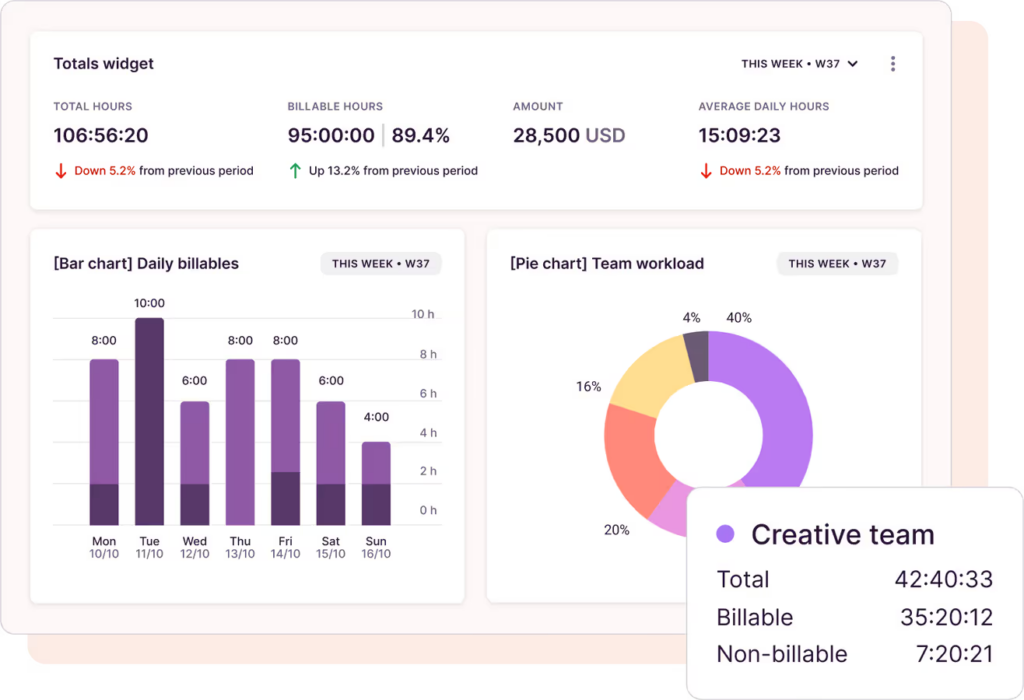
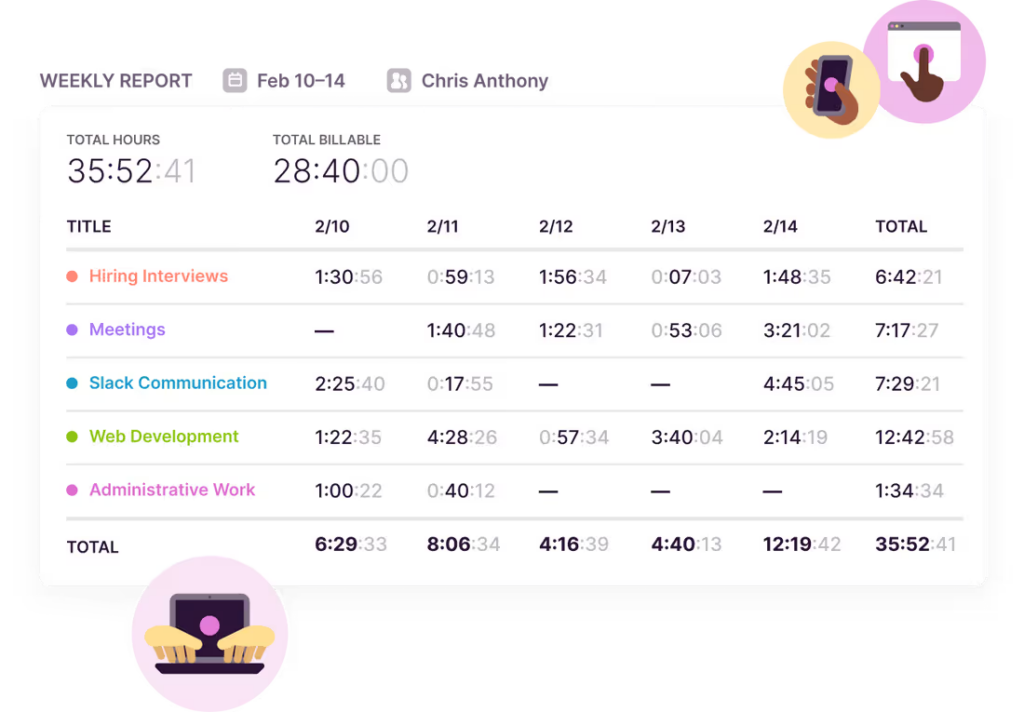
Beyond basic tracking, you can set hourly rates, differentiate between billable and non-billable hours, and tag entries by project, client, or task to get a clear picture of where your team's time is going.
Toggl generates timesheets automatically, which you can review and approve within the platform, and then export as invoices to send to clients.
The trade-off for that simplicity is that Toggl Track doesn't try to do much beyond time tracking. There's no built-in invoicing with payment collection, no productivity monitoring, and no project budgeting beyond basic estimates.
If you need those features, Harvest or Hubstaff will be better fits. But if your priority is getting accurate time data from your team without fighting adoption, Toggl is hard to beat.
What we like
The simplicity is the point. Your team will actually use it because there's virtually no friction to starting and stopping timers.
The idle detection and cross-device syncing mean you get accurate data without requiring discipline from every team member.
Pricing
Toggl Track offers a free plan that’s limited to five users. Paid plans include:
- Starter ($10/user/month)
- Premium ($20/user/month)
- Enterprise (custom pricing)
9. Hubstaff
Best for: Agencies managing remote teams or contractors that need visibility into productivity alongside time tracking.
Hubstaff goes a step beyond what most time trackers offer. It tracks hours like any other tool, but it also includes optional productivity monitoring features like activity levels, app and URL tracking, and screenshots that give you visibility into how time is actually being spent.
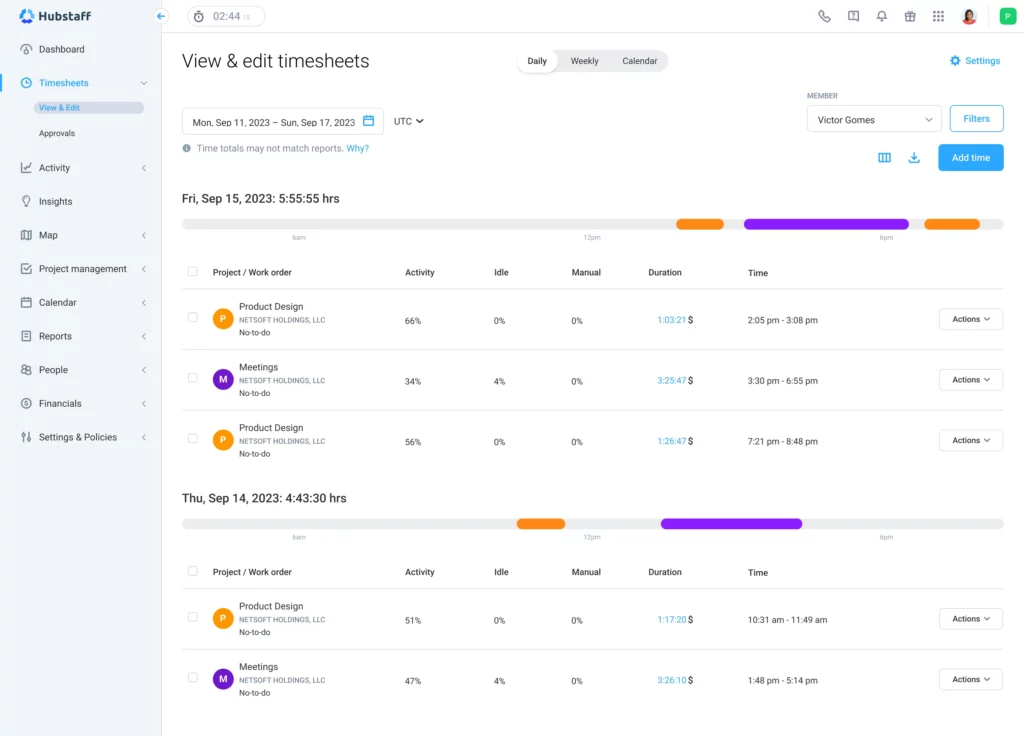
In our testing, this extra layer of insight was useful for managing remote contractors and distributed teams where you don't have the natural visibility of a shared office. You can see not just how long a task took, but whether the time was spent actively working or sitting idle.
That said, some teams will find the monitoring features intrusive, so it's worth discussing with your team before rolling it out.
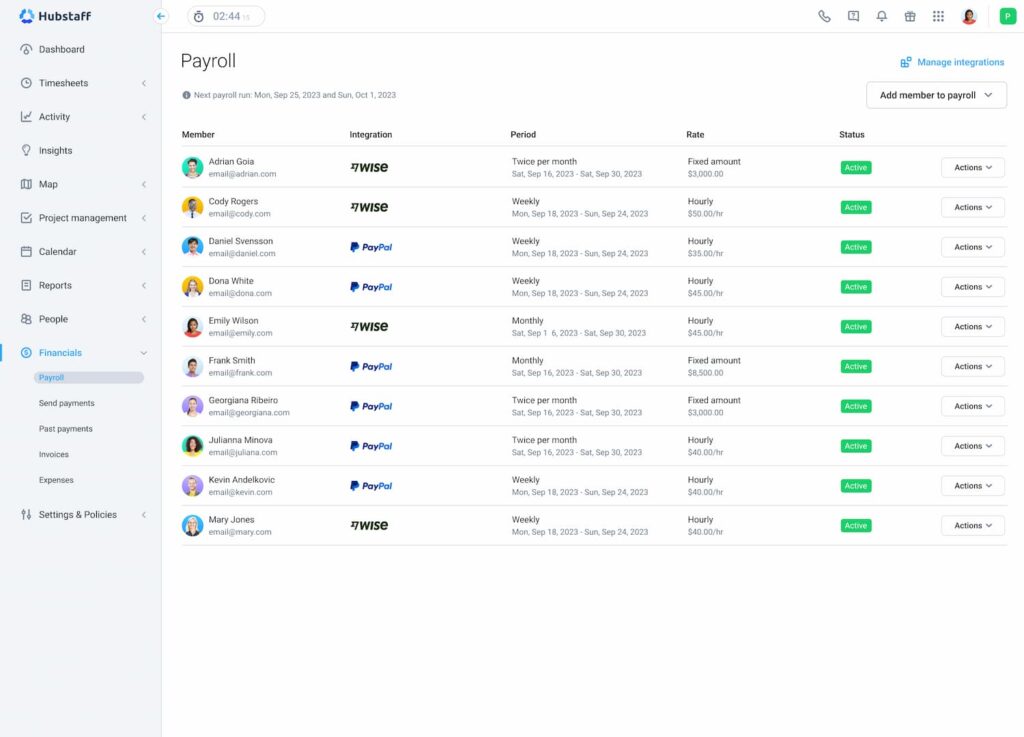
The time tracking itself works well across desktop, mobile, and web, with automatic syncing between devices. Timesheets are generated in real time, and you can review, approve, and use them to trigger payments directly through integrations with PayPal, Wise, Deel, and other payroll providers.
The automated payroll feature is a genuine time-saver for agencies that pay contractors on a regular cycle.
Hubstaff also includes project budgeting features that let you set time and cost limits and receive alerts when you're approaching the cap. And 20+ customizable reports help you track team performance and project profitability over time.
What we like
The productivity monitoring features add a layer of visibility that pure time trackers don't offer. Being able to see activity levels and app usage alongside tracked hours helps agency managers understand not just how long something took, but whether time was spent effectively.
The automated payroll triggers are also a nice touch for teams with contractors.
Pricing
Hubstaff offers a free 14-day trial. Paid plans include:
- Starter ($7/seat/month)
- Grow ($9/seat/month)
- Team ($12/seat/month)
- Enterprise (custom pricing)
10. Harvest
Best for: Small agencies that want time tracking and invoicing in a single, straightforward tool.
Harvest has been around for a long time, and in our testing it's clear why it's stuck around: it does time tracking and invoicing well without overcomplicating either one.
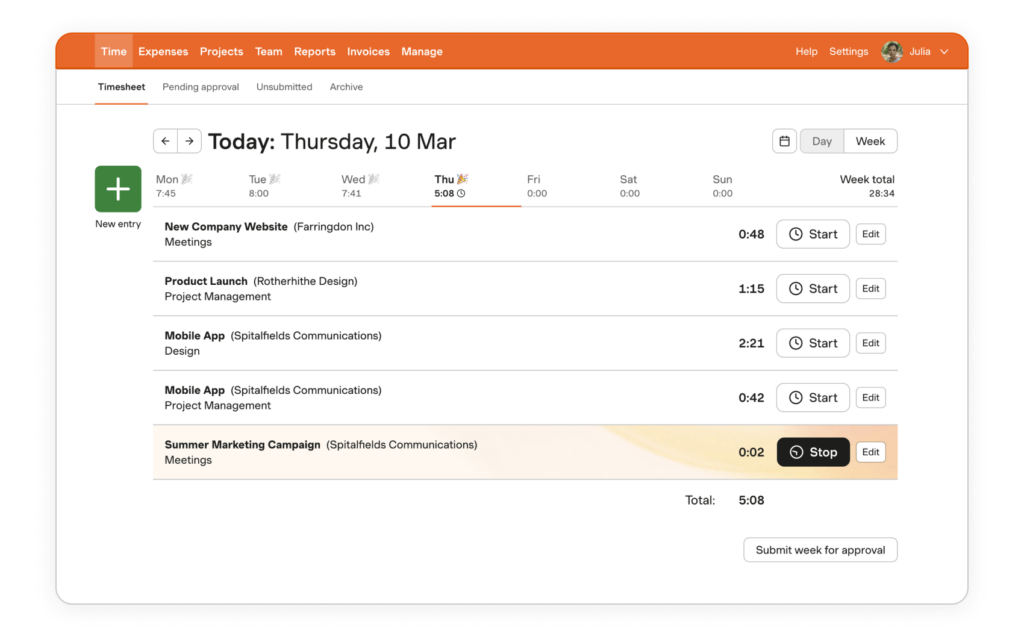
You can track time using one-click timers on desktop, mobile, or web, and the software sends gentle reminders to nudge team members who forget to log hours. The tracking itself is straightforward, but where Harvest really earns its place is the invoicing workflow.
You can go from tracked time to a professional invoice in two clicks, let clients pay directly from the invoice, and set up automated follow-up reminders for unpaid invoices.
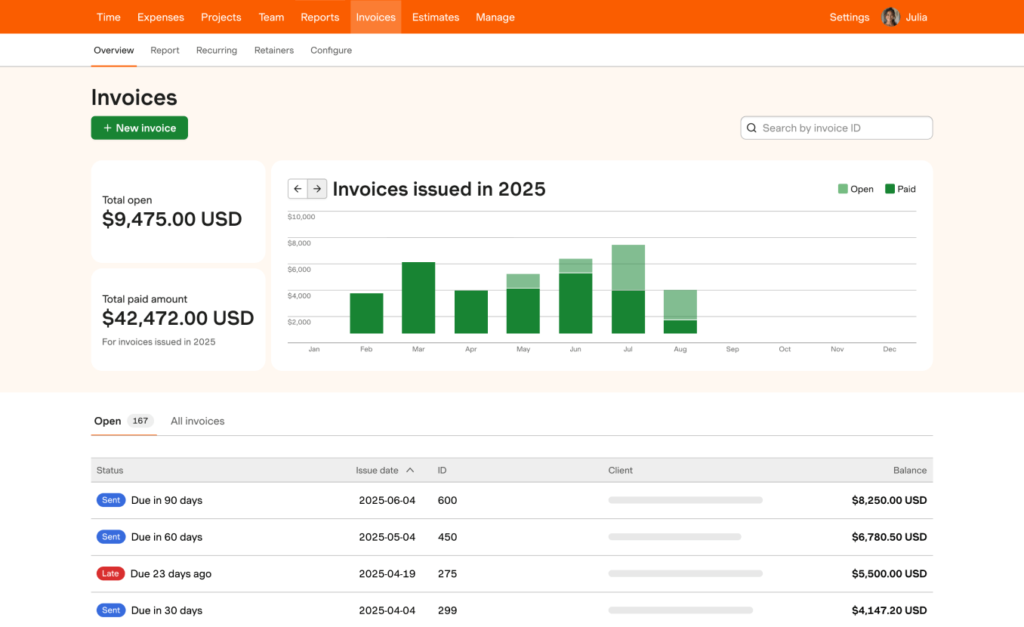
It integrates with QuickBooks and Xero, so your financial data stays in sync without manual exports.
The platform also includes project budget tracking with real-time alerts when you're approaching the cap, and capacity and utilization reports that help you understand how your team's time is distributed across clients.
Harvest is less feature-rich than Hubstaff (no productivity monitoring) and less flexible than Toggl Track (the interface is more opinionated about how you should work).
But if your agency's main pain point is the gap between tracking time and getting paid for it, Harvest closes that gap more cleanly than anything else we tested.
What we like
The invoicing workflow is where Harvest really shines. Going from tracked time to a professional invoice in two clicks, with automated payment reminders and direct client payment, removes one of the most tedious parts of running an agency.
Pricing
Harvest offers a free plan for one user with up to two projects. Paid plans include:
- Pro ($11/seat/month)
- Premium ($14/seat/month)
Proposal software
11. Proposify
Best for: Agencies with a structured sales process that want detailed analytics on how prospects interact with proposals.
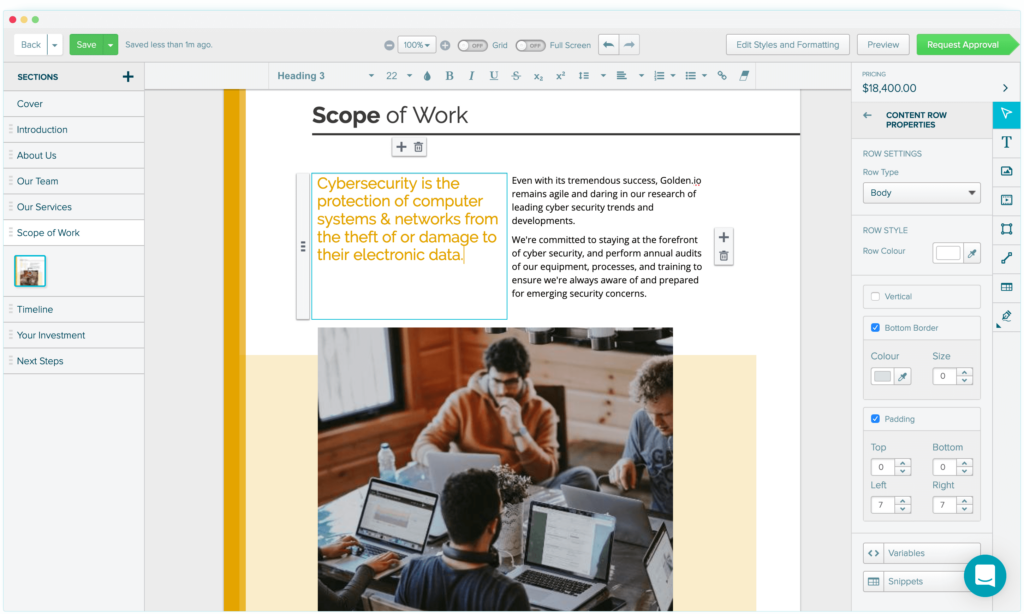
Proposify is a solid, full-featured proposal tool that covers the entire workflow from creation to signature. You can build proposals from scratch using the drag-and-drop editor or start from one of the built-in templates and customize with your branding.
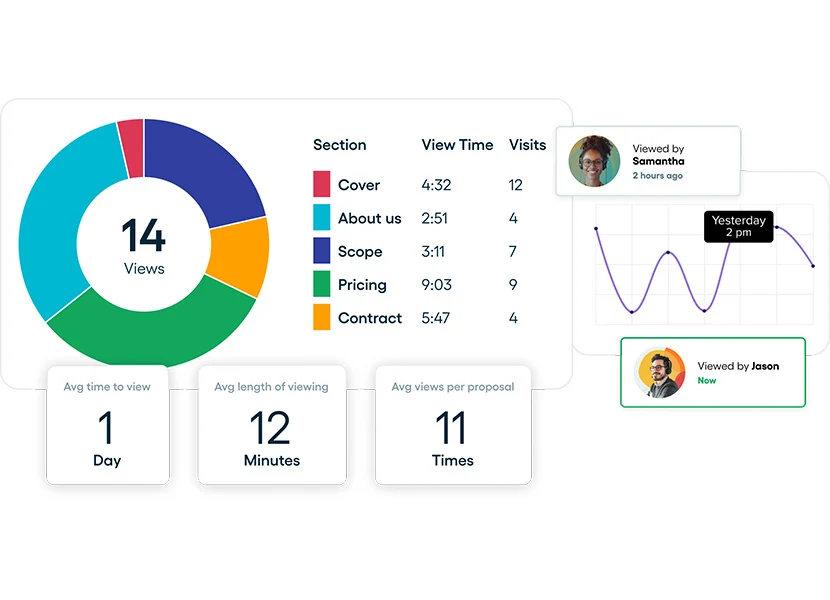
What caught our attention during testing was the analytics. You can see exactly when a prospect opens your proposal, how long they spend on each section, and whether they've forwarded it to someone else.
That level of visibility gives you a genuine edge in timing your follow-up and knowing which parts of your pitch resonated.
The Content Library feature is also practical for agencies sending a lot of proposals. You can save and reuse blocks like case studies, service descriptions, and team bios across proposals, which speeds up creation without sacrificing personalization.
Proposify also handles contracts and e-signatures, and can send automated follow-up emails when a proposal hasn't been acted on. You can pull in data from your CRM to pre-populate proposals, which cuts down on manual entry when you're sending volume.
What we like
The proposal analytics are genuinely useful for sales follow-up. Knowing exactly when a prospect opened your proposal and which sections they lingered on gives you a real edge in timing and tailoring your follow-up conversation.
Pricing
Proposify offers the following plans:
- Basic ($35/seat/month)
- Team ($49/seat/month)
- Business ($65/seat/month)
12. Better Proposals
Best for: Agencies that want to collect signatures and deposits within the same document to close deals faster.
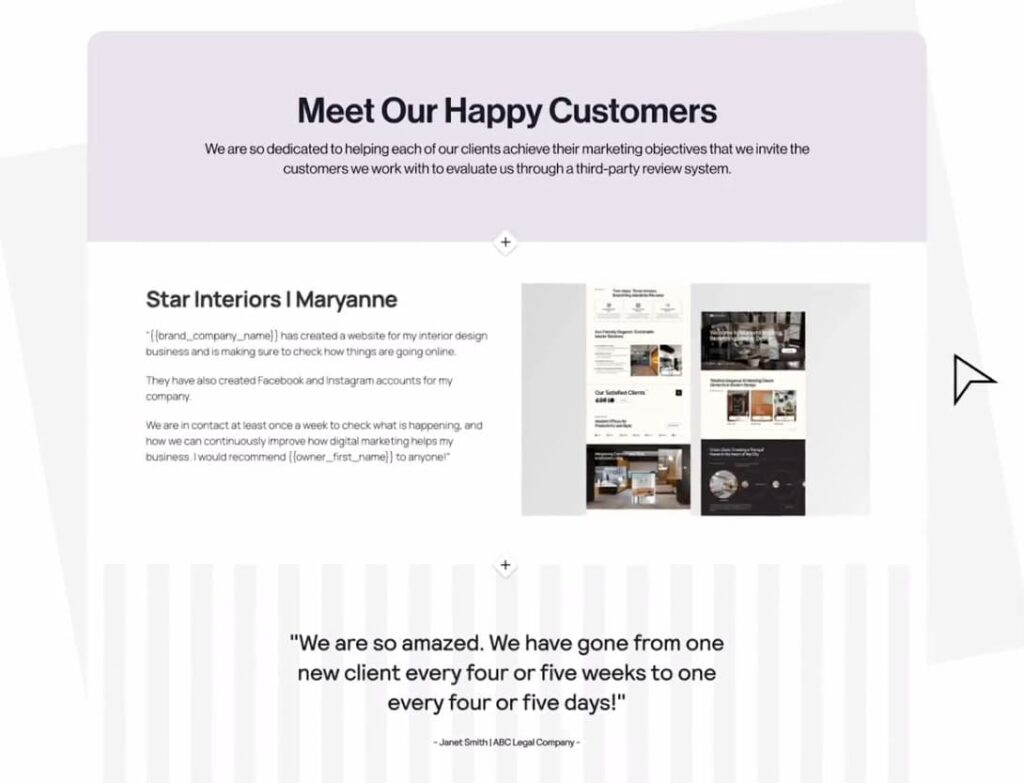
Better Proposals focuses on making proposals look great and close fast. The template library is one of the largest we've seen across proposal tools: over 250 professionally designed templates that you can customize with your branding, colors, fonts, and a custom domain.
The standout feature in our testing was the integrated payment collection. Clients can sign and pay a deposit directly within the proposal, which eliminates the gap between a verbal "yes" and actually receiving money.
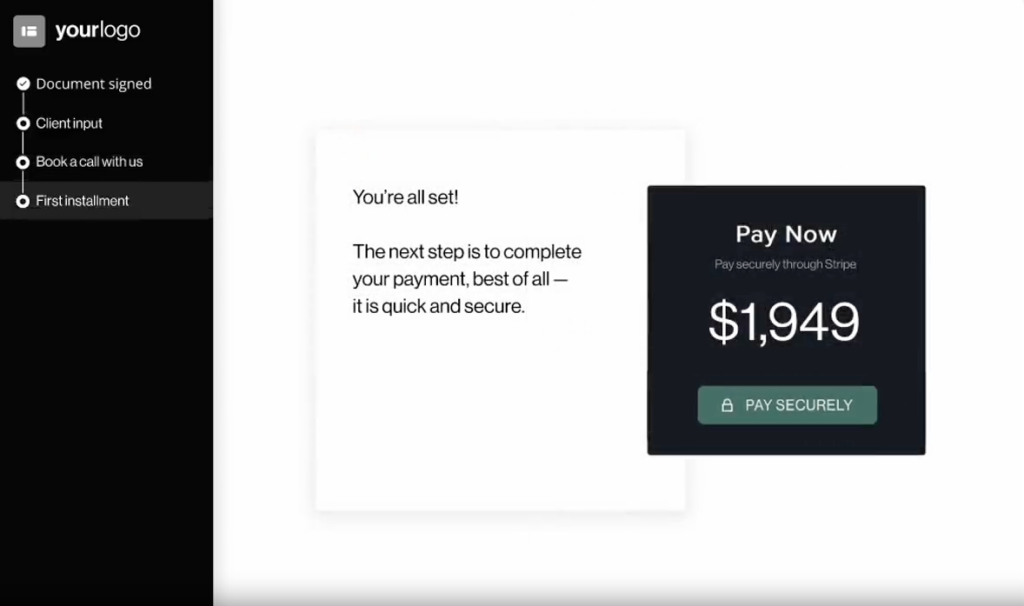
For agencies that have dealt with the frustration of signed proposals sitting for weeks before payment arrives, this alone justifies the cost.
The platform includes analytics similar to Proposify: you can see when proposals are opened, how long prospects spend on each section, and when they get forwarded. It also integrates with 50+ tools including CRMs like HubSpot, Salesforce, and Pipedrive, and payment processors like Stripe and PayPal.
Better Proposals is less feature-rich than Proposify on the content management side (no reusable content library) but it's more affordable at every tier and the payment integration is smoother. If speed-to-close matters more to you than proposal analytics depth, it's the better pick.
What we like
The integrated payment collection is the standout feature. Having clients sign and pay a deposit directly within the proposal eliminates the awkward gap between "yes, let's do it" and actually receiving money.
The template library is also one of the largest we've seen, which helps you get a polished proposal out the door fast.
Pricing
You can try Better Proposals for free for 14 days. Paid plans include:
- Starter ($19/user/month)
- Premium ($29/user/month)
- Enterprise ($49/user/month)
Unlock a new revenue stream for your agency
Start offering online reputation management services with LocalImpact's white label review management software.
13. Qwilr
Best for: Agencies that want to stand out with interactive, web-based proposals rather than static PDFs.
Qwilr takes a fundamentally different approach to proposals. Instead of generating a document that gets emailed as a PDF, Qwilr creates interactive web pages that prospects view in their browser.
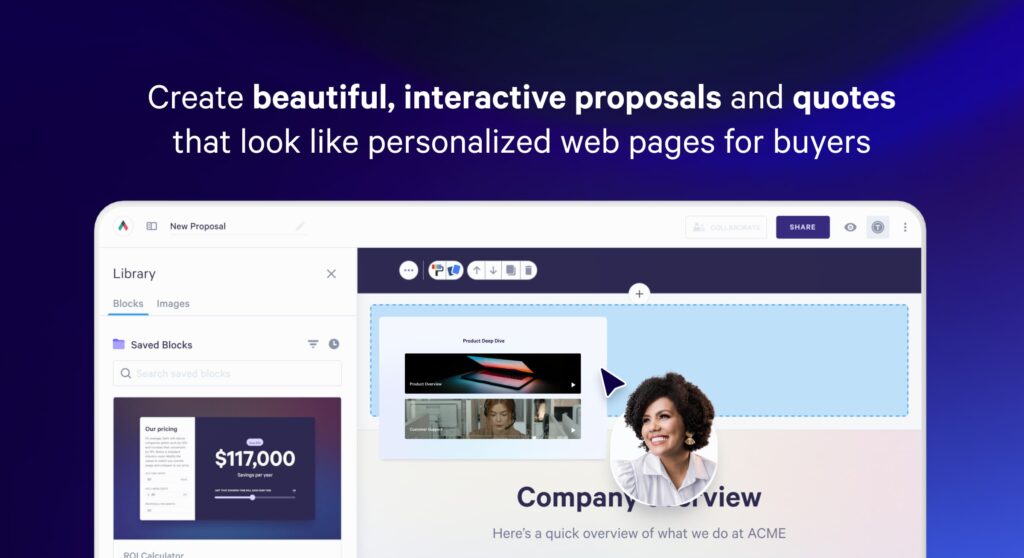
In our testing, this made proposals feel significantly more modern and engaging.
You can embed videos, ROI calculators, forms, spreadsheets, and other interactive elements directly into the proposal, which works especially well for agencies selling complex or high-value services where a static document doesn't do the offering justice.
The interactive pricing tables were the highlight for us. Prospects can select options, toggle add-ons, and see the total update in real time.
This self-serve element speeds up decision-making and reduces the back-and-forth of "can you send me a revised quote with option B instead."
Clients can e-sign and pay directly from the page through Stripe integration, and detailed analytics show you who viewed your proposal, when, and which sections they spent the most time on.
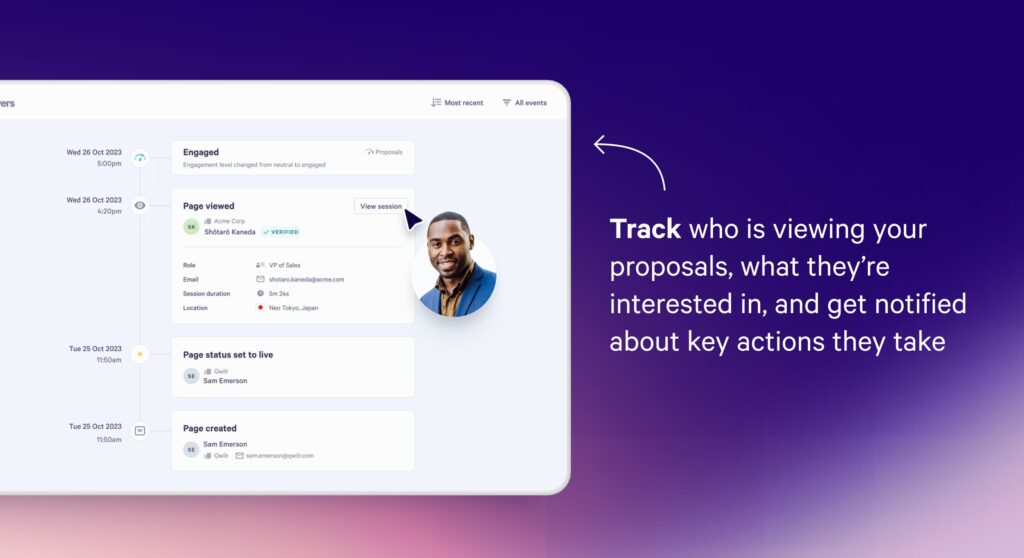
It also integrates with HubSpot and Salesforce, so you can create proposals directly from deal records and pre-fill key details automatically.
What we like
The interactive pricing tables are a standout feature. Letting prospects configure their own package and see the total update in real time feels modern and transparent, and it tends to speed up the decision-making process compared to static PDF proposals.
Pricing
You can try Qwilr for free for 14 days. Paid plans include:
- Business ($35/user/month)
- Enterprise ($59/user/month)
Client onboarding & access management tools
14. Leadsie
Best for: Social media and PPC agencies that need to collect client ad account and social media access quickly.
Leadsie makes it easy for clients to share access to their social media accounts.
The software generates a custom link you can share with clients. And all they need to do is click on the link and grant access through the Leadsie web app.
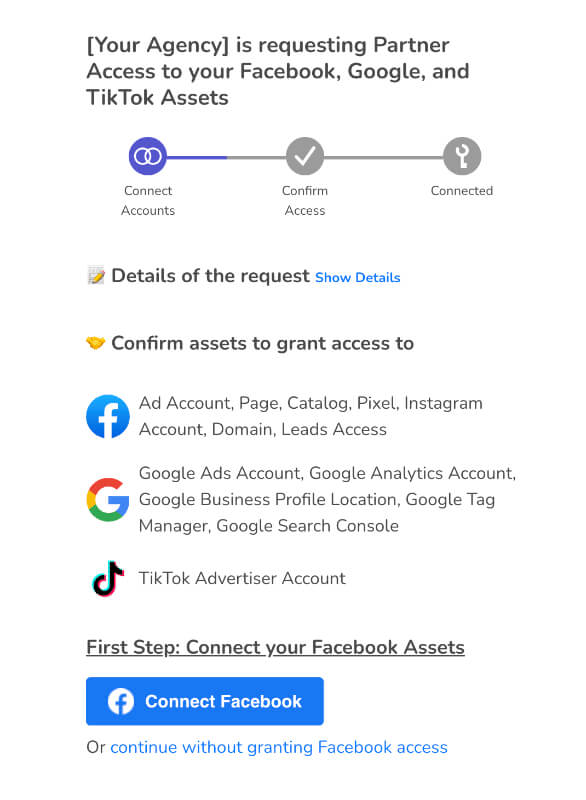
You’ll get a notification as soon as a client has granted access.
This eliminates the back-and-forth that’s usually needed before clients share access to all relevant accounts.
What we like
It solves a small but incredibly annoying problem. Every agency knows the pain of chasing clients for Facebook Business Manager access or Google Ads permissions. Leadsie turns that into a single link click, which is worth the subscription cost on its own.
Pricing
Leadsie offers a free 14-day trial you can use to test out the software. Paid plans include:
- Starter ($49/month)
- Agency ($99/month)
- Pro ($249/month)
- Enterprise (custom pricing)
CRM software
15. Attio
Best for: Agencies with complex or non-standard sales processes that need a CRM they can fully customize.
Attio is a newer CRM that's quickly gaining traction with agencies and startups that find traditional CRMs too rigid.
The core idea is a flexible relational data model that lets you create custom objects and define how they relate to each other, rather than forcing you into pre-built structures for contacts, companies, and deals.
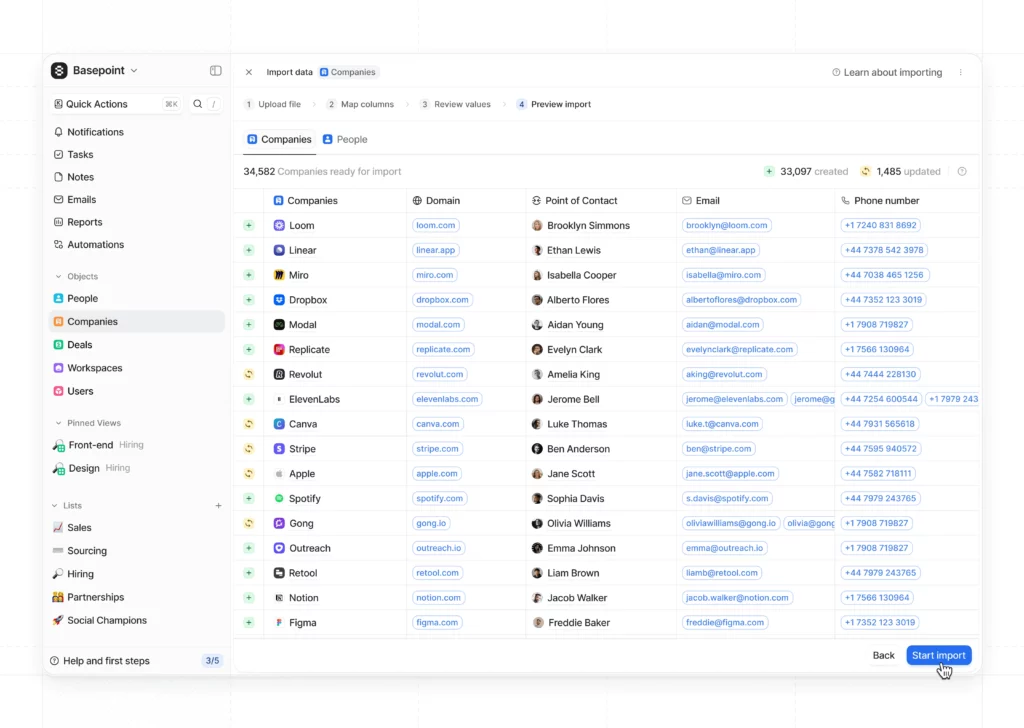
In our testing, this flexibility was immediately apparent.
You can model your agency's specific workflows, whether that's tracking client projects alongside sales deals, managing referral partnerships, or running multiple pipelines for different service lines, without fighting the tool's assumptions about how you should work.
The platform syncs with your email and calendar automatically, building a timeline of interactions for every contact and company without manual logging.
Built-in data enrichment fills in company details, job titles, and other information, which cuts down on the data entry that usually kills CRM adoption in small teams.
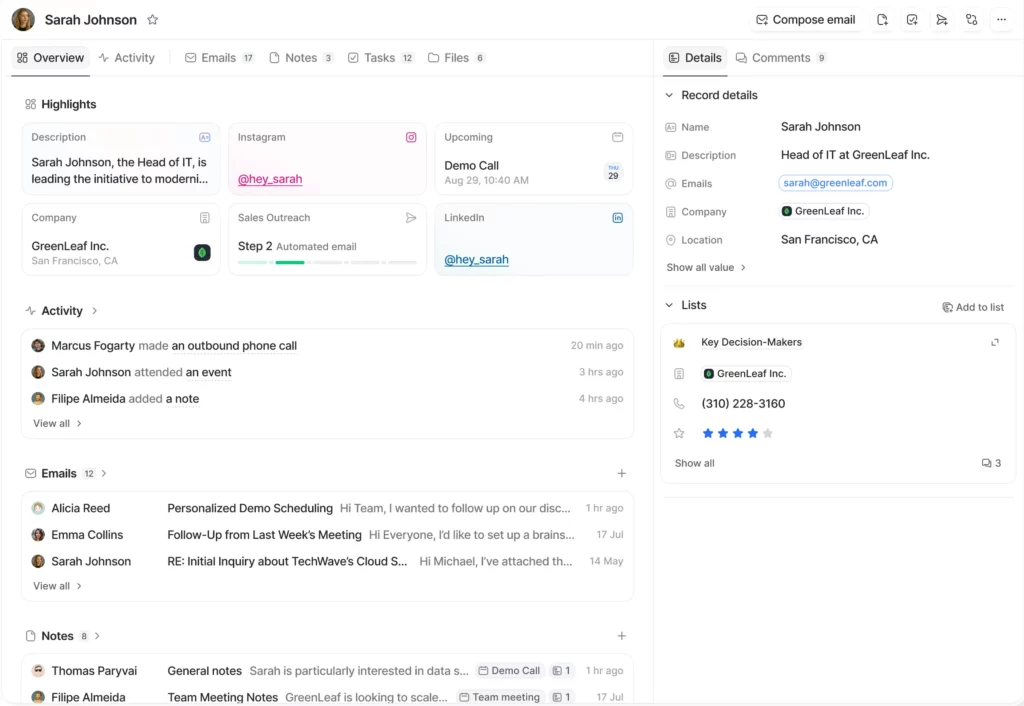
Attio's AI features let you automate workflows, score leads, and ask natural-language questions about your pipeline. The interface feels modern and fast and supports real-time collaboration.
The trade-off is that Attio's flexibility means more setup time upfront. If you want a CRM that works out of the box with minimal configuration, Close will get you up and running faster.
What we like
The data model flexibility is what sets it apart. Most CRMs force you to work within their structure.
Attio lets you build your own, which is powerful for agencies that manage non-standard relationships like partnerships, referral networks, or investor pipelines alongside client work.
Pricing
Attio offers a free plan for up to 3 users. Paid plans include:
- Plus ($29/user/month, billed annually)
- Pro ($59/user/month, billed annually)
- Enterprise ($119/user/month, billed annually)
16. Folk
Best for: Small agency teams that want a lightweight, low-friction CRM they can set up in minutes.
Folk is the opposite of enterprise CRM software. It's fast, simple, and designed for small teams that want to manage contacts and deals without a week of setup and training.
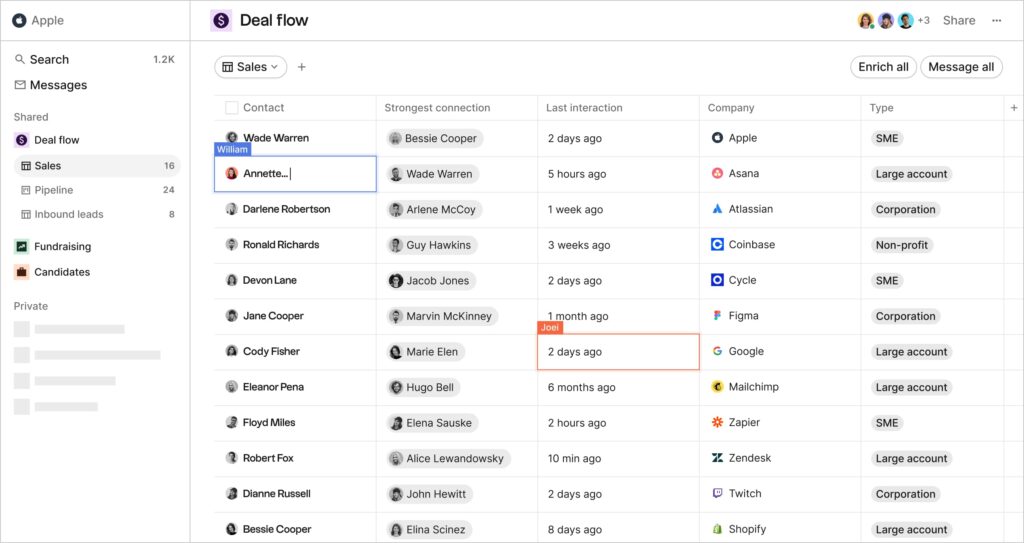
The interface uses a spreadsheet-like layout that feels instantly familiar. In our testing, we were importing contacts and managing a basic pipeline within minutes of signing up, which is a stark contrast to the onboarding process of heavier CRMs.
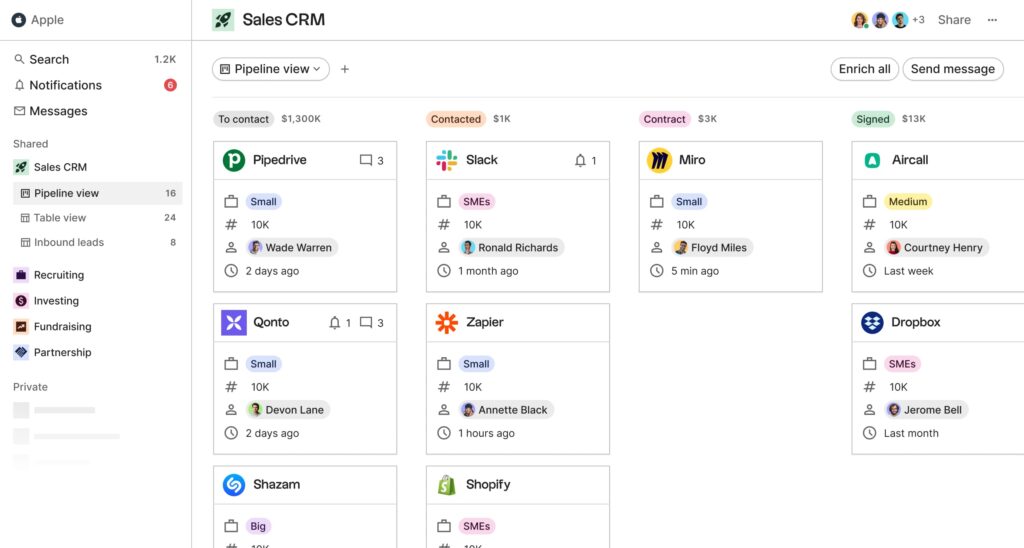
The folkX Chrome extension is the feature that makes Folk stick. You can pull contacts directly from LinkedIn, Gmail, or any webpage into your CRM with one click, and enrich profiles with email addresses and company details instantly.
This removes the data entry friction that typically kills CRM adoption in small teams: if adding a contact takes two seconds instead of two minutes, people actually do it.
Folk also includes email outreach features: templates, merge tags, and multi-step sequences for nurturing prospects over time. And customizable pipeline views let you manage deals visually as a team.
The limitation is depth. Folk doesn't have the advanced reporting, automation, or customization that Attio or Close offer. But for agencies that just need a clean, fast place to keep track of contacts and deals without overcomplicating things, it's one of the best options we tested.
What we like
The folkX Chrome extension is a killer feature. Being able to pull contacts directly from LinkedIn, Gmail, or any webpage into your CRM with one click removes the data entry friction that stops most small teams from actually maintaining their CRM.
Pricing
You can try Folk for free for 14 days. Paid plans include:
- Standard ($20/user/month)
- Premium ($40/user/month)
- Custom ($80/user/month)
17. Close CRM
Best for: Sales-heavy agencies that rely on phone calls and outbound sequences to close deals.
Close is a CRM built for teams that sell through direct outreach (calls, emails, and SMS) rather than inbound marketing funnels.
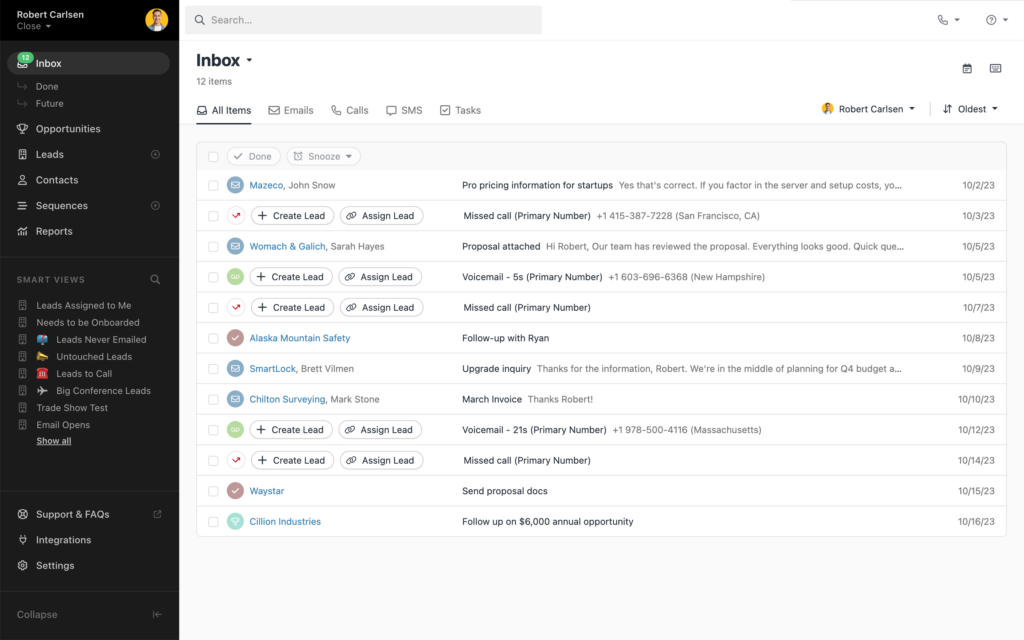
What sets it apart from Attio and Folk is the built-in communication tooling. In our testing, the Power Dialer and Predictive Dialer stood out: you can make calls directly from within the CRM, and the system automatically moves to the next lead when a call ends.
The Call Assistant transcribes and summarizes every call, which saves your team from taking manual notes and makes it easy to review conversations later.
Beyond calling, Close syncs with your email and calendar, supports automated email and SMS sequences, and lets you manage contacts and deals from a clean, activity-focused interface.
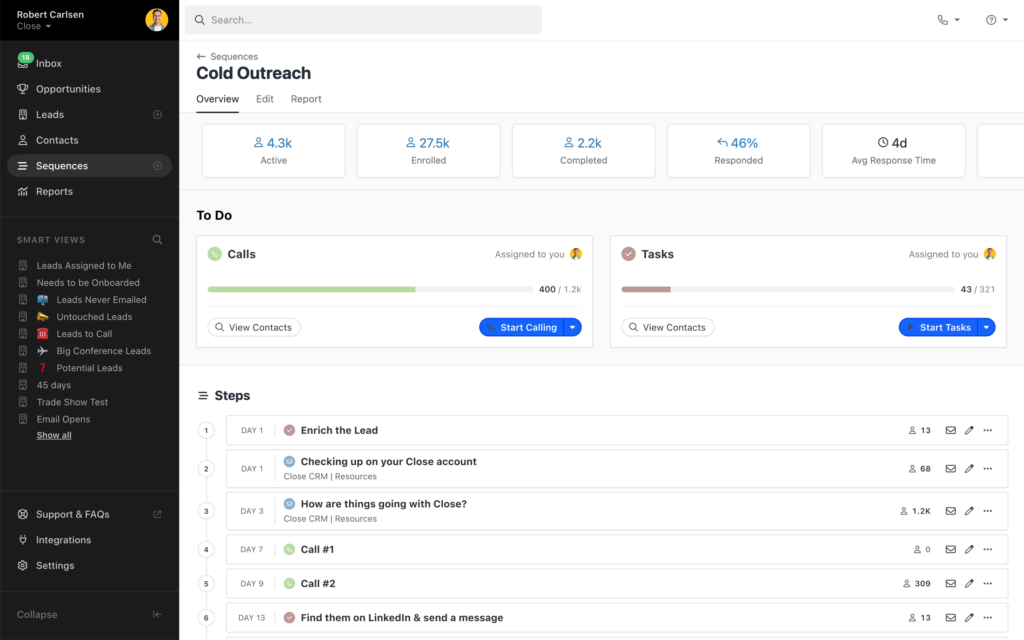
The built-in reporting gives you a clear view of your team's sales performance at a glance.
For agencies where the sales process is primarily outbound and involves a lot of direct prospect communication, Close consolidates tools that would otherwise require separate subscriptions for calling software, email sequencing, and CRM.
If your agency sells primarily through inbound or referrals, the calling features will be overkill and a lighter CRM like Folk will serve you better.
What we like
The built-in calling features set Close apart from other CRMs in this price range. If your agency's sales process involves phone calls (not just email), having the Power Dialer, call recording, and AI transcription all inside the CRM saves you from bolting on separate tools.
Pricing
You can try out Close for free for 14 days. Paid plans include:
- Startup ($59/user/month)
- Professional ($109/user/month)
- Enterprise ($149/user/month)
Sales outreach tools
18. Instantly
Best for: Agencies running high-volume cold email campaigns across multiple client accounts.
Instantly has become one of the most popular cold email platforms in the agency world, and after testing it we can see why: the unlimited email accounts on every plan is a genuine differentiator.
You can connect as many sending accounts as you want and Instantly automatically rotates sending across them, spreading volume across multiple inboxes to protect your sender reputation.
For agencies running outbound campaigns for multiple clients, this means you can scale without hitting deliverability walls or paying more per account.
The platform includes built-in email warmup that runs in the background, along with a spam word checker and email verification to help keep your messages landing in primary inboxes.
The AI features let you generate personalization variables, write email sequences, and automatically categorize replies so you can focus on interested prospects.
The unified inbox (Unibox) consolidates conversations across all your sending accounts in one place, which is essential when you're managing outreach at volume.
Instantly also offers a separate lead database (SuperSearch) with over 450 million B2B contacts, and an optional CRM add-on.
What we like
The unlimited email accounts on every plan is a genuine differentiator. For agencies running outbound for multiple clients, being able to scale sending volume by adding inboxes rather than paying more per seat keeps costs predictable as you grow.
Pricing
Instantly's Outreach plans include:
- Growth ($37/month)
- Hypergrowth ($97/month)
- Light Speed ($358/month)
Lead database and CRM plans are priced separately, starting at $47/month each.
Unlock a new revenue stream for your agency
Start offering online reputation management services with LocalImpact's white label review management software.
19. HeyReach
Best for: Lead gen agencies that need to scale LinkedIn outreach across multiple sender accounts.
HeyReach is a LinkedIn outreach automation tool built specifically for agencies and sales teams operating at scale.
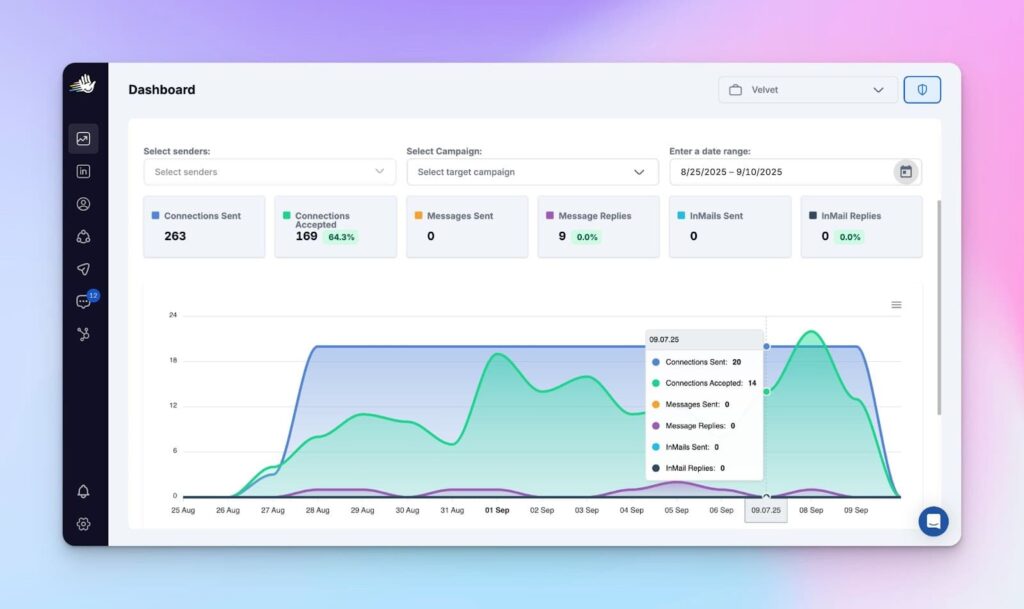
Its core feature is sender rotation: you connect multiple LinkedIn accounts to a single campaign, and HeyReach distributes connection requests, messages, and follow-ups across them automatically.
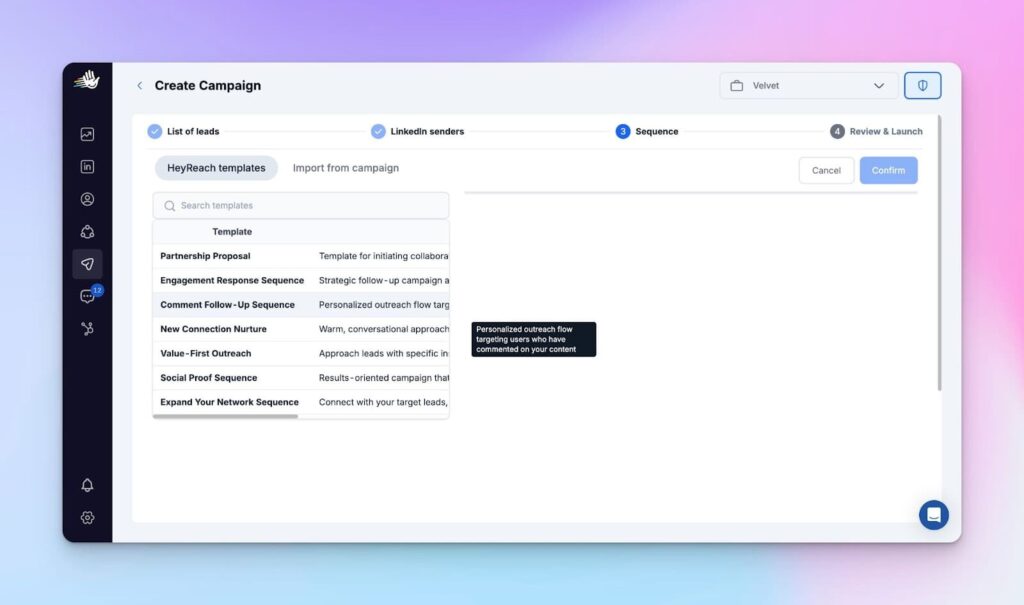
In our testing, this was the cleanest multi-account LinkedIn automation we found. You can reach significantly more prospects than a single account would allow while staying within LinkedIn's daily activity limits, which is the fundamental constraint every LinkedIn outreach tool has to work around.
The platform automates the full LinkedIn workflow including connection requests, personalized messages, InMails, profile views, and follow-ups. You can build multi-step sequences with conditional logic that branches based on whether a prospect accepts your connection or not.
All conversations across connected accounts are consolidated in a unified inbox where you can filter by campaign, sender, or status, and reply on behalf of team members. The workspace features with roles and permissions make it easy for agencies to manage multiple client campaigns from one dashboard.
What we like
The multi-account sender rotation is what makes this tool special. No other LinkedIn automation platform handles this as cleanly, and for agencies running outreach across multiple client accounts, the flat-fee pricing on the Agency plan makes the economics work at scale.
Pricing
HeyReach's pricing is based on the number of LinkedIn senders (accounts), not the number of users. Plans include:
- Starter ($79/sender/month)
- Agency ($799/month for up to 50 senders)
- Unlimited ($1,999/month for unlimited senders)
20. Apollo
Best for: Agencies that want prospecting, email sequencing, and CRM in a single platform.
Apollo tries to be the all-in-one sales platform, and in our testing it came closer to delivering on that promise than most tools that make similar claims.
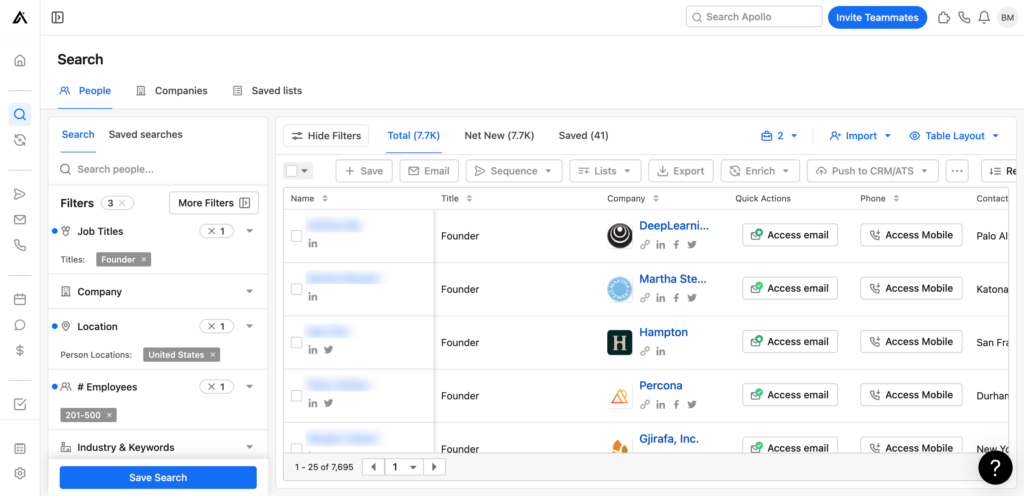
The contact database is the foundation: 275 million B2B contacts with over 65 filters to narrow down your ideal prospects by role, company size, industry, technology stack, funding stage, and more.
The platform also includes third-party intent data, which helps you identify companies that are actively in-market for services like yours.
Once you've built your prospect list, you can set up automated email sequences directly within Apollo and reach thousands of potential customers without switching to a separate outreach tool.
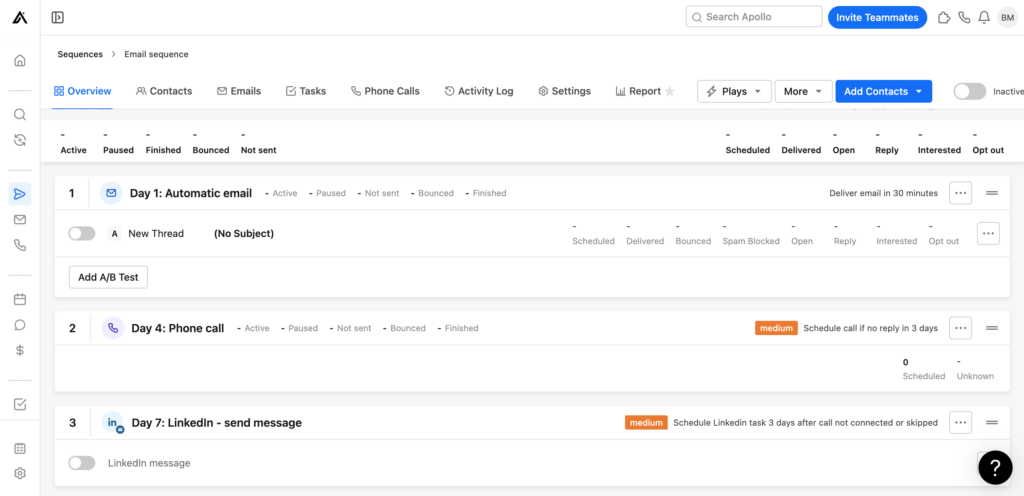
The meeting scheduler routes prospects to the right team member based on custom rules, and you can manage deals in a built-in pipeline with automations that move deals between stages.
The AI assistant transcribes and summarizes sales calls, and detailed reports give you visibility into team performance.
Apollo's breadth is impressive, but the trade-off is that no single feature is best-in-class.
Platforms like Clay offer deeper data enrichment, Instantly's email deliverability tooling is more sophisticated, and Close's calling features are more advanced.
But if you want one platform that covers prospecting, outreach, and pipeline management reasonably well, Apollo is the most complete single-tool option we tested.
What we like
The combination of a massive contact database with built-in email sequencing and a CRM means you can run the entire prospecting workflow without leaving the platform. The intent data filters are also useful for prioritizing companies that are actively in-market.
Pricing
Apollo offers a free plan that’s limited to 600 email credits per year. Paid plans include:
- Basic ($49/user/month)
- Professional ($99/user/month)
- Custom (starts at $5k/year)
21. Clay
Best for: Revenue operations teams and outbound agencies that need deep data enrichment and AI-powered personalization.
Clay is unlike anything else on this list. It's a data enrichment and workflow automation platform that looks and feels more like a spreadsheet on steroids than a traditional sales tool.
The core concept is waterfall enrichment: instead of relying on a single data provider, Clay pulls from over 100 providers and checks them sequentially until it finds the data you need.
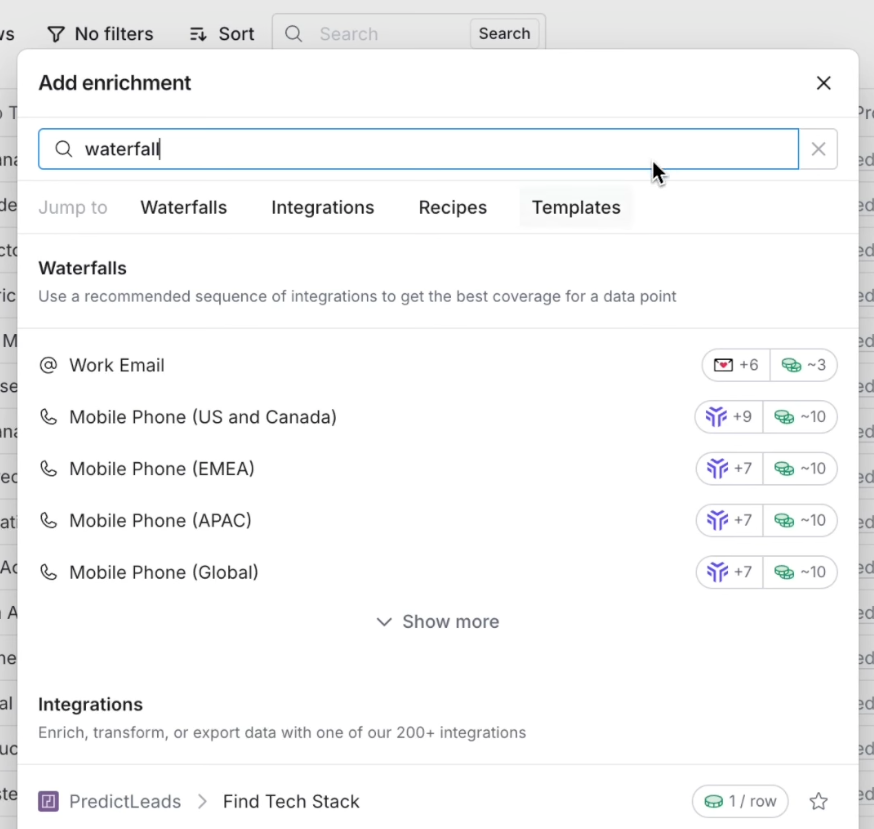
In our testing, this consistently delivered higher enrichment coverage rates than single-provider tools like Apollo. You only pay credits when Clay finds a match, which keeps waste down.
Clay also includes Claygent, an AI research agent that can browse websites, analyze PDFs, and extract unstructured data that structured databases miss.
You can use these insights to generate highly personalized outreach copy at scale, which is where Clay really shines for agencies running outbound campaigns.
The platform integrates with CRMs, email sequencing tools, and data warehouses, so enriched data flows directly into your existing workflow. It's particularly popular with agencies that manage outbound for multiple clients and need to build targeted, enriched prospect lists quickly.
The learning curve is the biggest barrier. Most users report needing several weeks to feel comfortable with Clay's interface and credit system. It's powerful, but it's not plug-and-play.
What we like
The waterfall enrichment approach is brilliant. Instead of relying on one data provider and accepting whatever gaps it has, Clay checks multiple sources automatically and only charges you when it finds a match. The enrichment coverage rates are noticeably higher than single-provider tools.
Pricing
Clay offers a free plan with 100 credits per month. Paid plans include:
- Starter ($134/month)
- Explorer ($314/month)
- Pro ($720/month)
- Enterprise (custom pricing)
22. Albacross
Best for: B2B agencies that want to identify and target companies visiting their website.
Albacross takes anonymous website traffic and tells you which companies are behind it, even when those visitors never fill out a form or reach out.
In our testing, the platform matched visitors to company profiles and provided useful firmographic data including industry, company size, location, and estimated revenue.
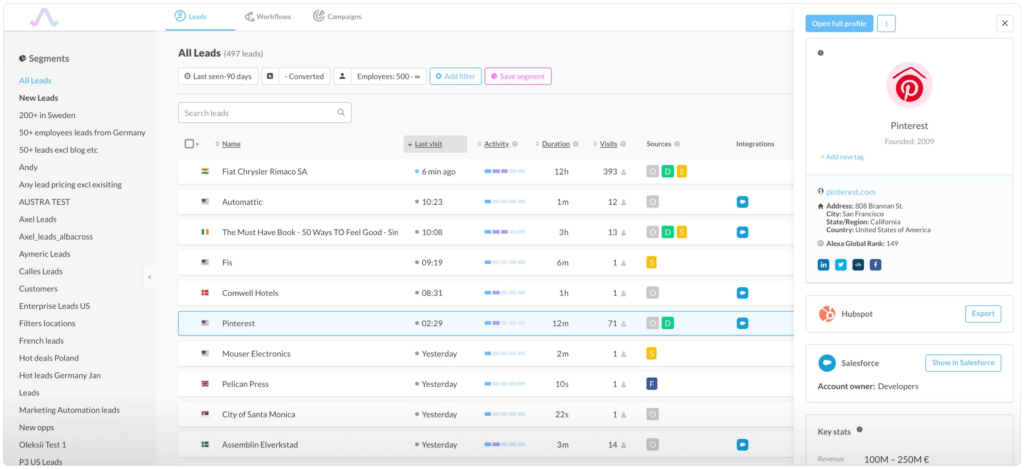
You can segment these visitors by buying intent based on their browsing behavior: which pages they visited, how many times they came back, and how long they spent on the site.
What makes Albacross actionable rather than just informational is the automated outreach triggers.
Once a high-intent company is identified, the platform can send personalized emails or LinkedIn messages to relevant contacts at that company automatically. You can also push identified accounts into your CRM or outreach tools.
Albacross is most useful for agencies that already drive significant website traffic through content, SEO, or paid campaigns and want to turn that traffic into a prospecting channel. If your website traffic is low, there won't be enough data for the tool to surface meaningful insights.
What we like
The ability to identify anonymous website visitors by company and segment them by buying intent gives your sales team warm leads they wouldn't have found otherwise. It's particularly useful for agencies with high-traffic websites that want to turn passive visitors into outbound targets.
Pricing
Albacross offers the following plans:
- Starter (€99/user/month)
- Professional (€159/user/month)
- Organization (€199/user/month, billed annually)
SEO & AI search optimization tools
23. Ahrefs
Best for: SEO agencies that need best-in-class backlink analysis and competitive intelligence.
Ahrefs is one of the most established SEO platforms on the market, and in our testing its backlink database and site explorer remain the best in the industry for competitive analysis.
You can research keywords, track rankings, run technical site audits, and analyze competitor domains and content.
But where Ahrefs really earns its spot is the depth of its link data.
Being able to see exactly where a competitor's backlinks are coming from, which pages are attracting the most links, and how a domain's link profile has changed over time gives you the kind of competitive intelligence that's hard to get elsewhere.
The Content Explorer tool is also underrated. It lets you search for content by topic and filter by metrics like referring domains, organic traffic, and social shares, which is useful for finding link-building opportunities and content gaps.
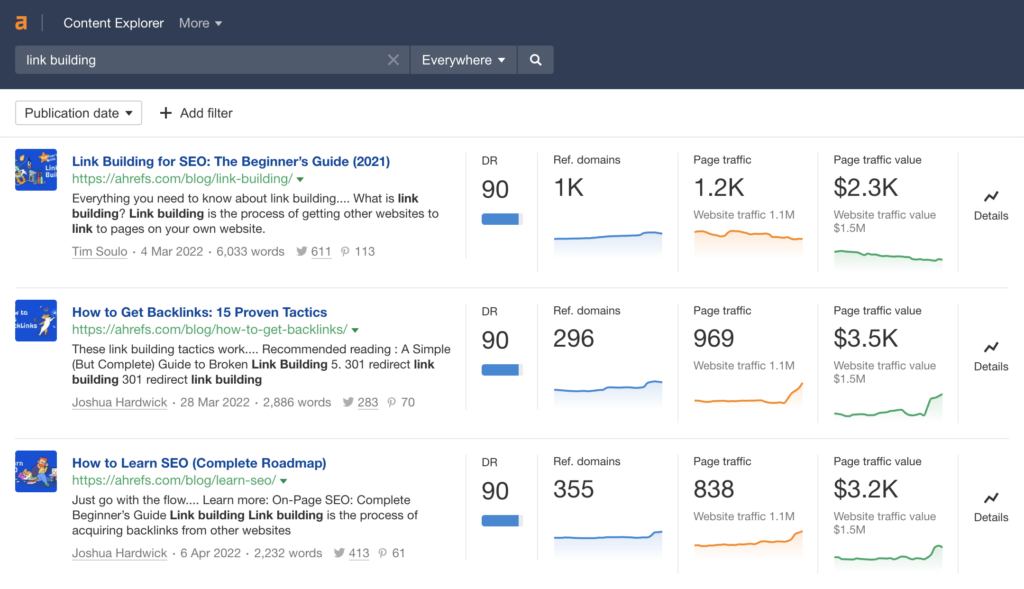
Ahrefs also includes AI-powered content recommendations and detailed SEO reporting, though the reporting features are more geared toward SEO practitioners than client-facing deliverables.
For polished client reports, you'll likely want to pair Ahrefs with a dedicated reporting tool like AgencyAnalytics or Whatagraph.
What we like
The backlink database and Site Explorer remain the best in the industry. For competitive analysis, there's nothing quite like being able to see exactly where a competitor's links are coming from and reverse-engineer their strategy.
Pricing
Ahrefs offers the following plans:
- Lite ($129/month)
- Standard ($249/month)
- Advanced ($449/month)
24. Clearscope
Best for: Content teams that want a simple, actionable way to optimize articles for topical relevance.
Clearscope does one thing and does it well: it tells you which terms and topics to include in your content to improve its relevance for a target keyword.
In our testing, we appreciated how straightforward the workflow is. You enter a target keyword, Clearscope analyzes the top-ranking pages, and gives you a list of terms to include along with a real-time content grade as you write.
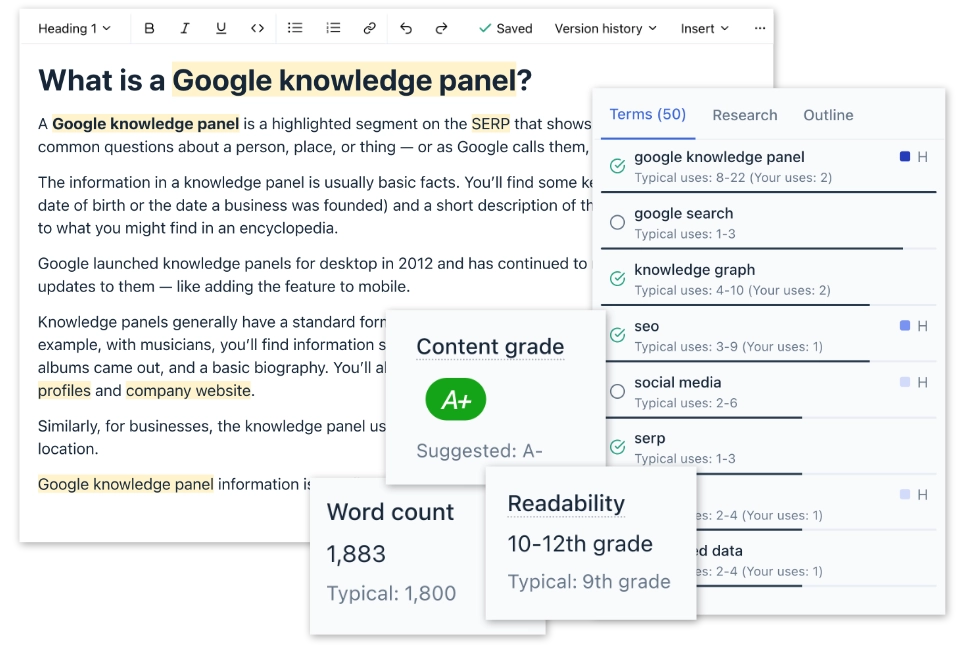
There's no overwhelming dashboard or dozens of metrics to interpret. You get a clear score and a clear list of what to improve.
The Google Docs integration is a smart touch. Writers can see the content grade and term recommendations directly in their writing environment without switching to a separate tool, which keeps the optimization embedded in the workflow rather than being an afterthought.
Clearscope also includes topic and keyword research features, and AI-powered recommendations for sub-topics to cover and questions to answer.
It's not a replacement for Ahrefs or a full SEO suite, but for the specific job of optimizing content for topical depth, it's more focused and easier to use than any of the broader platforms.
What we like
The simplicity is what makes it effective. You get a clear, actionable content grade and a list of terms to include, without drowning in data. Writers can use it directly in Google Docs, which keeps it embedded in the workflow rather than being a separate step.
Pricing
Clearscope offers the following plans:
- Essentials ($189/month)
- Business ($399/month)
- Enterprise (custom pricing)
25. Peec AI
Best for: Agencies that want to track and report on their clients' brand visibility across AI search platforms.
Peec AI addresses a problem that didn't exist two years ago: understanding how your brand shows up when people ask ChatGPT, Perplexity, or Google AI Overviews for recommendations.
In our testing, the platform delivered on its core promise.
You set up the prompts you want to track (e.g., "best project management tool for agencies"), and Peec AI monitors daily how your brand appears across AI platforms: whether you're mentioned, what position you're in, what sources are being cited, and how you compare to competitors.
The platform uses UI scraping to simulate real user sessions rather than API calls, which means you're seeing the same results your actual prospects would see. This is an important distinction because API-based tools often return different results than what shows up in the real ChatGPT or Perplexity interface.
Peec AI also includes sentiment tracking (how AI platforms describe your brand) and multi-country tracking on higher-tier plans. All plans include unlimited user seats, which makes it easy to give clients access to their own dashboards.
The tool is still young, but for agencies offering SEO services, being able to show clients a dashboard of their AI search visibility is becoming a real differentiator. It's the kind of report that gets clients excited because most of their competitors aren't tracking this yet.
What we like
This is one of the first tools to make AI search visibility genuinely trackable.
Being able to show clients a dashboard of how their brand appears across ChatGPT, Perplexity, and AI Overviews is becoming a real differentiator for agencies offering SEO services. The UI scraping approach also means you're seeing real results, not API approximations.
Pricing
Peec AI offers a 7-day free trial. Paid plans include:
- Starter (€89/month for 50 prompts)
- Pro (€199/month for 150 prompts)
- Advanced (€499/month for 350 prompts)
- Enterprise (custom pricing)
Additional AI models like Gemini, Claude, and Grok can be added to any plan for an extra fee.
26. OpenLens
Best for: Agencies that need a dedicated AI visibility dashboard for each client, with free read-only access for clients.
OpenLens is an AI visibility tracking platform built specifically for marketing agencies. It monitors how ChatGPT, Claude, Gemini, Google AI, Perplexity, Grok, and DeepSeek talk about the brands you manage, including whether they're mentioned, where they appear, and which sources they cite.
Setting up a client project is straightforward. You add the client's website and competitors, and OpenLens automatically builds a brand profile and identifies relevant topics to track.
Each client gets a dedicated dashboard showing visibility scores, share of voice, average position, and the sources AI platforms cite. Visibility figures are estimates based on tracked prompts, and topic-level reporting helps identify where clients are performing well and where there's room for improvement.
One feature that stands out is the unlimited free read-only client access. Agencies can give clients access to their own live dashboards without paying for additional seats, which is especially useful when managing multiple accounts.
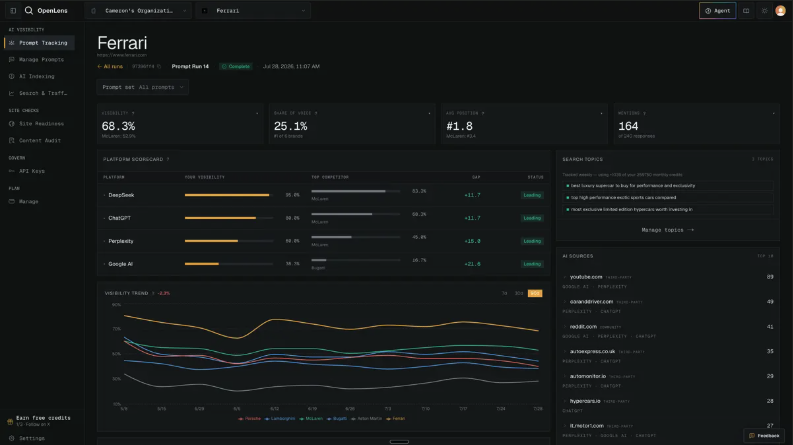
OpenLens also checks whether AI systems can access a client's pages and provides content audits with recommendations for improving AI visibility. API and MCP access are included on every plan, including the free one.
The main limitation is that tracking for Gemini, Claude, and Grok is only available on the Agency plan.
What we like
The unlimited free client logins make it easy for agencies to offer AI visibility reporting without additional seat costs. We also like the topic-level reporting, which helps turn visibility data into actionable content opportunities.
Pricing
OpenLens offers the following plans:
- Free ($0)
- Starter ($39.99/month)
- Agency ($299.99/month)
- Enterprise (custom pricing)
Online reputation management tools
27. LocalImpact
Best for: Agencies that want to offer white-label reputation management services to their clients.
LocalImpact is an online reputation management platform that allows you to manage customer reviews across over 30 popular review sites.
It offers a white-label review management solution you can use to sell reputation management services to your clients.
Managing reviews with LocalImpact is simple. The software monitors the web for reviews of your business (or your client’s business) and notifies you as soon as it detects a new review.
You can then reply to reviews directly from the platform’s review feed.
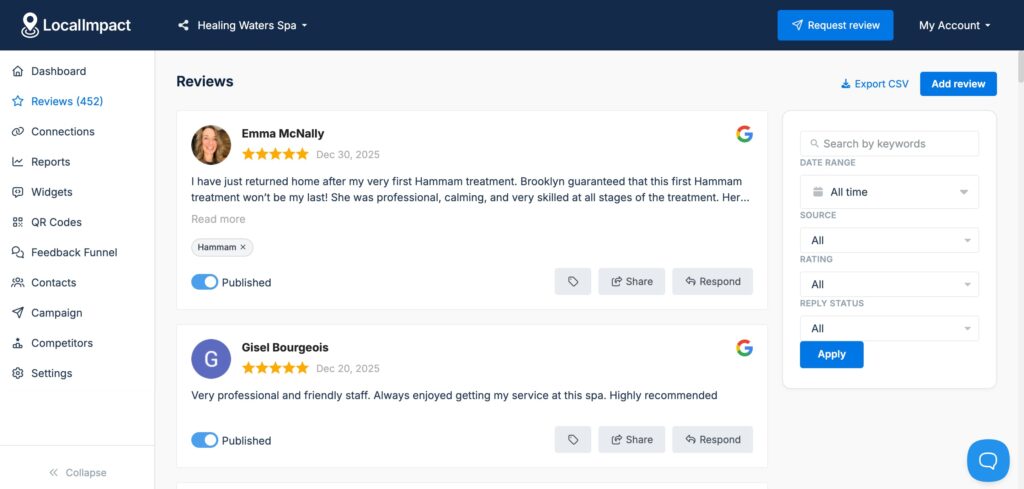
Or generate a personalized reply using the AI response feature.
LocalImpact also lets you display top customer reviews on your website using the review widget feature.
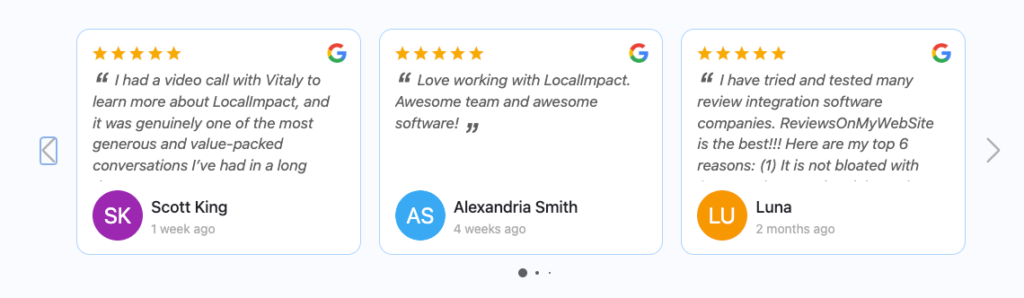
The widget can be fully customized to fit your website’s look and feel.
The platform also gives you a way to generate more reviews for your business. You can use it to set up automated email and SMS sequences to remind customers to leave a review.
Or use the social sharing feature to share top customer reviews to your social media channels in a couple of clicks.
What we like
The white-label solution makes it easy to add reputation management as a service offering without building the infrastructure yourself. The AI-powered review replies are also a practical time-saver when you're managing reviews across dozens of client locations.
Pricing
You can use LocalImpact’s trial offer to test out the platform for 14 days, completely free of charge. The pricing for paid plans is as follows:
- Growth ($49/month)
- Pro ($99/month)
- Agency ($149/month)
Unlock a new revenue stream for your agency
Start offering online reputation management services with LocalImpact's white label review management software.
Content creation tools
28. Figma
Best for: Agencies producing design work that requires real-time collaboration with team members and clients.
Figma has become the default design tool for most agencies, and after testing it alongside other options it's easy to see why: the real-time multiplayer editing fundamentally changes how design collaboration works.
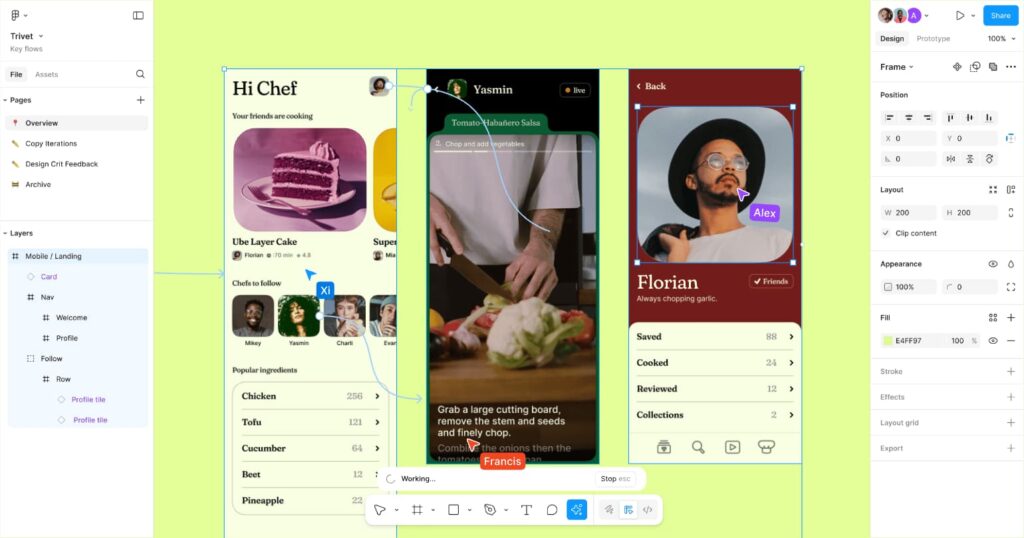
Multiple designers and clients can work on the same file simultaneously.
In practice, this means you can jump on a call with a client, have them open the Figma file, and watch them leave comments directly on the design in real time.
It beats the old workflow of exporting PDFs, collecting email feedback, and trying to match vague comments to specific elements.
Viewers can access files for free without needing a paid seat, which means you never have to worry about client access costs.
The component and design system architecture lets you build reusable brand kits for each client: logos, color palettes, typography, and UI components that stay consistent across every project.
Auto Layout handles responsive design automatically, and the built-in prototyping tools let you create interactive mockups without needing a separate tool.
Figma also bundles FigJam (collaborative whiteboard) and Figma Slides (presentations) with paid seats, and a growing set of AI features can generate images, suggest components, and assist with content editing.
What we like
Real-time multiplayer editing changed how agencies collaborate on design. Having a client jump into a file during a call and leave comments directly on the design beats any amount of "see attached PDF with feedback" emails. The free viewer seats also mean you never have to worry about client access costs.
Pricing
Figma offers a free Starter plan for up to two editors. Paid plans include:
- Professional ($16/seat/month)
- Organization ($45/seat/month)
- Enterprise ($75/seat/month)
29. Descript
Best for: Agency teams that need to edit video and audio without dedicated video editing expertise.
Descript's core idea is simple: edit video by editing text. You upload a video or audio file, Descript transcribes it, and you edit the transcript like a document. Delete a sentence and it's cut from the video.
In our testing, this made video editing dramatically more accessible for team members who don't have traditional editing skills.
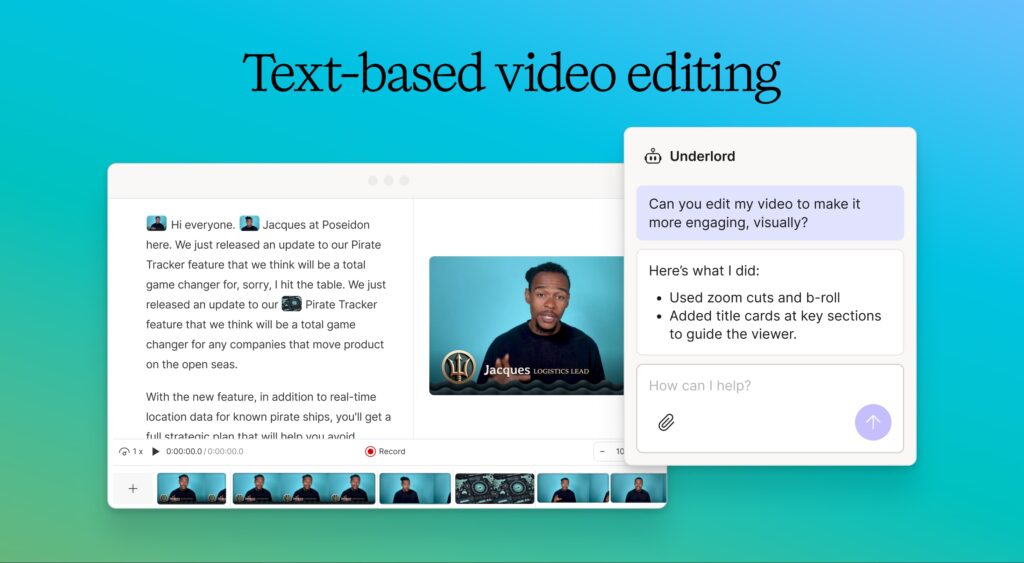
If you can use a word processor, you can make rough cuts, extract clips, and clean up content in Descript.
It's not going to replace Premiere Pro for polished production work, but for the kind of video editing most agencies actually need (cutting webinar recordings, cleaning up podcast episodes, creating client-facing clips), it's fast and intuitive.
The AI features handle a lot of the tedious work. Studio Sound removes background noise and enhances audio quality with one click, and it's surprisingly effective at making laptop-mic recordings sound professional.
Filler Word Removal strips out every "um" and "uh" in a single pass. Eye Contact adjusts your gaze to look directly into the camera. And Overdub lets you clone your voice to fix or add narration without re-recording.
The platform also includes screen recording, animated captions, multi-language translation, and the ability to export in multiple aspect ratios for different social platforms.
What we like
The text-based editing paradigm is a genuine breakthrough for non-editors. If you can use a word processor, you can edit video in Descript. The Studio Sound feature is also surprisingly effective at turning laptop-mic recordings into something that sounds professional.
Pricing
Descript offers a free plan with basic features. Paid plans include:
- Hobbyist ($24/month)
- Creator ($33/month)
- Business ($40/month)
- Enterprise (custom pricing)
30. Opus Clip
Best for: Social media agencies that need to repurpose long-form client content into short-form clips at scale.
Opus Clip takes the tedious work out of turning long videos into social media content. You upload a webinar recording, podcast episode, or YouTube video, and the AI identifies the most engaging moments and generates multiple short clips within minutes.
In our testing, the quality of the AI's selections was surprisingly good. It's not perfect (you'll still want to review and occasionally discard clips that miss context), but as a starting point it saves hours compared to manually scrubbing through a 45-minute recording to find five good moments.

Each clip comes with captions, speaker tracking, and vertical formatting optimized for TikTok, Instagram Reels, and YouTube Shorts. A "virality score" estimates how likely each clip is to perform on social media, which helps you prioritize without watching every clip.
The ReframeAnything feature automatically converts landscape video to vertical format while keeping the speaker centered.
For agencies managing social media for multiple clients, the brand templates let you save client-specific logos, colors, and fonts so every clip stays on-brand. The Pro plan adds team workspaces and a built-in social media scheduler for publishing directly to multiple platforms.
What we like
The time savings are real. What used to take an editor hours happens automatically in minutes. The virality scoring isn't perfect, but it's a useful starting point for deciding which clips to invest time polishing.
Pricing
Opus Clip offers a free plan with 60 processing minutes per month (exports include a watermark). Paid plans include:
- Starter ($15/month for 150 minutes)
- Pro ($29/month for 3,600 minutes)
- Enterprise (custom pricing)
Social media management tools
31. Sendible
Best for: Agencies managing social media for multiple clients that need white-label dashboards and secure account access.
Sendible is one of the more agency-focused social media management tools we tested. It covers the standard features (scheduling posts across Facebook, Instagram, X, LinkedIn, TikTok, YouTube, and more), but the agency-specific touches are what set it apart.
The Client Connect feature lets clients connect their social accounts to Sendible without sharing login credentials with you directly.
In our testing, this addressed a trust concern that comes up in almost every agency onboarding process. Clients feel more comfortable knowing they're granting access rather than handing over passwords.
The platform includes bulk scheduling via CSV upload, a built-in image editor with integrations to Canva, GIPHY, and Pexels, a centralized inbox for managing messages and comments across all connected accounts, and a content library for saving brand assets and evergreen content.
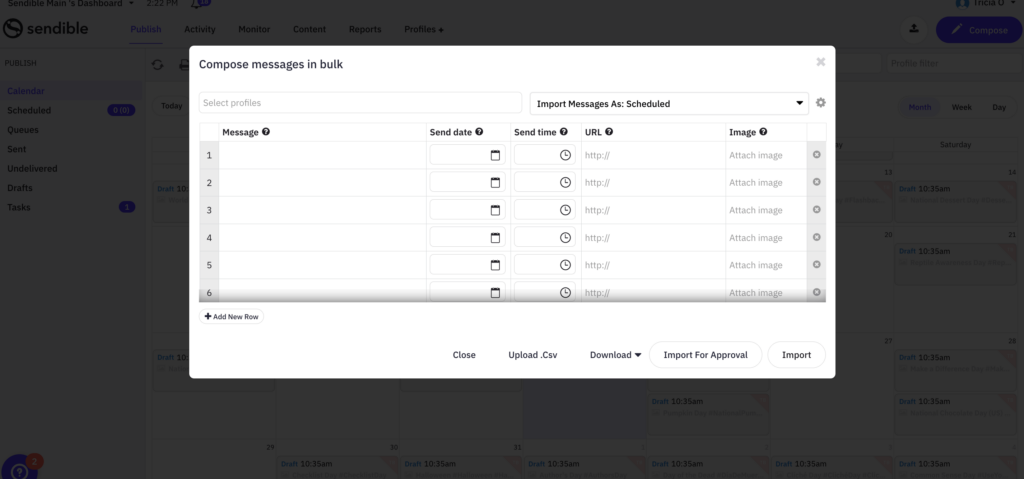
Sendible's white-label dashboard options are more flexible than most competitors. You can customize the dashboard with your agency's branding and give clients their own view of their social performance, which adds a layer of professionalism to your reporting.
What we like
The Client Connect feature is a thoughtful touch for agencies. Letting clients connect their social accounts without sharing passwords directly addresses a trust concern that comes up in almost every agency onboarding process.
The white-label dashboard options are also more flexible than most competitors.
Pricing
You can use the free 14-day trial offer to test out Sendible and see if it’s the right fit for your agency’s needs. The pricing for paid plans is as follows:
- Creator ($29/month)
- Traction ($89/month)
- White Label ($240/month)
- White Label+ ($750/month)
32. Agorapulse
Best for: Agencies that need a strong unified inbox for managing high volumes of social media interactions across clients.
Agorapulse is a social media management platform that handles scheduling, publishing, monitoring, and reporting across all major social channels.
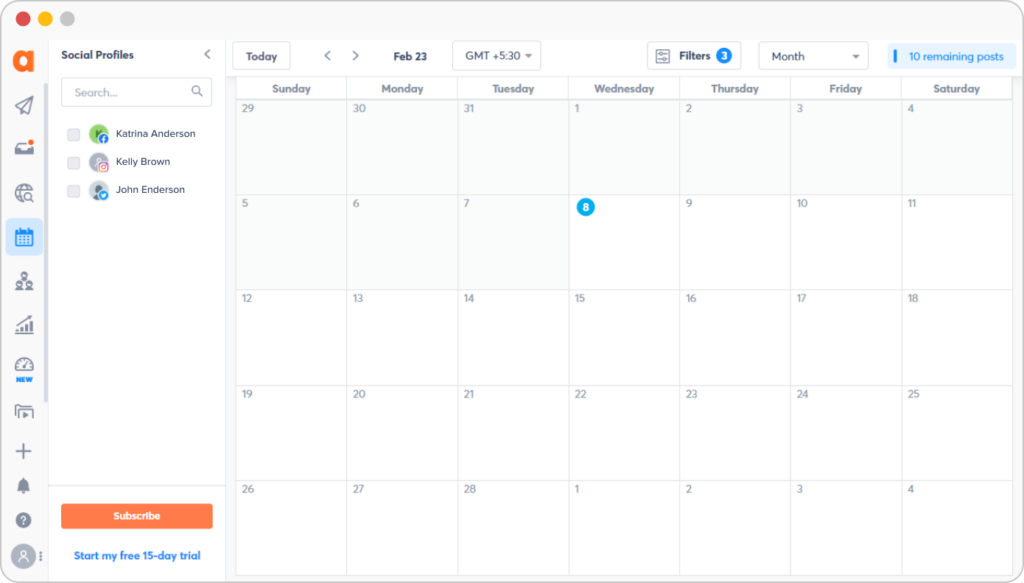
Where it stood out in our testing was the unified social inbox. When you're managing social media for multiple clients, the volume of comments, messages, and mentions across platforms can get overwhelming fast.
Agorapulse consolidates all of it into one screen where you can assign conversations to team members, label them for tracking, and mark them as handled. It managed high volumes well without feeling cluttered.
The platform also includes social listening features for monitoring brand mentions and tracking relevant keywords, and built-in reporting that generates client-ready performance reports on engagement, audience growth, and content performance.
For agencies, Agorapulse supports multiple users with role-based permissions and a shared content calendar that gives teams visibility into what's scheduled across all client accounts.
Agorapulse is pricier than Sendible on a per-user basis, but if your agency handles a high volume of social engagement and needs a rock-solid inbox workflow, it justifies the cost.
What we like
The unified social inbox is well-executed. Being able to see and respond to comments, messages, and mentions across every platform from one screen is essential when you're managing social for multiple clients, and Agorapulse handles the volume well without feeling cluttered.
Pricing
Agorapulse offers the following plans:
- Standard ($99/user/month)
- Professional ($149/user/month)
- Advanced ($199/user/month)
- Custom (custom pricing)
Email & marketing automation tools
33. ActiveCampaign
Best for: Agencies managing complex, multi-step email automation workflows for clients.
ActiveCampaign is the tool we'd recommend when an agency's email needs go beyond basic newsletters and into sophisticated, behavior-driven automation.
The visual automation builder is genuinely best-in-class. In our testing, the depth of branching, conditional logic, and trigger options went well beyond what most email tools offer.
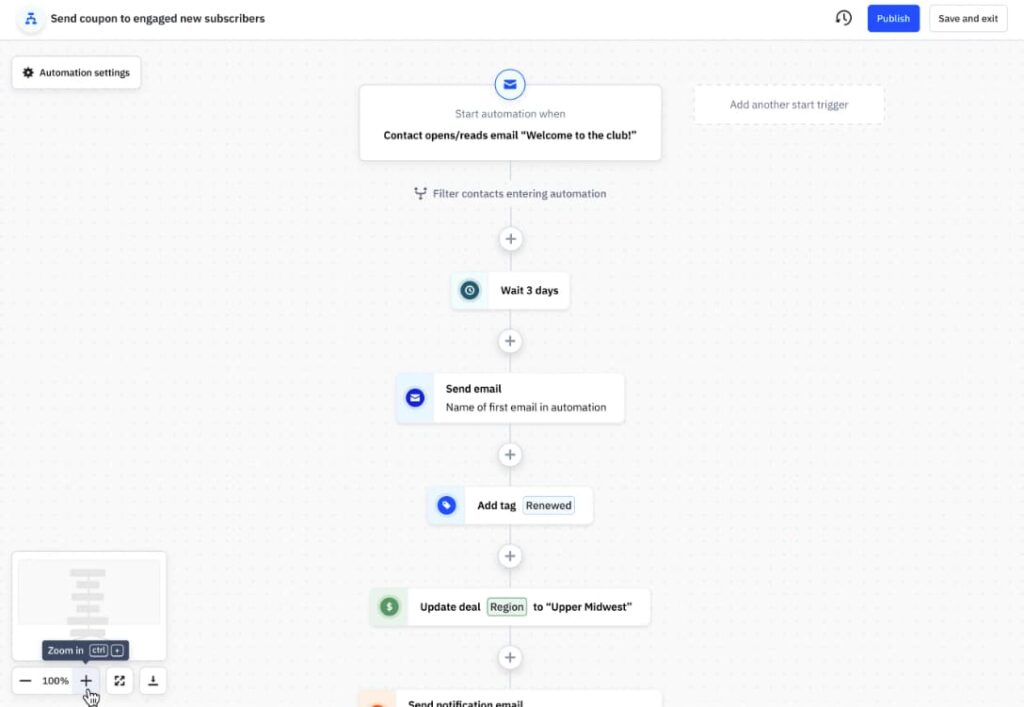
You can set up automations triggered by website visits, email opens, link clicks, purchase activity, and dozens of other behaviors, then branch those workflows based on any combination of conditions.
Beyond automation, the platform includes a drag-and-drop email editor, 150+ templates, A/B testing, and advanced audience segmentation.
Higher-tier plans add predictive sending (optimizing delivery time per recipient), conditional content (showing different email content based on subscriber attributes), and conversion attribution.
ActiveCampaign also offers a CRM add-on with deal management, lead scoring, and sales automation, which makes it a reasonable all-in-one option for agencies that want marketing and sales tooling in a single platform.
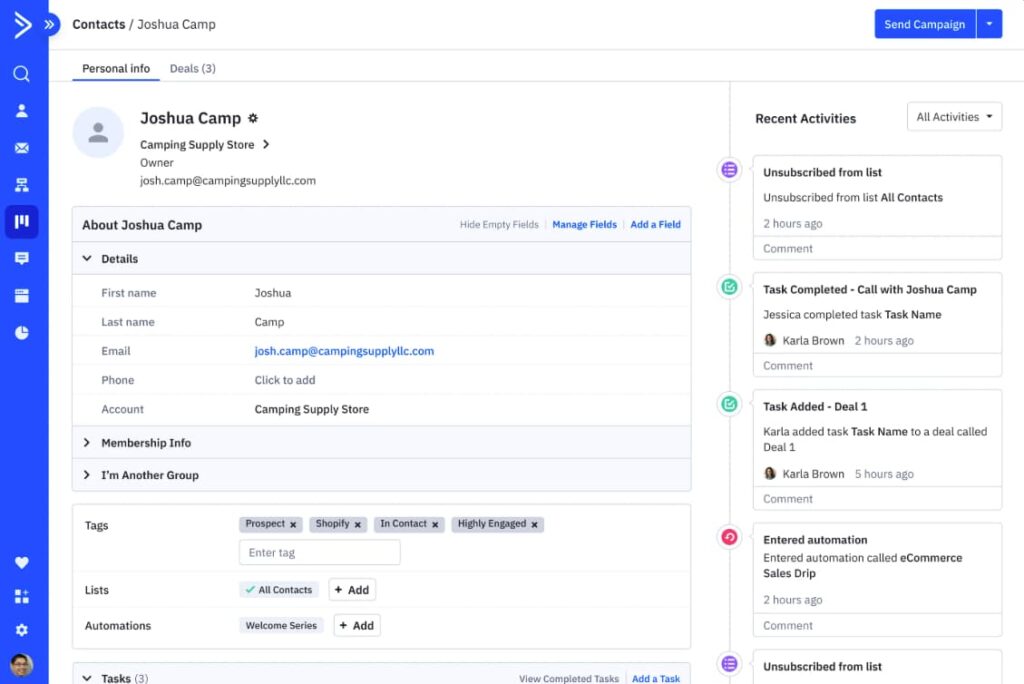
The learning curve is steeper than simpler email tools like Brevo or Mailchimp, but if your clients need the kind of automation complexity that drives real revenue, ActiveCampaign handles it better than anything else in this price range.
What we like
The automation builder is genuinely best-in-class. The level of branching, conditional logic, and trigger options goes well beyond what most email tools offer, which makes it possible to build sophisticated nurture sequences that would require multiple tools elsewhere.
Pricing
You can try ActiveCampaign for free for 14 days. The pricing for paid plans depends on the number of contacts. For 1,000 contacts, the pricing is as follows:
- Starter ($15/month)
- Plus ($49/month)
- Pro ($79/month)
- Enterprise ($145/month)
34. Klaviyo
Best for: Agencies working with ecommerce clients that need behavior-driven email and SMS automation.
Klaviyo is the go-to email and SMS marketing platform for agencies with ecommerce clients, and in our testing it was clear why: the behavioral segmentation depth is significantly ahead of general-purpose email tools.
You can trigger automations based on specific product views, cart contents, purchase history, browse behavior, and predicted lifetime value.
This lets you build email and SMS flows that feel genuinely personalized rather than generic, which translates directly into higher conversion rates for ecommerce clients.
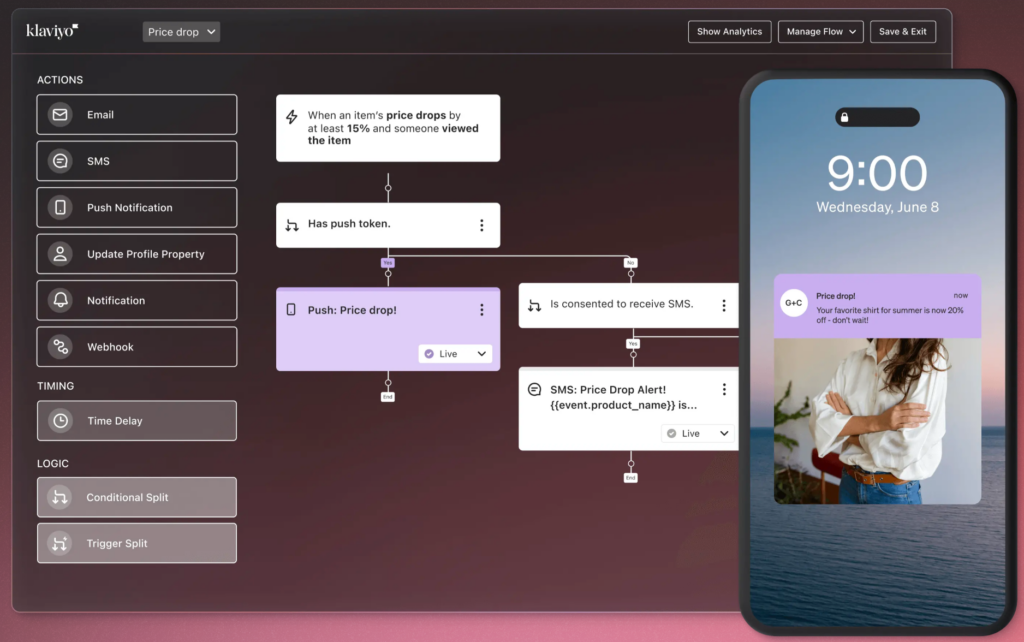
The platform includes a drag-and-drop email editor, plenty of built-in templates, and advanced audience segmentation that goes far beyond basic demographics. You can segment by purchase behavior, email engagement, predicted churn risk, and more.
Klaviyo's AI features generate detailed customer profiles, serve personalized product recommendations, and can write email and SMS campaign copy.
The revenue attribution reporting is also valuable for agencies because it makes it straightforward to show clients exactly how much revenue your email and SMS campaigns are driving.
The trade-off is that Klaviyo is purpose-built for ecommerce. If your agency primarily serves B2B or service-based clients, ActiveCampaign is a better fit.
What we like
The behavioral segmentation is where Klaviyo excels. Being able to trigger automations based on specific product views, cart contents, or purchase history makes it the go-to choice for agencies with ecommerce clients.
The revenue attribution reporting also makes it easy to prove ROI to clients.
Pricing
Klaviyo has a limited free plan. The pricing for paid plans depends on the number of email subscribers you have. For a list of 10,000 email subscribers, the pricing is as follows:
- Email (starts at $150/month)
- Email and SMS (starts at $165/month)
Conversion optimization tools
35. Hotjar
Best for: Agencies offering CRO services that need to show clients exactly how users behave on their site.
Hotjar gives you a window into how real people use a website, which is invaluable for agencies doing any kind of conversion optimization or UX work.
The heatmaps show where users click and how far they scroll, helping you identify areas of friction or confusion.
But in our testing, the session recordings were the most impactful feature. Watching a real user struggle with a page you thought was perfectly clear is the kind of evidence that cuts through internal debates and makes CRO recommendations easy to justify to clients.
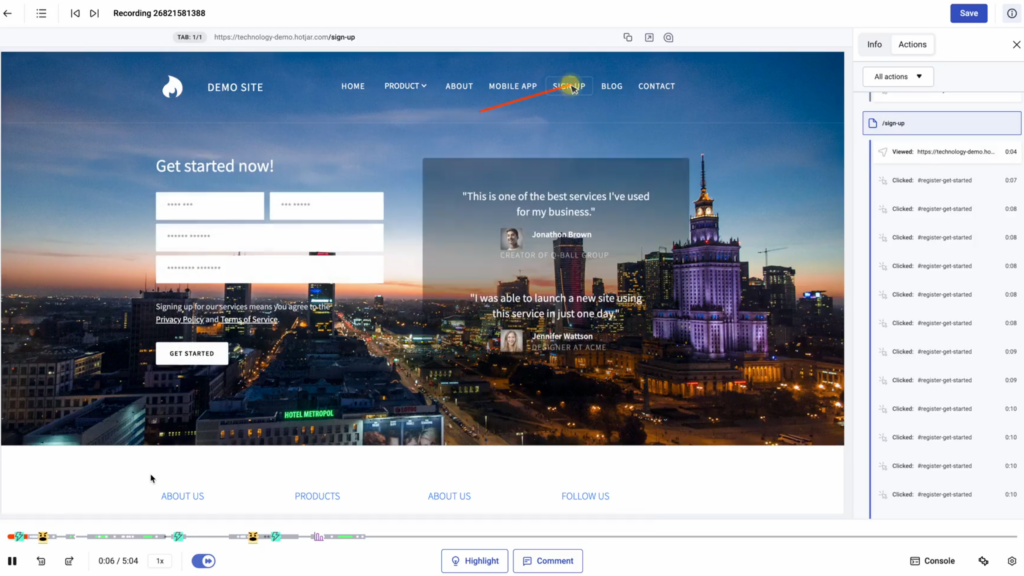
Beyond heatmaps and recordings, Hotjar includes user feedback tools (on-page surveys and feedback widgets) that help you understand the "why" behind user behavior, not just the "what."
You can ask visitors what stopped them from completing a purchase, what they were looking for, or how they'd rate their experience.
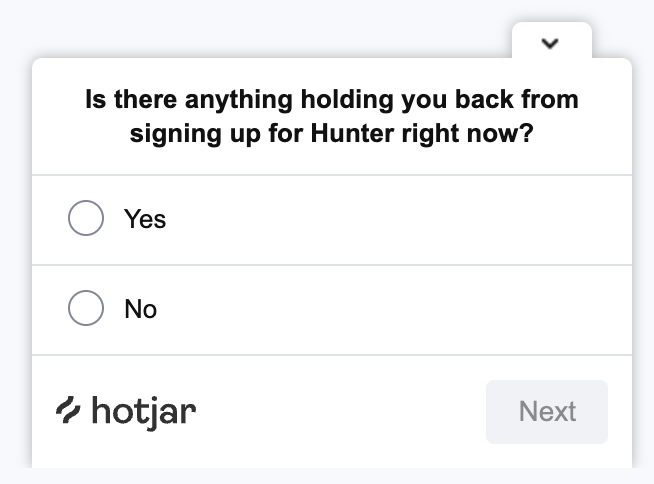
The platform is easy to set up (a single tracking script) and the free plan gives you enough to evaluate the core features.
For agencies, the session recordings and heatmaps are particularly powerful as client deliverables: showing a client a recording of a user abandoning their checkout flow is more persuasive than any slide deck.
What we like
The session recordings are eye-opening. There's nothing quite like watching a real user struggle with a page you thought was perfectly clear. It cuts through internal debates about UX by showing you exactly what's happening, which is invaluable when presenting CRO recommendations to clients.
Pricing
Hotjar offers a limited free plan. Paid plans include:
- Plus ($39/month)
- Business ($99/month)
- Scale ($213/month)
36. VWO
Best for: Agencies running structured A/B testing programs that need both no-code simplicity and developer-level control.
VWO is an experimentation platform that handles A/B testing, multivariate testing, and split URL testing for agencies that want to take a structured, data-driven approach to conversion optimization.
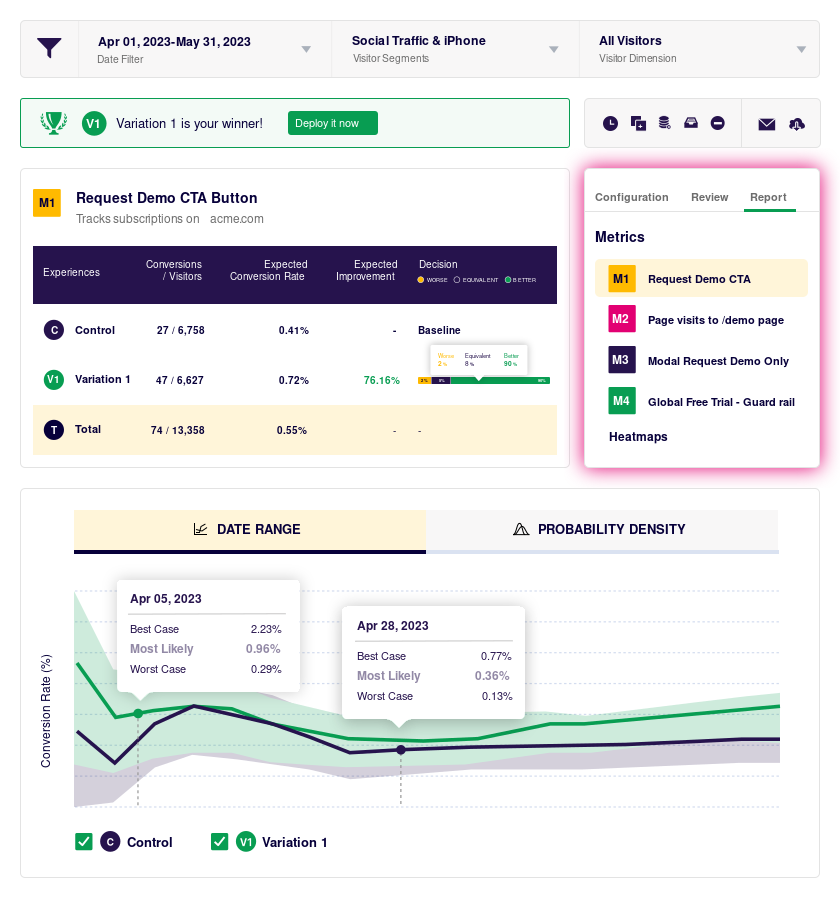
What we appreciated in our testing was the balance between accessibility and depth. The no-code visual editor lets you set up simple tests quickly: changing headlines, button colors, or page layouts without touching any code.
But when you need more control, you can write custom HTML, CSS, or JavaScript for advanced variations. Most competing tools lean heavily toward one end of that spectrum; VWO handles both well.
The targeting capabilities are also strong. You can set up tests that only run for specific visitor segments based on geography, device, traffic source, behavior, or custom conditions.
This is useful for agencies running tests for clients with different audience segments.
You can track both built-in and custom metrics, and VWO's statistical engine is more rigorous than many competitors, using Bayesian statistics to help you make decisions with appropriate confidence levels.
The main consideration is cost. VWO's pricing is based on monthly tested visitors, and it gets expensive at higher traffic volumes. For smaller client sites, the Growth plan is manageable, but high-traffic sites can push costs up quickly.
What we like
The balance between no-code simplicity and developer-level control is well struck. You can set up a basic A/B test in minutes using the visual editor, but you also have the option to code custom variations when you need more precision. The statistical engine is also more rigorous than many competitors.
Pricing
VWO has a limited free plan. Paid plans depend on how many visitors will be included in your tests every month. Here’s the pricing for 10,000 monthly visitors:
- Growth ($190/month, billed annually)
- Pro ($456/month, billed annually)
- Enterprise ($1014/month, billed annually)
Unlock a new revenue stream for your agency
Start offering online reputation management services with LocalImpact's white label review management software.
Client reporting & analytics tools
37. Whatagraph
Best for: Agencies that want visually polished, white-labeled client reports without needing design skills.
Whatagraph is a reporting platform designed specifically for agencies that need client-facing reports that look good without requiring design expertise.
In our testing, the visual quality of the reports immediately stood out.
You can build reports using a drag-and-drop editor with customizable widgets, charts, and layouts, and the results look polished and professional out of the box. This matters because for many agency clients, the report is the most tangible deliverable they associate with your work.
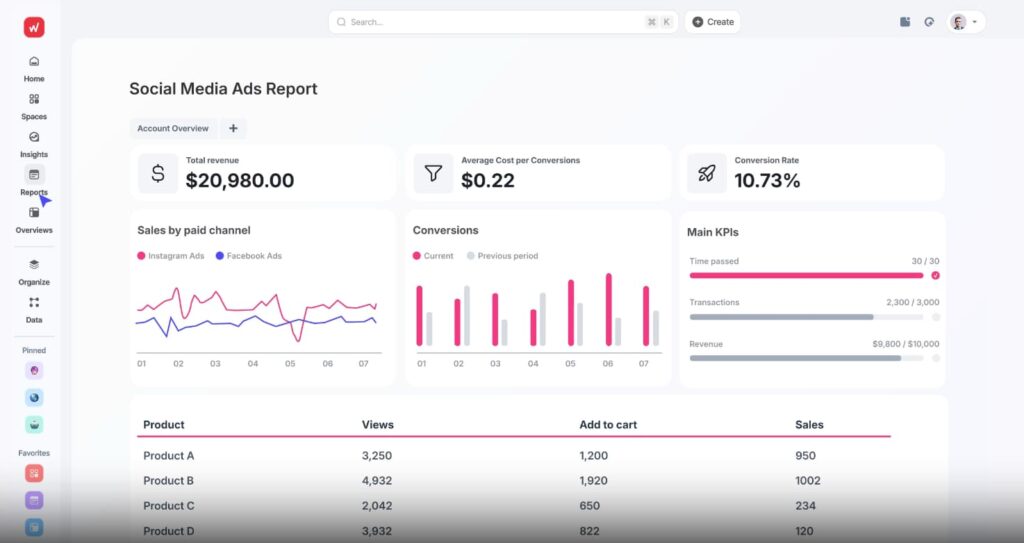
The platform connects to 50+ marketing platforms and offers pre-built templates that you can customize or use as starting points. The white-labeling options are strong: custom branding, custom domain, and automated report delivery via email or shareable link.
Whatagraph also includes AI-powered features that can generate performance summaries and highlight key changes in your data, which saves time when you need to add commentary and context to reports rather than just presenting raw numbers.
The pricing is on the higher end compared to AgencyAnalytics and Databox, but if report aesthetics and white-label presentation matter to your agency's positioning, Whatagraph delivers on that front better than the alternatives we tested.
What we like
The visual quality of the reports stands out. Client reports from Whatagraph genuinely look polished and professional without requiring design skills, which matters when reports are a tangible deliverable that clients associate with the value your agency provides.
Pricing
Whatagraph offers a free plan with limited credits. Paid plans include:
- Start ($229/month)
- Boost ($329/month)
- Max ($579/month)
38. AgencyAnalytics
Best for: Agencies that need to pull data from a wide range of marketing platforms into a single branded report.
AgencyAnalytics is the most purpose-built agency reporting tool we tested. Everything about itm from the integrations to the white-labeling to the client access features, is designed for the specific workflow of pulling data from a client's marketing platforms and presenting it in a branded report.
The platform integrates with 80+ marketing tools including Google Analytics, Google Ads, Facebook, Instagram, LinkedIn, and dozens more.
In our testing, connecting data sources and populating a report was straightforward, and the drag-and-drop report builder made it easy to create custom layouts without needing to know design or data visualization principles.
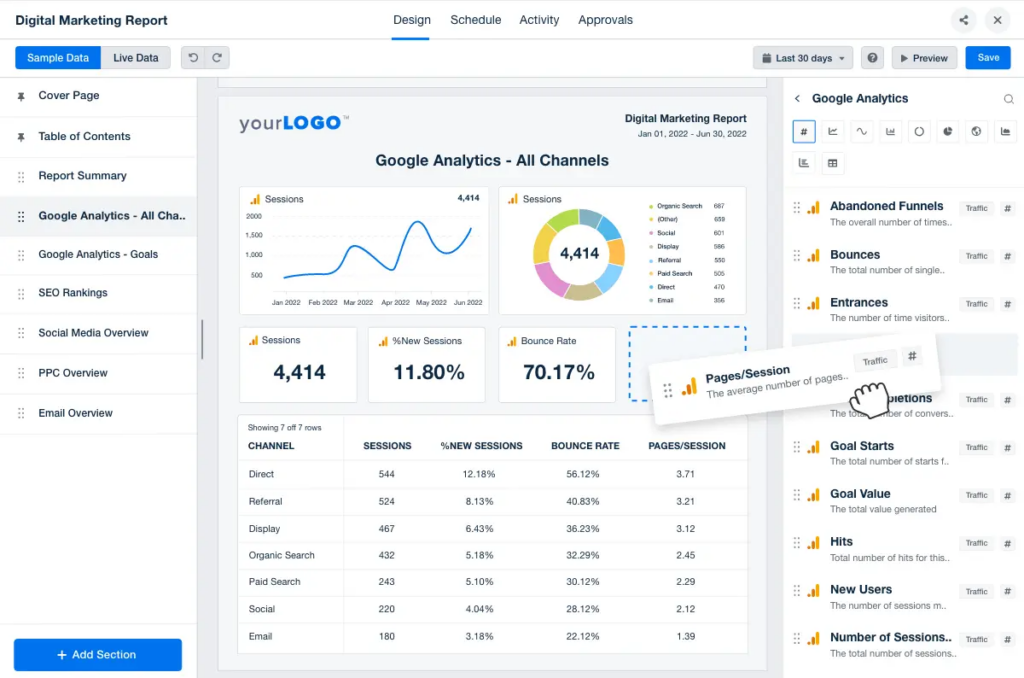
You can customize reports with your agency's branding including logo, colors, and a custom domain. The annotation feature lets you add comments and explanations alongside the data, which helps clients understand what the numbers actually mean rather than just seeing charts.
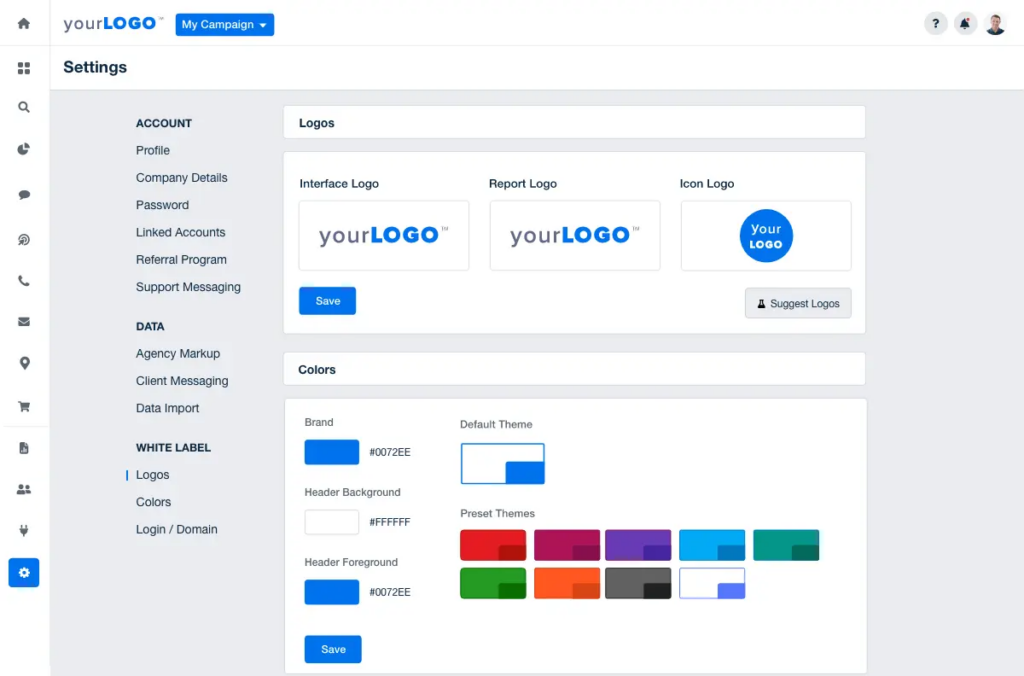
AgencyAnalytics also offers dozens of pre-built report and dashboard templates that cover common reporting needs, so you're not building everything from scratch for each client.
The trade-off compared to Whatagraph is that reports are less visually distinctive: they look professional but not as polished. Compared to Databox, AgencyAnalytics is less flexible for custom dashboards but more comprehensive for standard marketing reporting.
What we like
The breadth of integrations is hard to beat for the price. With 80+ marketing platform connections, you can pull virtually any client's data into a single report without manual exports. The white-label options also let you brand the entire reporting experience as your own.
Pricing
AgencyAnalytics offers a free 14-day trial you can use to test out the software. If you’d like to continue using the software after the trial period is over, you’ll have to opt for one of the paid plans:
- Freelancer ($79/month)
- Agency ($179/month)
- Premier (custom pricing)
39. Databox
Best for: Agencies that want flexible, real-time dashboards they can share with clients without per-seat costs.
Databox takes a different approach to agency analytics than AgencyAnalytics or Whatagraph. Rather than focusing on periodic client reports, Databox is built around always-on dashboards that update in real time.
In our testing, the platform connected smoothly to 130+ tools including Google Analytics, HubSpot, Google Ads, and Facebook Ads. Building dashboards was fast: you can use drag-and-drop widgets and choose from 200+ pre-built templates to get a working dashboard up in minutes rather than hours.
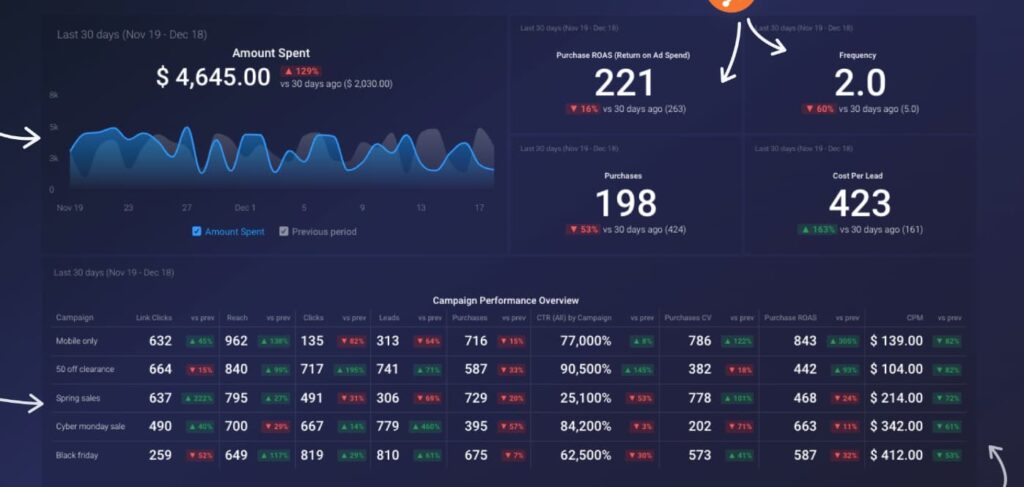
Databox also includes goal tracking, automated alerts when metrics move in the wrong direction, and AI-generated performance summaries that help you spot trends without manually digging through data.
The standout policy is unlimited users on every plan. You can share dashboards with team members and clients without worrying about per-seat costs, which removes a friction point that most analytics tools create. The mobile-optimized dashboards are also genuinely useful for quick performance check-ins.
Databox is better suited for ongoing performance monitoring than for formal periodic reporting. If your clients want polished monthly reports delivered as PDFs, AgencyAnalytics or Whatagraph will serve that need better.
But if they want a live dashboard they can check anytime, Databox handles that workflow more naturally.
What we like
The unlimited users on every plan is a standout policy. Being able to share dashboards with clients and team members without worrying about seat costs removes a friction point that most analytics tools create. The mobile-optimized dashboards are also genuinely useful for quick check-ins.
Pricing
Databox offers a 14-day free trial. Paid plans include:
- Professional ($79/month)
- Growth ($199/month)
- Premium ($399/month)
Automation tools
40. n8n
Best for: Technical agency teams that want full control over their automations with the option to self-host.
n8n is an open-source automation platform that gives technical teams more power and flexibility than mainstream tools like Zapier or Make, at the cost of a steeper learning curve.
In our testing, n8n's visual workflow editor was capable but clearly aimed at users who are comfortable with concepts like webhooks, API calls, and data parsing. You can connect apps using a node-based interface, with over 350 native integrations available.
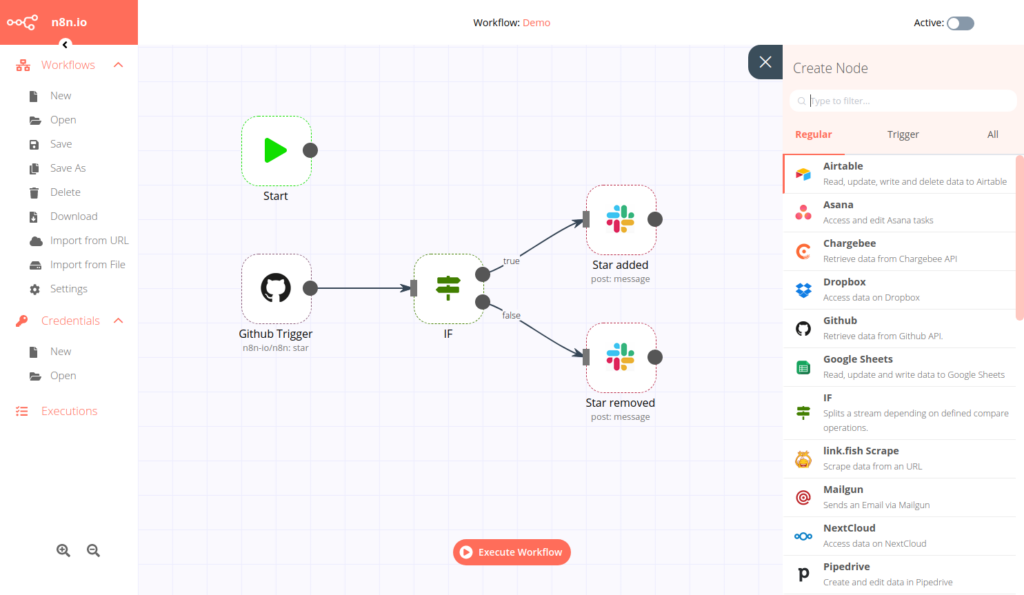
But the real power is in the custom HTTP request nodes and the ability to write JavaScript directly within workflows, which lets you connect to virtually any API and build automations that would be impossible in no-code tools.
The self-hosting option is n8n's biggest differentiator. You can run the platform on your own infrastructure, giving you full control over where your data lives and eliminating per-execution pricing.
For agencies handling sensitive client data or running high-volume automations, this can be both a privacy advantage and a significant cost saving.
n8n also offers a cloud-hosted version for teams that want the platform's capabilities without managing servers. The Community Edition is completely free for self-hosting, making it the most cost-effective option for teams with the technical ability to maintain it.
What we like
The self-hosting option is a real differentiator for agencies handling sensitive client data. Having full control over where your automation data lives, combined with no per-execution pricing, makes it the most cost-effective option for high-volume automation workflows.
The learning curve is steeper, but the flexibility is worth it.
Pricing
n8n's Community Edition is free and open source for self-hosting. Cloud plans include:
- Starter ($24/month)
- Pro ($60/month)
Self-hosted Business and Enterprise plans are also available for teams that need advanced features like SSO, Git version control, and dedicated support.
41. Make
Best for: Agencies that need complex, multi-step workflow automations with a visual interface anyone on the team can understand.
Make (formerly Integromat) sits in the sweet spot between Zapier's simplicity and n8n's technical depth. It's powerful enough to handle complex, branching automations, but visual enough that non-technical team members can understand and maintain what's been built.
The drag-and-drop scenario builder is where Make differentiates itself.
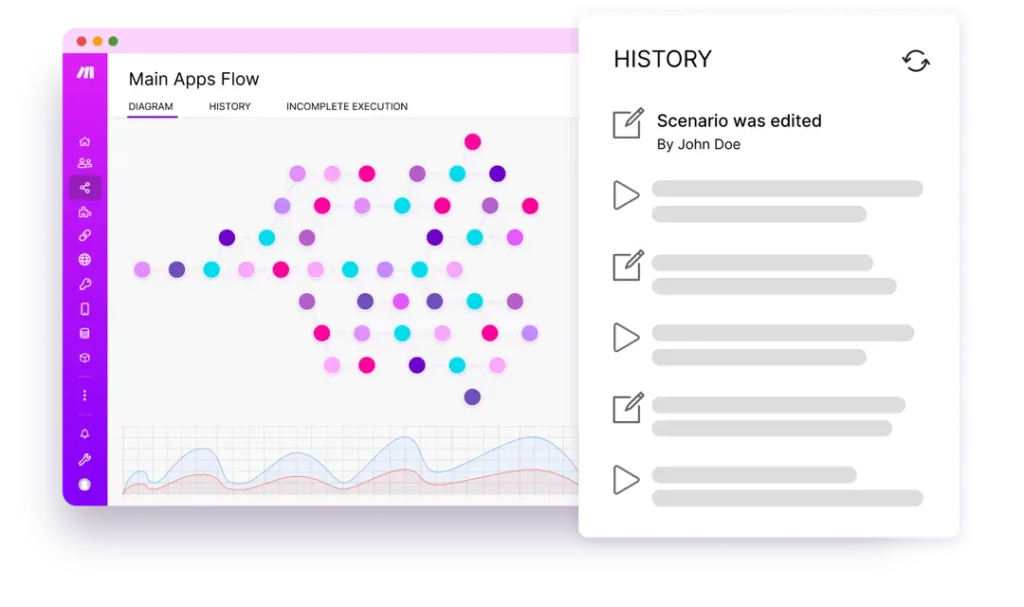
In our testing, we built automations with multiple branches, conditional filters, error handling, and data transformations, all laid out visually so you can see exactly how data flows through the workflow.
This is a major step up from tools that only support linear "if this, then that" logic.
Make connects with over 3,000 apps, and each integration comes with pre-configured triggers and actions. We found that most automations could be set up and running within minutes without needing to understand the underlying APIs.
For agencies, Make is particularly useful for automating repetitive cross-tool workflows: syncing data between client accounts, enriching CRM records when conditions are met, triggering multi-channel campaign actions, or auto-generating reports.
The visual interface also makes it easy to document and hand off automations between team members, which matters as your team grows.
The credit-based pricing can be confusing at first, but at moderate usage volumes Make is typically cheaper than Zapier for equivalent automation complexity.
What we like
The visual scenario builder makes complex automations genuinely understandable. Being able to see branching logic, error handling, and data transformations laid out visually means anyone on the team can understand and maintain an automation, not just the person who built it.
Pricing
Make offers a free plan with 1,000 credits per month. Paid plans include:
- Core ($9/month for 10,000 credits, billed annually)
- Pro ($16/month for 10,000 credits, billed annually)
- Teams ($29/month for 10,000 credits, billed annually)
- Enterprise (custom pricing)
Higher credit tiers are available on all paid plans.
Build your agency's tool stack
No agency needs all 41 of these tools. The right stack depends on your size, your services, and where you're losing the most time right now.
If you're just getting started, focus on the foundations first: a project management tool, a CRM, and a time tracker. You can layer in specialized tools for outreach, reporting, and automation as your operations mature.
Most of the tools on this list offer free trials or free plans, so you can test before you commit.