Getting customers to leave Google reviews is one of the most consistent challenges local businesses face. The good news is that 72% of consumers have left an online review at some point, which means most customers are willing to do it when asked.
The tactics below come from agency operators, local SEO specialists, and business owners who've figured out what actually moves the needle. Here’s how to get Google reviews for your business.
1. Ask at the right moment
Timing is the single biggest factor in whether a customer leaves a review. Most businesses default to asking at checkout or sending a generic email a few days later, and both timings underperform.
The window that works is the one where the customer has just experienced the value of your service and feels good about it. That moment passes quickly. Once a customer leaves your space or moves on with their day, the request starts feeling like a chore.
The data backs this up. Over a third of all online reviews are written on the day of purchase, and most are written within a week. If you wait longer than that to ask, you've already missed the window when customers are most likely to act.
Madeleine Beach, Director of Marketing at Pilothouse, says:
"I've always been partial to turning the request into a natural moment of the customer journey when looking to generate more customer reviews for small businesses.
You see this sort of thing a lot at grocery stores that have you click a smiley to rate your experience at the POS terminal.
Grab your reviews when you finish a successful interaction, as this timing increases the likelihood of response because the experience is still fresh.
The key is making the request feel like a continuation of the experience rather than a separate task."
2. Prioritize asking in person
A face-to-face request can convert at a higher rate than a text or email. Customers feel a social obligation to follow through when a real person asks them directly, and that pressure simply doesn't exist in an inbox.
The catch is timing the ask correctly within the visit. Asking at checkout often falls flat because the customer is mentally already out the door.
The better moment is right after they've expressed satisfaction, whether that's a compliment about the work or a comment about how easy the process was.
Train your team to listen for those moments and ask immediately, while the customer is still in that positive headspace.
Tyler Desjardins of Pivot Creative Media shares his experience:
"The strategy which proved to be the most effective with one client of mine was to train the employees to request a review immediately after a customer has given them a compliment, instead of at the end of the visit.
Most businesses ask for review during checkout. At this point, the customer is already mentally gone and the request comes out as an additional chore to him before he or she reaches the parking lot."
3. Personalize the ask
Generic review requests get ignored because they read like marketing. A personalized ask that references something specific about the customer's experience signals that you actually paid attention, and that small shift can dramatically increase response rates.
This applies whether you're sending a text, an email, or handing over a card at the door. Mention the project you completed, the result they got, or something they said during the visit.
The more specific the reference, the more the message reads like a note from a person rather than a template.
Jae Francis Lee, Principal Attorney at Francis Law Center, explains his approach:
"After a case closes, I send a quick personal email to my client. I thank them and explain how a real review could help someone in their same spot find a good lawyer.
This works much better than a generic link."
4. Use QR codes
QR codes remove almost every step between a satisfied customer and a posted review. Customers scan with their phone, land directly on your review page, and complete the action in under a minute.
Print them on receipts, business cards, invoices, or small handout cards your staff can give out at the close of a visit. The code can point straight to your Google review form, which means no searching, no logging in, and no extra clicks.
This works especially well for businesses where the customer is physically present at the moment they're most likely to leave a Google review.
Stanislav Sadovnikov, Founder of Magnum Estate, shares his approach:
"At Magnum Estate, we started sharing a QR code during meetings so clients can leave feedback on the spot.
We saw way more reviews coming in within just a few months. Honestly, if you make it easy for people, they actually do it."
Pro tip: You can use our free QR Code Generator to create a QR code for your Google review link with ease.
5. Automate the process
Manual review requests fall apart over time because they depend on someone remembering to send them. An automated system tied to job completion solves this by sending the request at the same point in every customer's journey, every single time.
The setup is straightforward. When a job is marked complete in your scheduling or CRM software, a text or email goes out within a couple of hours with a direct link to your Google review page. No follow-up tasks for your team and no gaps when things get busy.
Beyond convenience, consistent review flow signals to Google that your business is active, which helps your local rankings hold steady over time.
Caleb Johnstone, SEO Director at Paperstack, explains how he set this up for a client:
"If you want more reviews consistently, you should make your review request process a continuous process rather than a one time push campaign.
We set up an always-on review system for a Perth-based plumbing company.
Each time a technician completes a job, the software sends a text message to that customer within 90 minutes of the completion of the job.”
Pro tip: LocalImpact lets you automate review requests via email and SMS as soon as a job is complete, with direct links to your Google review page built in.
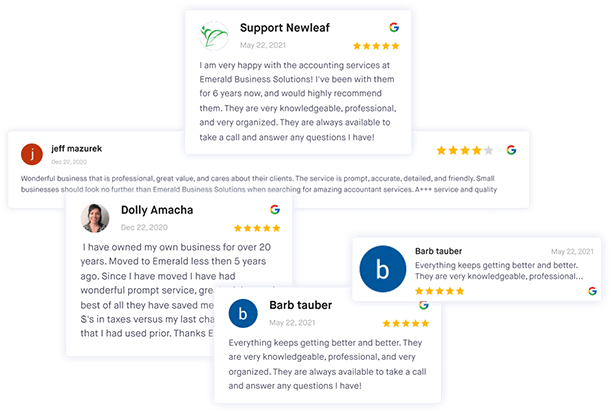
Get more Google reviews for your business
Generate more Google reviews for your business with LocalImpact's automated tools.
6. Create a review-focused bonus structure
Asking for reviews tends to fall to whoever feels comfortable doing it, which means most of your team probably never asks at all.
Tying a small bonus to a monthly review goal removes that inconsistency by giving every staff member a personal stake in the outcome.
The structure is simple. Set a realistic monthly target for new reviews and attach a fixed bonus for hitting it.
The point isn't the money itself. It's that everyone on the team starts asking, every time, without you having to enforce it.
Dave Toby, Managing Director at Pathfinder Marketing, shares the structure he recommends:
"The company sets a monthly review goal and puts a fixed bonus on it, ranging between $50 and $150 per employee, depending on the size of the team.
Each employee will then have a personal monetary incentive to request each customer to leave a review directly, face-to-face, at the time the job is completed.
We implemented this with one of our local plumbing clients and their monthly review number increased from 3 to 19 in 60 days, no extra software or ad expenditure was added."
Closing thoughts
The businesses that build a steady flow of Google reviews don't rely on any single tactic.
They combine timing, personalization, and the right tools so that asking for a review becomes part of how the business operates.
Start with one tactic from this list and build the habit before adding another.