As a small business owner, you might be handling a variety of tasks on any given day: reworking your website, communicating with customers, posting content on social media, and more.
And you may or may not have multiple team members to handle specific tasks. But, software can help.
Here are 28 small business tools to make your life easier.
Top small business tools at a glance
No time to go through the full list? Here's a quick comparison table.
| Software | Category | Starting price |
| LocalImpact | Reputation management | $19/month |
| Buffer | Social media management | $6/month |
| Campaign Monitor | Email marketing | $11/month |
| Semrush | SEO | $129.95/month |
| OptiMonk | Conversion rate optimization | $39/month |
| HubSpot Sales Hub | CRM | $20/seat/month |
| Close CRM | CRM | $49/month |
| LeadSquared CRM | CRM | Custom pricing |
| Keap | CRM | $299/month |
| Slack | Team communication | $8.75/user/month |
| Zoom | Team communication | $14.99/user/month |
| Flock | Team communication | $6/user/month |
| Todoist | Task management | $5/month |
| Toggl Track | Time tracking | $10/user/month |
| Asana | Project management | $13.49/user/month |
| ClickUp | Project management | $7/user/month |
| Notion | Notes and knowledge management | $12/user/month |
| QuickBooks | Accounting | $30/month |
| Wave | Accounting | $16/month |
| Xero | Accounting | $29/month |
| FreshBooks | Accounting | $21/month |
| BambooHR | HR | Custom pricing |
| Breezy | HR | $189/month |
| Gusto | HR | $40/month |
| Connecteam | HR | $29/month |
| Squarespace | Website builder | $25/month |
| Wix | Website builder | $17/month |
| Sitejet Studio | Website builder | $19/month |
How we chose these tools
Putting together this list took more than 200 hours of hands-on testing, research, and review analysis. We didn't just compile names from other roundups or rely on brand recognition.
Every tool on this list was evaluated against a consistent set of criteria to make sure the recommendations are genuinely useful for small business owners.
Here's how we approached it:
- Hands-on testing: We signed up for free trials and paid plans across all 28 categories, building real workflows rather than just clicking through dashboards. We tested core functionality, onboarding experience, and day-to-day usability across devices.
- User review analysis: We analyzed verified user reviews from G2, Capterra, and Software Advice to understand how real users feel about each tool beyond what the marketing pages say. We paid particular attention to recurring complaints and long-term user feedback.
- Feature depth and breadth: We assessed whether each tool's feature set genuinely matches the needs of small business owners, and whether key functionality is accessible on entry-level plans or locked behind expensive upgrades.
- Ease of use: We evaluated how quickly a new user can get up and running without dedicated IT support or extensive training, since most small business owners don't have either.
- Pricing and value: We compared each tool's pricing against what it delivers at each tier, factoring in free plan availability, trial length, and how costs scale as a team grows.
- Integration and compatibility: We considered how well each tool connects with the other software small businesses commonly use, since few tools operate in isolation.
- Support quality: We looked at the availability and responsiveness of customer support, including documentation quality, live chat access, and the general sentiment toward support in user reviews.
Tools that scored well across most of these criteria made the final list. Where a tool has meaningful limitations, we've called them out in the pros and cons sections so you can make an informed decision based on your specific needs.
Marketing tools
1. LocalImpact
LocalImpact can help you manage customer reviews and protect your business’s reputation.
It monitors the web for online reviews of your business across 27 popular review platforms, including Google, Facebook, Yelp, and Tripadvisor.
You can read and reply to all the reviews from the software’s review feed.
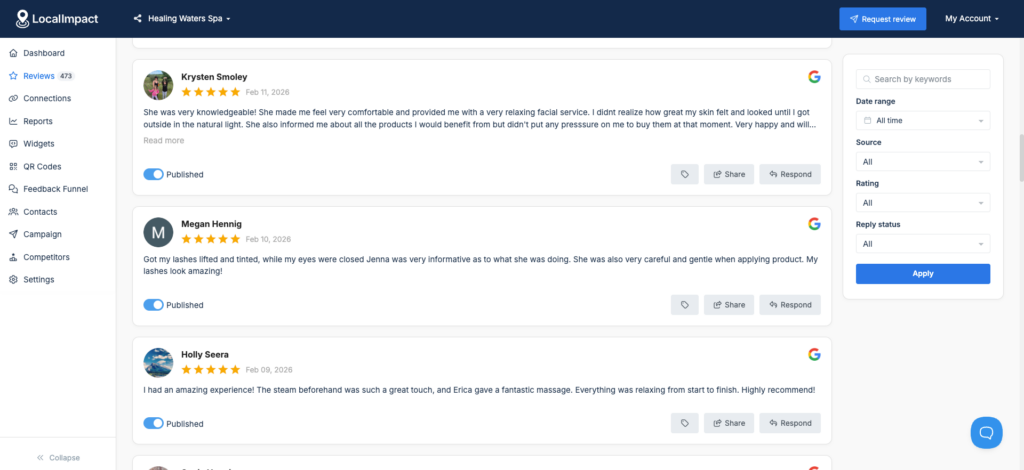
There’s also the option to generate personalized replies using AI.
Apart from helping you manage customer reviews, LocalImpact can also help you get more reviews by reminding customers to leave a review via automated email and SMS notifications.
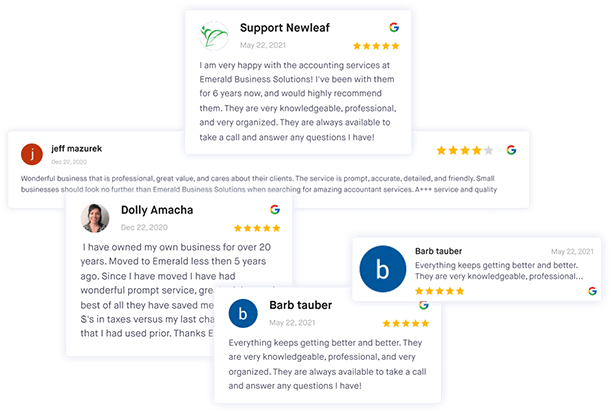
It also allows you to display the best customer reviews on your website using the review widget feature. All you need to do is add a piece of code to your website.

LocalImpact also offers a handy social sharing feature, helping you turn top customer reviews into engaging social media content.
Key features
- Review monitoring: Tracks reviews across 27+ platforms and surfaces them in a single feed so you can read and respond without logging into multiple accounts.
- AI review replies: Generates personalized responses to customer reviews, saving time while keeping replies on-brand and relevant to what each reviewer said.
- Automated review requests: Sends email and SMS reminders to customers prompting them to leave a review, helping build review volume without manual follow-up.
- Review widget: Displays your best customer reviews on your website using an embeddable widget that updates automatically as new reviews come in.
- Social sharing: Turns top customer reviews into formatted social media content, making it easy to repurpose positive feedback across your social channels.
- Multi-platform coverage: Monitors all the major review platforms local businesses care about, including Google, Facebook, Yelp, and Tripadvisor.
What users say
Reviewers consistently highlight how easy LocalImpact is to set up and how much time the automation tools save on day-to-day review management.
The centralized dashboard and responsive customer support draw particular praise from small business owners managing their reputation without dedicated staff.
"The platform is extremely easy to set up and integrate with my existing website. The dashboard is simple to navigate, and the automation tools save me time collecting and displaying reviews. Customer support is quick to respond and always helpful."
Pricing
You can use the free 14-day trial to test out LocalImpact. Paid plans include:
- Growth ($49/month)
- Pro ($99/month)
- Agency ($149/month)
Streamline review management for your small business
Get, share, and manage customer reviews effortlessly with LocalImpact.
2. Buffer
Buffer is one of the most straightforward social media management tools we came across during our research, and it held up well in hands-on use. The setup process is quick, connecting your social accounts takes just a few minutes, and you can start queuing posts almost immediately.
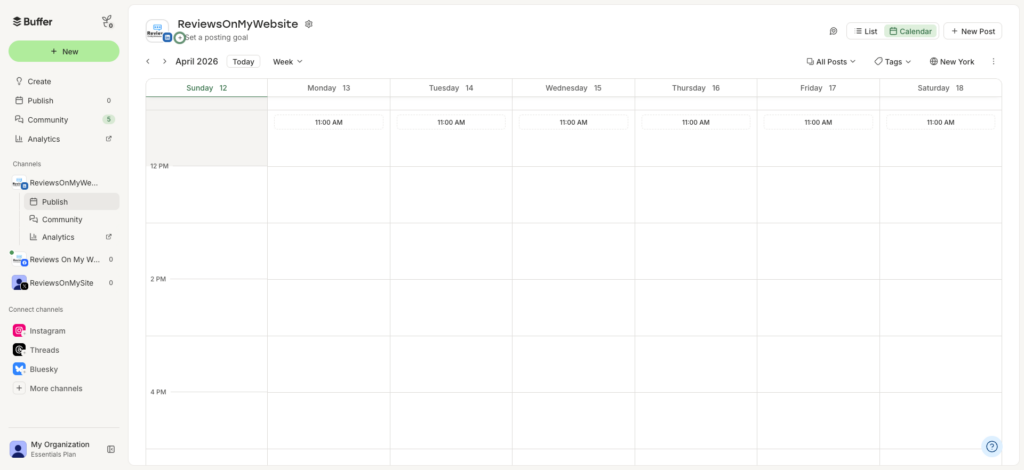
The content calendar makes it easy to plan a week's worth of content at a glance.
Cross-platform publishing is simple: you can push a post to Facebook, Instagram, X, TikTok, and Pinterest in one go, with the option to customize the copy for each platform.
The built-in analytics give you a clear picture of how your posts are performing, and the AI assistant does a decent job generating post ideas when you're stuck.
Key features
- Multi-platform scheduling: Draft and schedule posts across Facebook, Instagram, X, TikTok, and Pinterest from a single dashboard, with per-platform customization.
- Content calendar: A visual weekly calendar that lets you see your entire posting schedule at a glance and adjust timing with ease.
- AI assistant: Generates post ideas, rewrites social media copy, and repurposes existing content for different platforms.
- Team collaboration: Share drafts with team members and collect feedback or approval before posts go live.
- Analytics and reporting: Track post performance and access data-driven recommendations on the best times and posting frequency for your audience.
- Engagement tools: Reply to comments and messages across all connected social accounts from one unified inbox.
Pros & cons
Pros
- Clean, intuitive interface that's easy to pick up with no training required
- Generous free plan that includes up to three social channels
- Reliable scheduling with consistent, on-time publishing across platforms
- Strong per-platform post customization
Cons
- Social listening and brand monitoring features are limited compared to some competitors
- More advanced analytics and automation features are locked behind higher-tier plans
What we like
Buffer's post-timing recommendations are a genuinely useful feature. Rather than requiring you to dig through reports yourself, it analyzes your audience engagement data and tells you directly when and how often to post for the best results.
What users say
Users consistently highlight Buffer's ease of use and the time it saves when managing multiple accounts from one place. The content calendar gets strong praise for making it easier to plan ahead and stay consistent.
"It takes the overwhelming feeling out of social media management. You get this beautiful, easy-to-use content calendar where you can quickly see the entire week ahead. That way, you can step back, plan your content, and then the app just reliably takes care of the posting for you."
The most common criticism is that Buffer can feel limiting as needs grow, with some reviewers noting that analytics can feel too shallow for teams that need more in-depth reporting.
"One thing I don't like about Buffer is that it can feel a bit limited compared to other tools. Some more advanced features — like deeper analytics, competitor tracking, or additional automation — are either missing or only available on higher-tier plans."
Pricing
Buffer offers a limited free plan. Paid plans include:
- Essentials ($6/month)
- Team ($12/month)
- Agency ($120/month)
3. Campaign Monitor
Campaign Monitor is a solid email marketing tool that's worth considering if clean design and ease of use are priorities.
Spending time in the platform, it's clear the drag-and-drop email builder is one of the more polished we've come across, with templates that cover a wide range of campaign types.
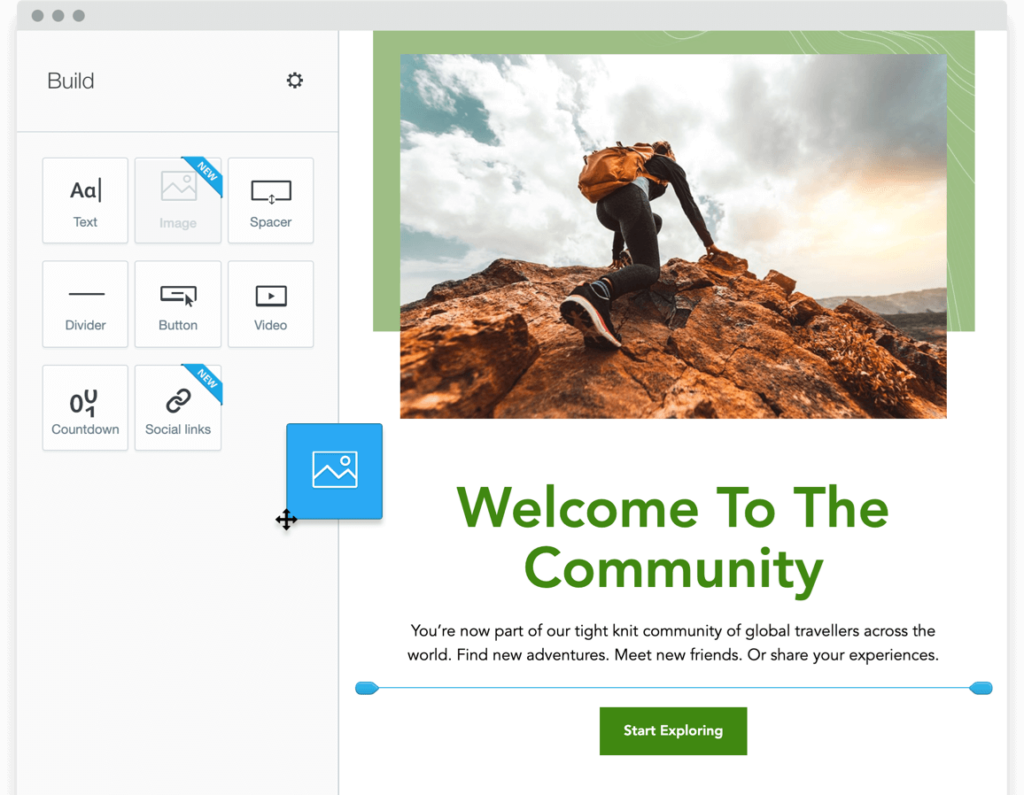
The visual journey designer makes setting up automated email sequences more accessible than you'd expect, and the customer segmentation tools give you enough flexibility to send targeted campaigns without needing to be a data expert.
One particularly useful touch is the brand auto-import feature, which pulls your logo and colors directly from your website URL.
Key features
- Drag-and-drop email builder: An intuitive editor with built-in templates for a variety of campaign types, plus a brand auto-import feature that pulls your logo and colors from your website URL.
- Visual journey designer: A flowchart-style tool for building automated email sequences and customer journeys without needing technical skills.
- Customer segmentation: Create targeted audience segments to send personalized campaigns based on subscriber behavior and data.
- Send time optimization: Automatically delivers emails when individual subscribers are most likely to open and engage with them.
- Campaign reporting: Track open rates, click-through rates, and other key metrics to measure campaign performance.
- Transactional email support: Send triggered, one-to-one emails like receipts and confirmations alongside your marketing campaigns.
Pros & cons
Pros
- Clean, well-organized interface with a low learning curve
- Strong template library with easy brand customization
- Automated campaign setup is straightforward and reliable
- Solid deliverability rates
Cons
- In-account customer support is limited, with no immediately obvious route to a human agent
- Reporting on transactional emails is less detailed than campaign reporting
What we like
The send time optimization feature is a genuinely practical addition for small business owners who don't have time to dig into analytics. It handles the timing decisions for you based on each subscriber's actual behavior, which takes one more variable out of the equation.
What users say
Users consistently point to Campaign Monitor's simplicity and clean interface as standout strengths, with the automation setup earning particular praise for being accessible even without a technical background.
"Campaign Monitor's user interface is very good. It is one of the most simple email marketing tools I have personally used, with clear areas for one-off campaigns, automation and report viewing. Setting up automated email campaigns is very simple and painless, again, something that is a very strong selling point for the platform."
The most commonly cited frustration is the in-account support experience, with some users finding it hard to reach a human when something goes wrong.
"There is a lack of dedicated customer support when you're in the account itself. In emergencies that I have experienced before, I could only go through online articles or a digital assistance tool. This was not enough, as the account needed human intervention."
Pricing
Campaign Monitor offers the following plans:
- Lite (starts at $11/month)
- Essentials (starts at $19/month)
- Premier (starts at $149/month)
4. Semrush
Semrush is one of the most comprehensive SEO platforms available, and it shows in the sheer range of tasks you can handle from a single dashboard.
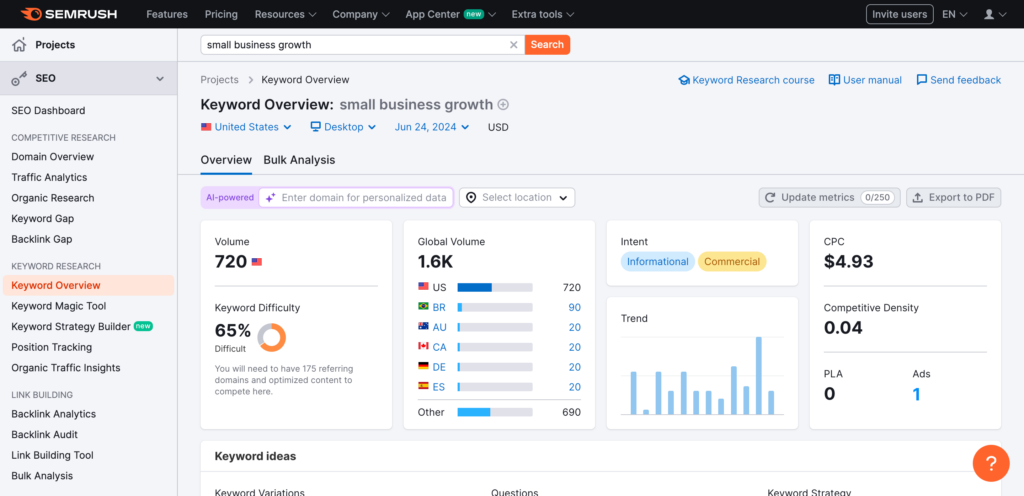
Putting it through its paces, the keyword research and competitor analysis tools are where it really earns its reputation, making it straightforward to spot ranking opportunities and gaps in your content strategy.
The Site Audit tool does a thorough job of surfacing technical issues and prioritizing them clearly, so you know what to fix first.
Position tracking gives you an ongoing read on how your rankings are moving over time, which is useful for reporting as much as strategy. The learning curve is real, but the depth of the toolset justifies the time investment.
Key features
- Keyword research: Identify high-value search terms, analyze search volume and difficulty, and uncover question-based and long-tail keyword opportunities.
- Competitor analysis: See what keywords competitors rank for, analyze their backlink profiles, and identify gaps in your own content and SEO strategy.
- Site audit: Crawls your entire website to surface technical SEO issues and prioritizes them so you know which ones to tackle first.
- Position tracking: Monitor your keyword rankings over time and track progress against competitors in your target locations.
- Backlink analysis: Audit your existing backlink profile and identify new link building opportunities.
- Content marketing tools: Plan, create, and optimize content with built-in SEO recommendations and an editorial calendar.
Pros & cons
Pros
- All-in-one platform that replaces multiple standalone SEO tools
- Keyword and competitor data is detailed and reliable
- Site Audit results are clearly prioritized and easy to act on
- Useful for both local and national SEO campaigns
Cons
- Pricing is on the higher end, particularly for smaller teams or solo users
- The volume of features can feel overwhelming at first for new users
What we like
Semrush's ability to bring keyword research, competitor analysis, site audits, and rank tracking into a single platform is what sets it apart from more narrowly focused SEO tools. For small business owners who'd otherwise be juggling several subscriptions, that consolidation alone makes it worth a look.
What users say
G2 reviewers consistently highlight Semrush's depth and the time it saves by centralizing SEO tasks that would otherwise require multiple tools. The keyword research and competitor analysis features are the most frequently praised.
"It pulls SEO, keyword research, competitor analysis, content optimization, and even paid advertising insights into one place. Instead of juggling multiple tools, I can review organic rankings, backlink data, and competitive positioning from a single dashboard."
Pricing is the most common sticking point among reviewers, with some noting that the feature depth can also take some getting used to.
"One of the main drawbacks of Semrush is its pricing, which can be quite high, especially for smaller teams or individual users."
Pricing
Semrush offers a free 7-day trial. Paid plans include:
- Pro ($129.95/month)
- Guru ($249.95/month)
- Business ($499.95/month)
5. OptiMonk
OptiMonk is a powerful conversion rate optimization tool designed to help small businesses turn website visitors into loyal customers.
Getting started is relatively straightforward: the drag-and-drop editor makes it easy to build popups, sidebars, and other on-site messages without any coding knowledge, and the template library gives you plenty of starting points.

The A/B testing feature lets you run experiments across different offers and designs, not just copy variations, which is more flexible than what many competing tools allow.
Targeting options are granular enough to show the right message to the right visitor at the right time, whether that's an exit-intent trigger, a time-on-page condition, or a specific URL.
Key features
- Drag-and-drop editor: Build and customize popups, sidebars, and embedded forms without any coding, with 300+ templates covering a wide range of campaign types.
- Advanced targeting: Trigger campaigns based on exit intent, time on page, scroll depth, URL, traffic source, and more.
- A/B testing: Test different offers, designs, and campaign formats against each other to find what converts best.
- Personalization: Display different messages to different visitor segments based on behavior, location, and other attributes.
- Mobile-friendly campaigns: All campaigns are optimized for mobile devices to ensure a consistent experience across screen sizes.
- Analytics: Track campaign performance with built-in reporting that shows impressions, conversions, and revenue impact.
Pros & cons
Pros
- Large template library with a wide range of use cases covered
- A/B testing goes beyond simple copy changes to compare full campaign formats
- Responsive customer support team with strong user ratings
- Free plan available for low-traffic sites
Cons
- Initial setup can be complex depending on your site configuration and traffic volume
- Pageview-based pricing means costs can rise quickly on higher-traffic sites
What we like
The zero-party data collection capability is a useful addition that goes beyond typical popup tools. You can use quizzes and surveys to gather customer preferences directly, then sync that data to your email marketing platform for more targeted follow-up campaigns.
What users say
G2 reviewers consistently highlight OptiMonk's ease of use and the quality of its customer support, with many users noting that the popup builder is intuitive even without a technical background.
"The pop-ups are very interactive but do not disturb the user experience either. OptiMonk is very useful to collect email IDs from website visitors. These leads can then be targeted through various email marketing campaigns."
The most common criticism from reviewers relates to the pageview-based pricing model, with some users finding that plans fill up faster than expected as traffic grows.
"The price looked okay at first, but we outgrew the plan fast. Had to upgrade just to keep running one test."
Pricing
OptiMonk offers a free plan that's limited to 15,000 page views per month. Paid plans include:
- Essential ($39/month)
- Growth ($99/month)
- Premium ($249/month)
- Master (custom pricing)
Customer relationship management (CRM) tools
6. HubSpot Sales Hub
HubSpot Sales Hub is one of the most widely used CRM platforms for small and mid-sized businesses, and spending time in it makes clear why.
The pipeline view is one of the cleaner implementations we've come across, giving you an immediate read on where every deal stands without having to dig through records.
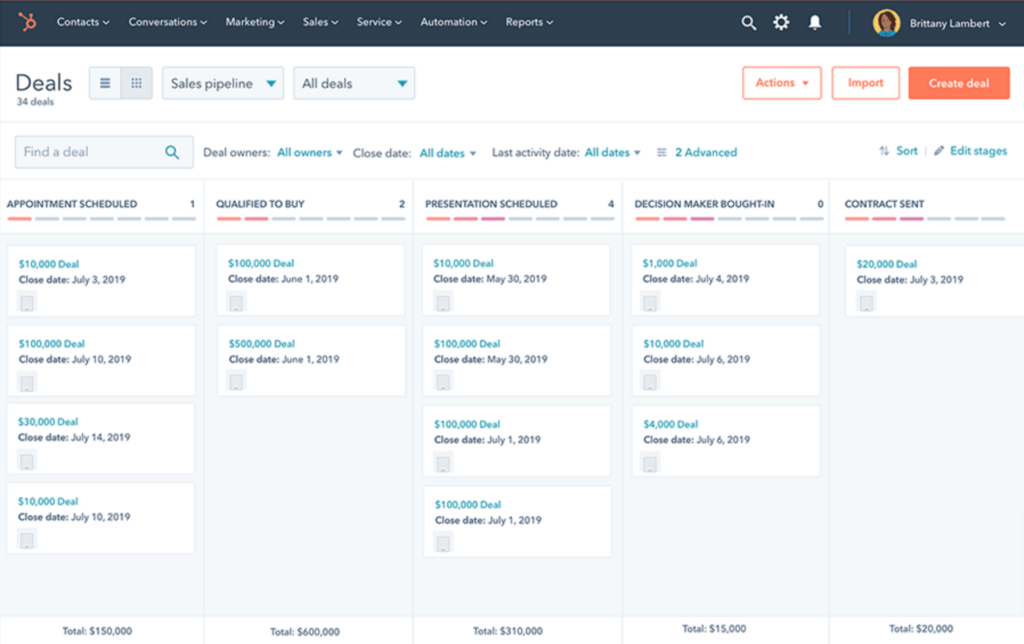
The meeting scheduler is a practical time-saver, letting prospects book calls directly from a link rather than going back and forth over email. Automated email sequences handle follow-up reliably, which helps ensure leads don't slip through the cracks. The free plan is genuinely functional as a starting point, though the more useful features sit behind paid tiers.
Key features
- Sales pipeline management: A visual pipeline view that makes it easy to track deals, spot bottlenecks, and see your team's activity at a glance.
- Meeting scheduler: Lets prospects book calls directly from a shareable link, syncing automatically with your calendar.
- Email sequences: Create automated follow-up sequences to nurture prospects without manual effort at each step.
- Quotes and payments: Build quotes, collect e-signatures, and accept payments directly within the platform.
- Sales forecasting: Set quotas, track progress toward goals, and generate forecasts to keep your team on target.
- Reporting and dashboards: Customizable dashboards that surface deal activity, rep performance, and pipeline health in real time.
Pros & cons
Pros
- Clean, intuitive interface that's accessible for teams without CRM experience
- Free plan includes a genuinely useful set of core CRM features
- Pipeline visibility makes it easy to spot where deals are stalling
- Sequences and task reminders help keep follow-up consistent across the team
Cons
- Pricing rises quickly when adding users or unlocking advanced features
- Some customization options are limited compared to more complex CRM platforms
What we like
HubSpot's ability to bring sales, marketing, and service data into a single platform is where it stands apart from more narrowly focused CRM tools. For small teams that want a unified view of every customer interaction without the overhead of an enterprise system, that consolidation is genuinely valuable.
What users say
G2 reviewers consistently praise HubSpot Sales Hub for keeping everything organized in one place and reducing the need to juggle multiple tools. The pipeline view and automation features draw particular praise for improving team consistency.
"What I like most about HubSpot Sales Hub is that it keeps everything organized in one place. From tracking emails to managing deals and follow-ups, it cuts down on the need to juggle multiple tools. The pipeline view is especially useful because it gives me clear visibility into where each deal stands."
Pricing is the most frequently cited drawback, with reviewers noting that costs can climb steeply once you start scaling the team.
"Pricing can get expensive as you scale. As soon as you start adding more users or unlocking advanced features, the cost rises quickly. It's a great tool overall, but smaller teams may find it a bit tough on the budget."
Pricing
HubSpot offers a limited free version of their CRM solution. Paid plans include:
- Sales Hub Starter ($20/seat/month)
- Sales Hub Professional ($100/seat/month)
- Sales Hub Enterprise (starts at $150/seat/month)
7. Close CRM
Close CRM is built with sales teams in mind, and that focus shows throughout the product.
Where many CRMs try to cover every business function, Close stays squarely in the sales lane, combining calling, email, SMS, and pipeline management into a single platform without a lot of extra noise.
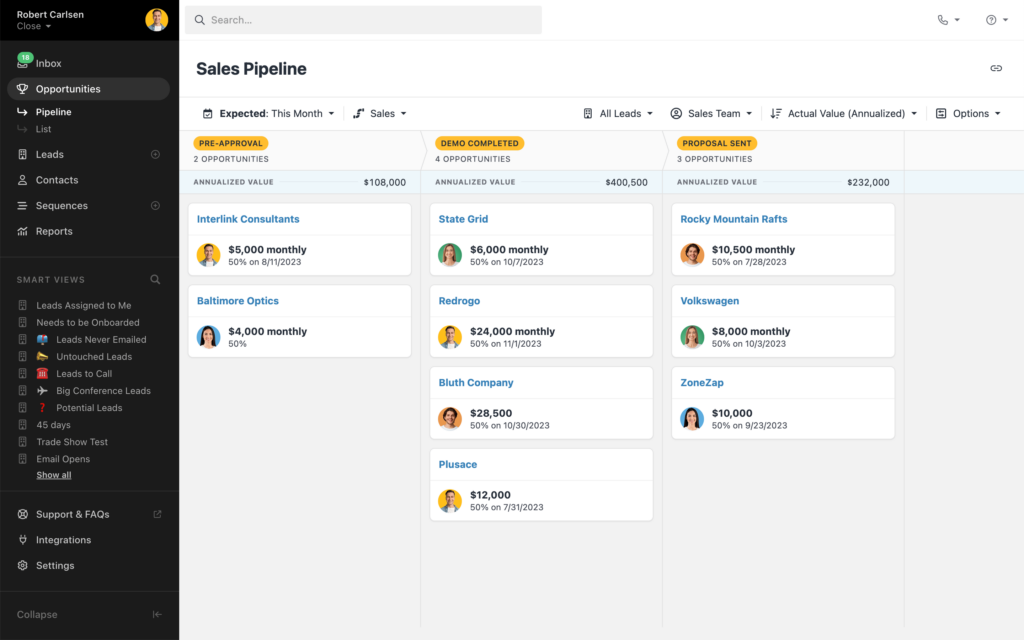
The built-in calling features are a genuine differentiator. The Power Dialer and Predictive Dialer help high-volume outbound teams move through lead lists efficiently, and the Call Assistant handles transcription and summaries automatically so reps aren't scrambling to take notes mid-call.
Smart Views let you create custom filtered lead lists and surface exactly who needs attention next.
Key features
- Built-in calling: Make and receive calls directly within the CRM, with Power Dialer and Predictive Dialer options for high-volume outbound sales.
- Call Assistant: Automatically transcribes and summarizes every call so reps can focus on the conversation rather than note-taking.
- Multi-channel inbox: Manage all email, call, and SMS communication with leads and customers from one unified inbox.
- Pipeline management: Visual sales pipeline with custom views and filters to help prioritize leads and track deals.
- Smart Views: Create custom filtered lead lists based on any criteria to surface the right contacts at the right time.
- Automated sequences: Set up multi-step follow-up sequences across email and SMS to keep outreach consistent.
Pros & cons
Pros
- Best-in-class built-in calling features with Power and Predictive Dialer options
- Clean, intuitive interface with a relatively short learning curve for a full-featured CRM
- Smart Views make it easy to prioritize and segment leads without manual effort
- Native iOS and Android apps for managing deals on the go
Cons
- Less customizable than broader CRM platforms for teams with complex workflow needs
- Reporting and analytics are more limited compared to enterprise-tier CRM tools
- Phone-based customer support isn't available
What we like
The Call Assistant feature stands out as a practical time-saver for sales teams that rely on phone outreach. Having every call automatically transcribed and summarized means reps can review key details and next steps after a call without relying on memory or manual notes.
What users say
G2 reviewers consistently highlight Close's clean interface and the way it consolidates calling, emailing, and pipeline tracking into one place. The calling features and Smart Views draw particular praise from sales teams doing high volumes of outreach.
"What I like most about Close is how simple and intuitive it is to use. Everything I need, calls, emails, follow-ups, and pipeline tracking, is in one place, which makes it easy to stay organized and move quickly."
The most common criticism relates to customization limits, with some reviewers noting that teams with more complex reporting or workflow needs may run into the platform's boundaries.
"The main downside for me is that Close can sometimes feel a bit rigid. It does what it's designed to do really well, but when you want deeper customization or very detailed reports, you may hit some limits."
Pricing
You can use Close's free 14-day trial to test out the software. Paid plans include:
- Startup ($59/user/month)
- Professional ($109/user/month)
- Enterprise ($149/user/month)
Pricing
You can use Close’s free 14-day trial to test out the software and see if it’s the right fit for your needs. Paid plans include:
- Startup ($59/user/month)
- Professional ($109/user/month)
- Enterprise ($149/user/month)
8. LeadSquared
LeadSquared CRM is a CRM that's particularly well-suited to businesses managing high volumes of leads across multiple channels.
Time spent in the platform reveals a strong focus on lead capture and distribution, with tools that make it straightforward to pull in leads from websites, email, phone, and campaigns into one central dashboard.
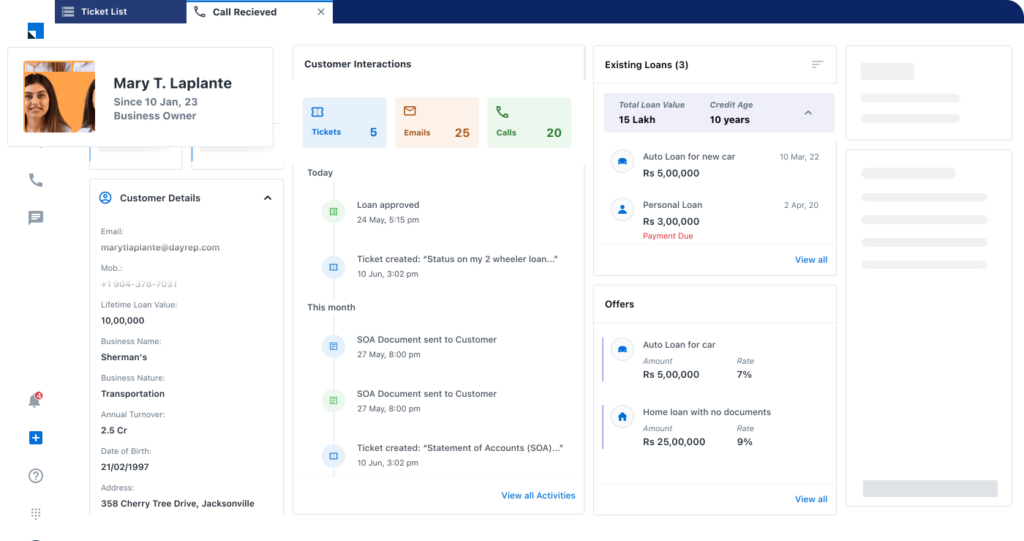
The automation workflows are a highlight, handling follow-up reminders and lead assignments without requiring manual intervention at each step.
The mobile CRM is a practical addition for field sales teams, giving reps access to lead data and activity tracking while they're away from their desks. Pricing isn't listed publicly, so you'll need to contact the sales team for a quote.
Key features
- Lead capture and management: Automatically pulls in leads from multiple sources including websites, email, phone calls, and campaigns into a single centralized dashboard.
- Lead scoring and distribution: Identifies leads with higher sales potential through scoring and distributes them across your team using round-robin assignment or custom rules.
- Sales automation: Creates workflows to automate follow-up reminders, task assignments, and lead stage progression to keep the sales process moving.
- Email marketing: Build campaigns using built-in templates, track performance, and automate communication at different stages of the sales funnel.
- Pipeline management: Track opportunities, monitor sales funnel health, and get a clear view of where deals stand across the team.
- Mobile CRM: A dedicated app for field sales teams that supports activity tracking, lead assignment, and real-time updates on the go.
Pros & cons
Pros
- Strong lead capture across multiple channels with minimal manual setup
- Automation workflows are flexible and reduce repetitive manual tasks significantly
- Short onboarding curve, with most users getting up to speed quickly
- Mobile app is well-suited for field sales teams
Cons
- Custom report creation can be time-consuming and less intuitive than core features
- Some third-party integrations require technical support to set up properly
- Occasional syncing delays reported during high-volume data uploads
What we like
The round-robin lead distribution feature is a genuinely useful tool for sales managers. Rather than manually assigning incoming leads, you can set rules that distribute them automatically across your team, which helps keep workloads balanced and response times fast.
What users say
G2 reviewers consistently point to LeadSquared's ease of use and lead management capabilities as standout strengths, with sales managers in particular praising how straightforward it is to monitor team performance from one place.
"I use LeadSquared Sales CRM daily in my work in the ed tech sales industry, and I believe it's one of the top CRM tools for managing business in a very easy way. It's excellent for smooth lead management and pin-to-pin data tracking."
The most frequently cited limitation is the reporting module, with some reviewers finding custom report creation more cumbersome than the rest of the platform.
"While the platform is quite robust, the reporting module could use some improvement. Custom report creation can be a bit tricky and time-consuming, especially when trying to filter or group data across multiple parameters."
Pricing
Pricing details are available on request.
9. Keap
Keap is an all-in-one CRM built specifically for small businesses, bundling contact management, email marketing, automation, invoicing, and scheduling into a single platform.
Exploring the tool, it's clear the focus is on eliminating the need to juggle multiple separate apps, with most of the core functions a small business owner needs available from one dashboard.
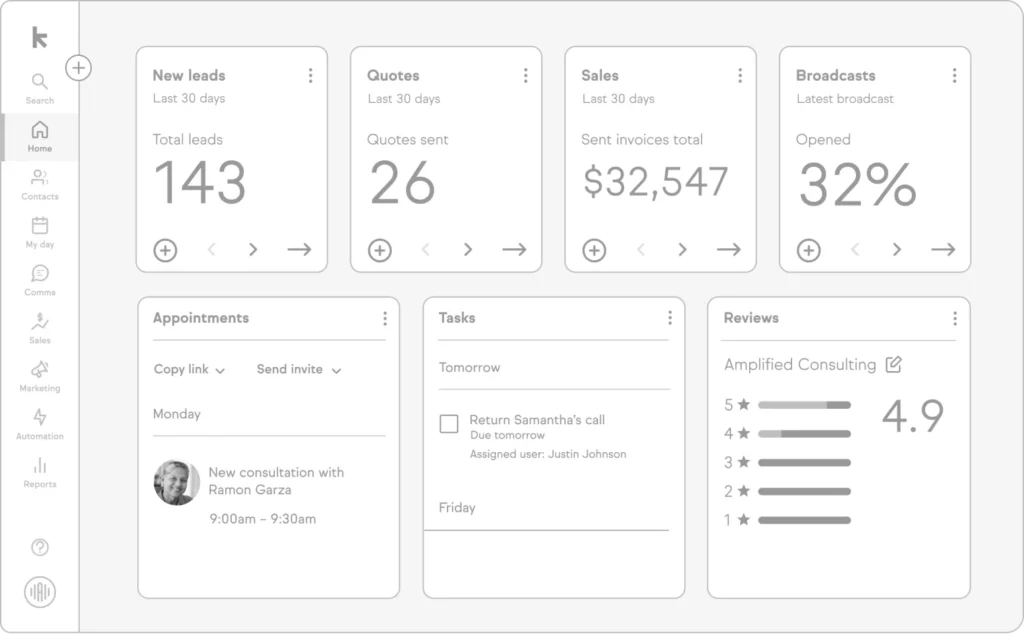
The automation workflows are a standout element, letting you set up follow-up sequences, task reminders, and triggered emails without needing any technical background.
The built-in payments and invoicing features are a practical addition for service businesses, and the dedicated business phone number keeps work and personal communication separate without requiring a separate phone system.
Key features
- CRM and contact management: Centralizes all customer data, communication history, and activity in one place, making it easy to stay on top of every relationship.
- Email and SMS marketing: Build and send email campaigns and automated text messages directly from the platform without needing a separate marketing tool.
- Automation workflows: Set up triggered follow-ups, task reminders, and lead nurture sequences without any coding or technical expertise.
- Invoicing and payments: Create and send invoices and accept payments directly within the platform.
- Appointment scheduling: Let customers book meetings or appointments through a built-in scheduling tool that syncs with your calendar.
- Dedicated business phone number: Receive calls and texts on a separate business number without needing a second device.
Pros & cons
Pros
- Genuinely all-in-one: replaces several separate tools for most small businesses
- Automation workflows are powerful and accessible without technical knowledge
- Built-in invoicing and payments simplify billing for service businesses
- Strong customer support reputation among G2 reviewers
Cons
- Price point is on the higher end, particularly for solo operators or very small teams
- Initial setup takes time given the breadth of features on offer
- Customization options are more limited than some competing CRM platforms
What we like
The breadth of what's included in a single Keap subscription is genuinely impressive for a small business tool. Having CRM, email marketing, SMS, scheduling, and payments all in one place means there's no data scattered across multiple platforms, which makes day-to-day operations noticeably cleaner.
What users say
G2 reviewers consistently highlight how much Keap simplifies operations by replacing multiple separate tools, with the automation workflows drawing particular praise for saving time on follow-up and lead management.
"Keap is an amazing platform. It allows us to set up reminders, tasks, and follow-up emails without any requirement for technical expertise. It also helps in combining multiple tools in one place like email marketing, scheduling, CRM, forms, and payments."
The most common criticism is the price relative to competitors, with some reviewers also noting that the learning curve can feel steep during initial setup.
"Keap is powerful, but the learning curve can feel steep at first, especially if you're new to automation or CRMs. The price point is also higher than some competitors, which may be tough for very small businesses or solopreneurs."
Pricing
Keap's pricing starts at $299/month.
Communication tools
10. Slack
Slack is one of the most widely adopted team communication tools available, and it's easy to see why after using it regularly. Channels keep conversations organized by topic, project, or team, which goes a long way toward reducing the inbox clutter that comes with relying on email for internal communication.
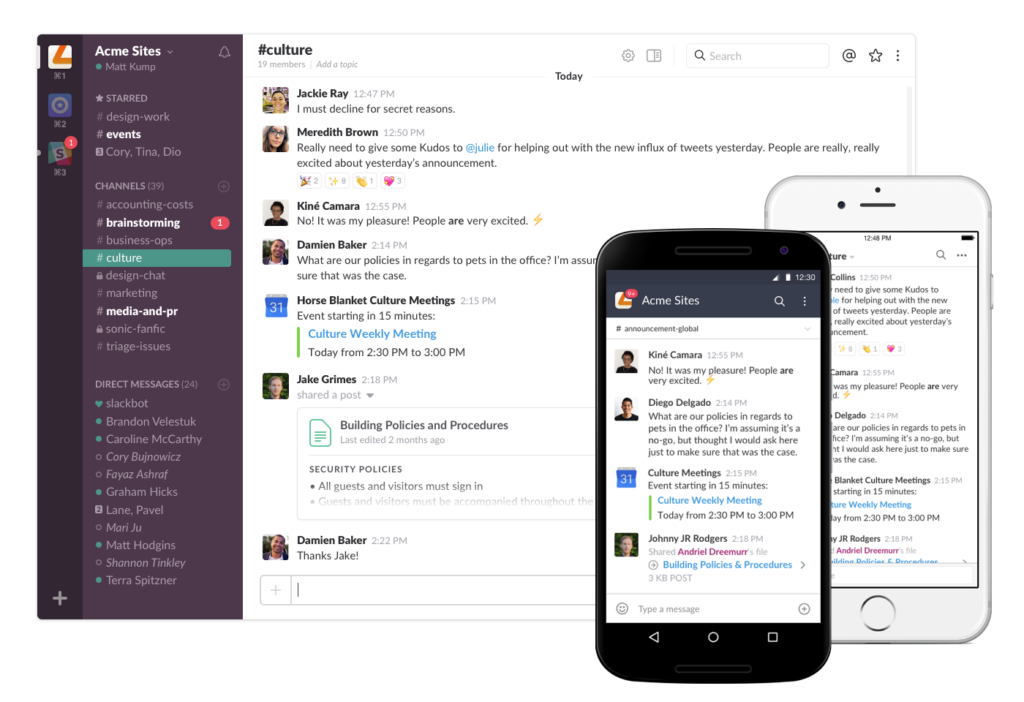
The integration library is one of Slack's strongest selling points. Connecting tools like Google Drive, Notion, and project management platforms means important updates surface in the right channels automatically rather than getting buried in separate apps.
The Huddle feature is a handy addition for quick voice or video check-ins without the formality of scheduling a full meeting.
Key features
- Channels: Organize team communication into public and private channels by topic, project, or team, keeping conversations easy to find and follow.
- Huddles: Start a live audio or video call with team members directly from any channel or direct message without scheduling in advance.
- Slack Connect: Invite external partners, clients, or vendors into dedicated channels for faster communication while keeping internal channels separate.
- Integrations: Connects with a wide range of tools including Google Drive, Notion, Salesforce, and hundreds of other platforms to bring key updates directly into Slack.
- AI features: Built-in AI assists with search, message summaries, and channel recaps to help you catch up quickly after time away.
- Search and message history: All conversations and files are searchable, making it straightforward to find past decisions or shared documents.
Pros & cons
Pros
- Intuitive interface with a short learning curve for new users
- Extensive integration library connects easily with most popular business tools
- Slack Connect makes external collaboration significantly smoother
- AI features for search and recaps are a practical addition for busy teams
Cons
- Notification volume can become overwhelming without deliberate channel and alert management
- Pricing scales up quickly for larger teams
- The call feature can be unreliable on occasion
What we like
Slack Connect stands out as a genuinely useful feature for small businesses that collaborate regularly with external partners or clients. Having those conversations happen in a dedicated Slack channel rather than over email keeps everything organized and searchable in one place.
What users say
G2 reviewers consistently highlight how well Slack reduces email reliance and keeps cross-team communication organized. The integration depth and ease of use are the most frequently praised aspects of the platform.
"What I like best about Slack is how it keeps all team communication organized in one place through channels, making collaboration much easier. It also integrates smoothly with many tools, which helps streamline workflows. Overall, it reduces email clutter and makes quick communication with teams very efficient."
The most common complaint among reviewers is notification overload, with some finding it easy to miss important messages as channel activity picks up.
"One thing I dislike about Slack is that too many notifications and channels can sometimes feel overwhelming. It can also be easy to miss important messages when conversations move quickly."
Pricing
Slack has a free plan you can use to get started. Paid plans include:
- Pro ($8.75/user/month)
- Business+ ($15/user/month)
- Enterprise Grid (custom pricing)
11. Zoom
Good material from the Zoom Workplace G2 page. Here's the entry:
11. Zoom
Zoom has grown well beyond its roots as a video conferencing tool, and time spent across its platform reflects that evolution.
The core meeting experience remains one of the most reliable available, with consistent HD audio and video quality and a layout that most people can navigate without any instruction.

The addition of a VoIP phone system, email, and calendar tools means Zoom has expanded into a broader collaboration platform. For small teams that want to consolidate communication tools, that breadth is genuinely useful.
The AI-powered meeting summaries are a practical feature, automatically generating a recap of what was discussed so attendees don't need to scramble for notes afterward.
Key features
- HD video meetings: Host meetings with high-quality audio and video, screen sharing, annotation, and breakout room support for group discussions.
- AI meeting summaries: Automatically generates summaries and action items from recorded meetings so participants can catch up quickly.
- Meeting recordings: Record meetings and store them for future reference, with AI-generated transcripts available.
- VoIP phone system: Make and receive phone calls, manage voicemail, and automatically extract tasks from voicemail messages through Zoom Phone.
- Team chat: Persistent messaging channels for team communication alongside video and voice, all within the same platform.
- Email and calendar integration: Zoom's email and calendar apps sync with Gmail and Microsoft 365 for a more unified workspace.
Pros & cons
Pros
- Highly reliable video and audio quality across a wide range of connection speeds
- Familiar interface that most users can pick up immediately with no training
- AI summaries and transcripts save time on post-meeting documentation
- Broad platform covering meetings, phone, and chat in one place
Cons
- Connectivity or audio issues can occur in large meetings or on weaker internet connections
- Pricing adds up quickly when combining multiple Zoom products for a team
- Exporting meeting notes and transcripts in different formats is more limited than some users would like
What we like
The AI meeting summary feature is one of the more practical uses of AI we've come across in a collaboration tool.
Rather than requiring someone to take notes during a meeting, Zoom automatically captures a summary and highlights key discussion points, which is a meaningful time-saver for busy teams.
What users say
G2 reviewers consistently rate Zoom highly for its reliability, ease of use, and the way it brings meetings, chat, and phone into a single platform. The stability of audio and video quality across different environments draws particular praise.
"Zoom Workplace is one of the best known tools, appreciated for its simplicity and dependable performance. By unifying meetings, chat, phone, and collaboration tools into a single, intuitive workspace, it helps teams stay connected and productive with ease."
The most commonly cited frustration is occasional connectivity or audio issues, particularly in larger meetings or on slower connections.
"One thing I dislike about Zoom Workplace is that occasional connectivity or audio issues can occur, especially with large meetings or weaker internet connections."
Pricing
Zoom offers a limited free plan. Paid plans include:
- Pro ($14.99/user/month)
- Business ($21.99/user/month)
- Business Plus (custom pricing)
- Enterprise (custom pricing)
12. Flock
Flock is a team messaging app that covers the core communication needs of most small businesses without a lot of extra complexity. Working through the platform, the channel-based structure for organizing conversations will feel familiar to anyone who's used Slack, and the learning curve is minimal.
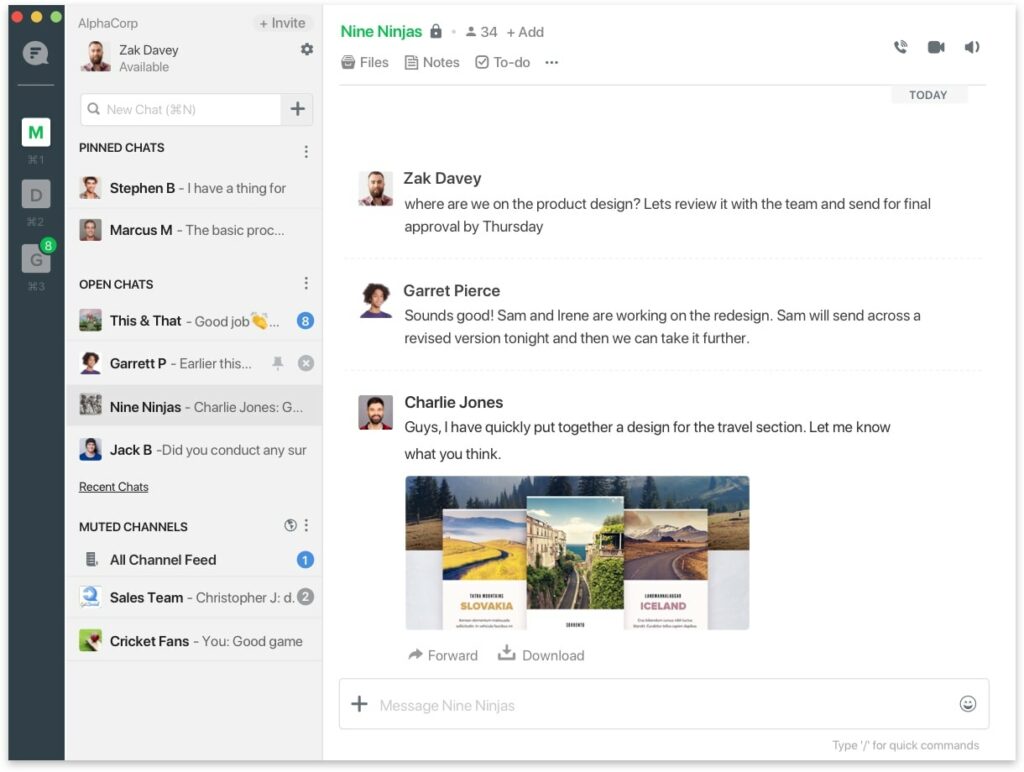
It handles the fundamentals well: instant messaging, file sharing, polls, to-dos, and reminders are all accessible from a clean interface. Video calling and voice calls are supported too, though this isn't where Flock is at its strongest. For teams that want a straightforward, budget-friendly communication tool without paying for features they won't use, it's a solid option.
Key features
- Channels: Organize team conversations into public and private channels by topic, project, or team to keep communication structured and searchable.
- Direct and group messaging: Send instant messages to individuals or groups, with file sharing and emoji reactions supported throughout.
- Video and voice calling: Start video meetings or voice calls directly from channels or direct messages without leaving the platform.
- To-dos and reminders: Create task lists and set reminders within conversations to help the team stay on top of action items.
- Polls: Create quick polls in channels to gather team input or make decisions without needing a separate tool.
- File sharing: Share files directly within conversations, with all shared content remaining searchable and accessible.
Pros & cons
Pros
- Clean, simple interface with a very short learning curve
- Covers core messaging and collaboration needs at a lower price point than many alternatives
- Built-in productivity tools like to-dos and polls reduce the need for separate apps
- Free plan is generous enough for small teams getting started
Cons
- Fewer third-party integrations compared to Slack and similar platforms
- Video conferencing capability is more limited than dedicated meeting tools
- Performance and loading speeds can be inconsistent for some users
What we like
Flock's built-in productivity tools are a practical touch that set it apart from tools that focus purely on messaging. Being able to create to-do lists, assign tasks to team members, and run polls directly within the chat means less switching between apps for everyday coordination.
What users say
G2 reviewers consistently highlight Flock's simplicity and how well it keeps team communication organized without feeling overwhelming. The channel structure and ease of use are the most frequently praised aspects of the platform.
"What I like best about Flock is how simple and focused it is for team communication. Chats, channels, and file sharing are easy to use, and it keeps conversations organized without feeling overwhelming. It helps our team stay connected and respond quickly without unnecessary distractions."
The most common criticism is that Flock's integration library and advanced features trail behind more established alternatives, with some users also noting occasional performance issues.
"What I dislike about Flock is that it has fewer integrations and advanced features compared to some other team communication tools. The interface can also feel a bit basic at times, and managing older messages or files is not always very smooth."
Pricing
Flock offers a limited free plan. Paid plans include:
- Pro ($6/user/month)
- Enterprise (custom pricing)
Productivity tools
13. Todoist
Todoist users are overwhelmingly positive and thin on substantive negatives in G2 reviews. The best mild negative I have verified from G2 is the subtask creation friction and the per-seat pricing at scale. Here's the entry:
13. Todoist
Todoist is one of the most polished task management tools available, and it earns that reputation through sheer ease of use. Getting started takes minutes: creating tasks, setting due dates, and organizing work into projects is intuitive from the first session, with no learning curve worth mentioning.
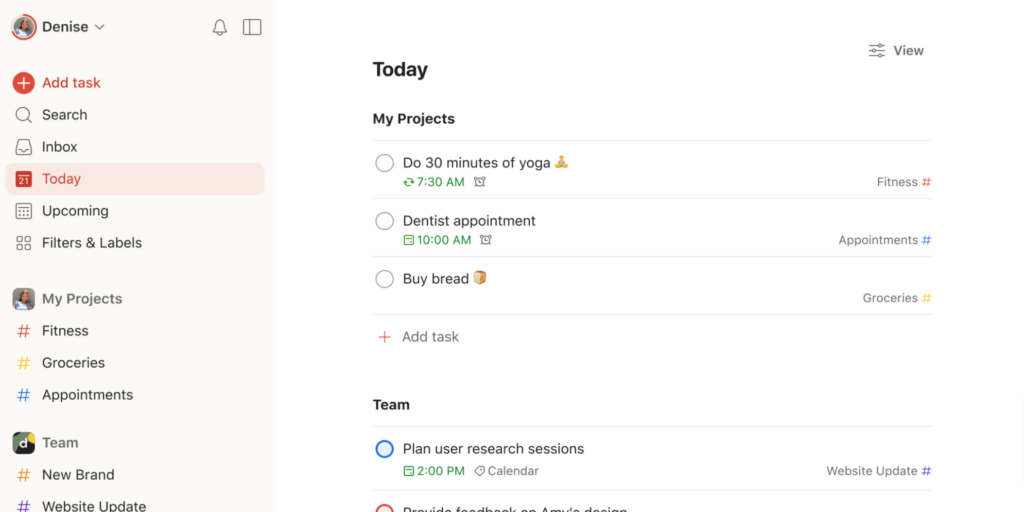
The natural language input is a particularly nice touch, automatically recognizing dates and recurring schedules typed into task names without needing to manually set them.
Cross-device syncing works reliably, so your task list is consistent whether you're on a desktop, phone, or tablet. The board and calendar views give you flexibility in how you visualize your workload alongside the default list view.
Key features
- Task and project management: Create tasks, subtasks, and projects with due dates, priority levels, and labels to keep work organized and clearly structured.
- Natural language input: Automatically detects dates, days, and recurring schedules typed into task names, making it fast to capture tasks without extra clicks.
- Multiple views: Switch between list, board, and calendar views depending on how you prefer to plan and visualize your workload.
- Recurring tasks and reminders: Set tasks to repeat on any schedule and receive reminders so nothing slips through the cracks.
- Team collaboration: Assign tasks to team members, add comments, and share files directly within projects.
- Integrations: Connects with 60+ tools including Slack, Google Calendar, Outlook, and Zapier for a more connected workflow.
Pros & cons
Pros
- Clean, intuitive interface that requires almost no onboarding time
- Natural language date recognition speeds up task capture significantly
- Reliable cross-device syncing keeps your task list consistent everywhere
- Generous integration library connects well with common business tools
Cons
- Adding subtasks requires navigating into the task first rather than directly from the task creation flow
- Per-seat pricing can add up for larger teams with multiple departments
What we like
Todoist's approach to recurring tasks and reminders is particularly well executed. You can set up almost any recurring schedule imaginable using plain language, and the reminders are reliable enough that you can genuinely offload due date tracking to the app rather than keeping it in your head.
What users say
G2 reviewers consistently rate Todoist highly for its intuitive interface and the flexibility it offers in customizing workflows. The cross-device syncing and priority features draw particular praise from users managing tasks across multiple projects.
"Todoist has completely transformed my workflow and productivity. Its intuitive interface, powerful task management features, and seamless cross-device syncing allow me to stay organized and focused, whether I'm at work or on the go. The flexibility to customize projects, set priorities, and automate recurring tasks makes it incredibly versatile for any type of user."
The most frequently cited frustration relates to minor UX friction points, with some users finding the subtask creation flow less streamlined than it could be.
"The only thing I dislike about it is when I want to add a photo or add subtasks, I have to first click 'add task' and then go and find that task to add subtasks. This is very frustrating. I don't understand why they don't just create a button right there for subtasks."
Pricing
Todoist has a free plan that's limited to five projects. Paid plans include:
- Pro ($5/month)
- Business ($8/month)
14. Toggl Track
Toggl Track is a time tracking tool that prioritizes simplicity, and using it makes that philosophy immediately apparent. Starting a timer takes a single click, and the reports surface a clear picture of where your time is going without requiring any manual configuration to get there.
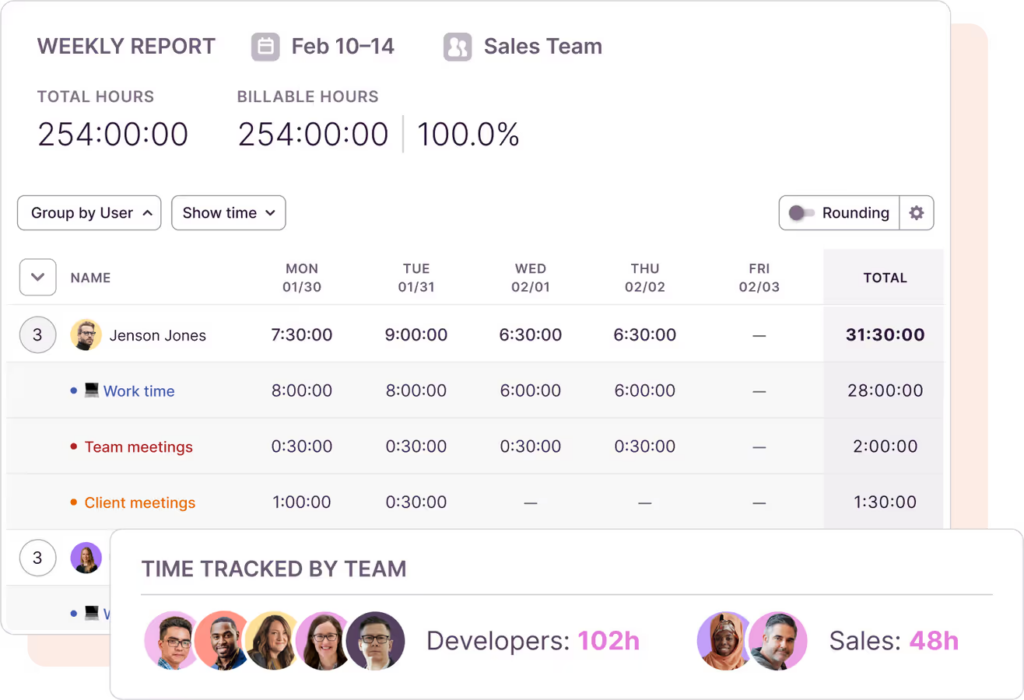
It's a notably privacy-conscious tool, skipping the screenshots and keyboard activity monitoring that some competing time trackers use. Idle time detection is available for those who want it, but the default experience respects the autonomy of the people using it.
The free plan is genuinely capable for individuals and very small teams, with web, desktop, and mobile apps all syncing reliably across devices.
Key features
- One-click time tracking: Start and stop a timer with a single click, with the option to add descriptions, projects, and tags to entries as you go.
- Detailed reporting: Automatically groups time entries and generates reports by project, client, or team member to show exactly where time is being spent.
- Billable hours tracking: Set hourly rates, mark entries as billable, and generate accurate timesheets for client invoicing.
- Idle time detection: Detects periods of inactivity and prompts you to discard or adjust entries where you stepped away from the keyboard.
- Privacy-first tracking: No screenshots, keyboard monitoring, or activity surveillance, making it a more comfortable fit for teams that value autonomy.
- Cross-platform sync: Available as web, desktop, and mobile apps with real-time syncing across all devices.
Pros & cons
Pros
- Extremely low friction to start tracking, with no complicated setup required
- Clean, readable reports that make it easy to understand time distribution at a glance
- Privacy-focused approach makes it an easier sell to team members wary of monitoring tools
- Strong free plan that works well for individuals and small teams
Cons
- Timer syncing between devices can occasionally lag, requiring manual entry adjustments
- Editing past entries or organizing multiple projects takes more clicks than it should
- Lacks GPS tracking and shift scheduling features that field-based teams may need
What we like
The idle time detection feature handles a common time tracking problem gracefully. Rather than padding your logged hours with time spent away from the keyboard, it catches the gap and gives you the option to discard it, which keeps your data accurate without requiring you to babysit the timer.
What users say
G2 reviewers consistently praise Toggl Track for how fast it is to get up and running and how clearly the reports communicate where time is actually going. The simplicity of the interface is the most frequently highlighted strength.
"The best thing about Toggl Track is how quick it is to start tracking time. You just hit the timer and get back to work, no complicated setup. I also like how it automatically groups your entries and shows everything clearly in the reports. It actually makes you aware of where your time is going without feeling heavy or confusing."
The most common complaints center on occasional syncing delays between devices and minor friction when editing past entries.
"One thing I don't like is that sometimes the timer doesn't start or stop when I expect it to, especially if I switch between devices. The syncing can feel a bit slow. Also, organizing multiple projects or editing past entries takes a few extra clicks, which gets irritating when you're in a rush."
Pricing
You can use Toggl Track's free plan to get started at zero cost. Paid plans include:
- Starter ($10/user/month)
- Premium ($20/user/month)
- Enterprise (custom pricing)
15. Asana
Asana is one of the more capable project management platforms available for small businesses, and the depth of the feature set becomes clear quickly once you start building out projects.
Tasks, subtasks, owners, due dates, custom fields, and automated rules can all be layered together to create workflows that match how your team actually operates.
The variety of project views is a genuine strength. Switching between list, timeline, board, and calendar views depending on what you need is seamless, which makes Asana useful for both day-to-day task management and longer-term planning.
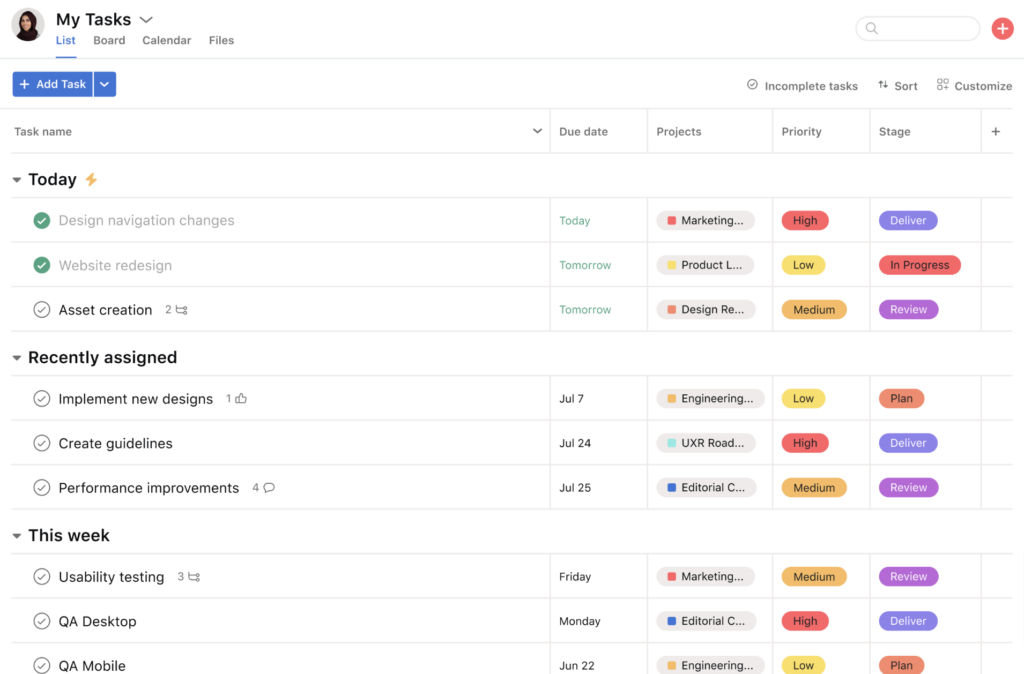
The AI assistant adds a practical layer on top, surfacing insights and flagging potential blockers without requiring manual digging through project data.
Key features
- Task and project management: Create tasks with owners, due dates, custom fields, and subtasks, with the ability to link related tasks across projects.
- Multiple project views: Switch between list, board, timeline, and calendar views to match how you prefer to plan and track work.
- Automation rules: Set up rules to automate actions like assigning team members, adjusting due dates, and sending reminders when trigger conditions are met.
- Reporting dashboards: Build custom dashboards to track project progress, spot blockers, and get a real-time read on team workload.
- AI assistant: Surfaces project insights, identifies potential issues, and can assign work automatically to help keep projects on track.
- Templates: A library of built-in project templates covers common workflows across marketing, operations, product, and more.
Pros & cons
Pros
- Flexible project views make it easy to adapt the tool to different types of work
- Automation rules reduce repetitive admin work and keep processes consistent
- Strong visibility into task ownership and priorities across the team
- AI features add practical value without requiring extra configuration
Cons
- Can feel cluttered when managing a large number of projects simultaneously
- Some advanced features, including timeline view and detailed reporting, are locked behind paid plans
- New users face a meaningful learning curve given the breadth of features available
What we like
Asana's automation rule builder is one of the more accessible implementations of workflow automation we've come across in a project management tool. Setting up rules to trigger actions based on task status, due dates, or custom field changes doesn't require any technical knowledge, which puts real process automation within reach for small teams.
What users say
G2 reviewers consistently highlight Asana's ability to bring clarity to team work, with task visibility, ownership tracking, and the flexibility of project views drawing the most praise across reviews.
"It's become even better at giving visibility into priorities, ownership, and timelines without making the workflow feel too heavy. I especially like how easy it is to move between different views depending on what I need, whether that's a list, board, or timeline."
The most common criticisms relate to platform clutter when managing many projects at once and the steeper learning curve for newer users.
"Sometimes the number of notifications can feel overwhelming if you're part of multiple projects. Also, for new users, the learning curve can be a bit confusing at first, especially with all the features packed in."
Pricing
Asana offers a limited free plan. Paid plans include:
- Starter ($13.49/user/month)
- Advanced ($30.49/user/month)
- Enterprise (custom pricing)
- Enterprise+ (custom pricing)
16. ClickUp
Good verified G2 quotes from the first two results. Here's the entry:
16. ClickUp
ClickUp positions itself as an all-in-one productivity platform, and spending time in it makes that ambition clear. Tasks, docs, time tracking, sprints, and dashboards all live under one roof, which means fewer tools to manage and less context-switching throughout the workday.
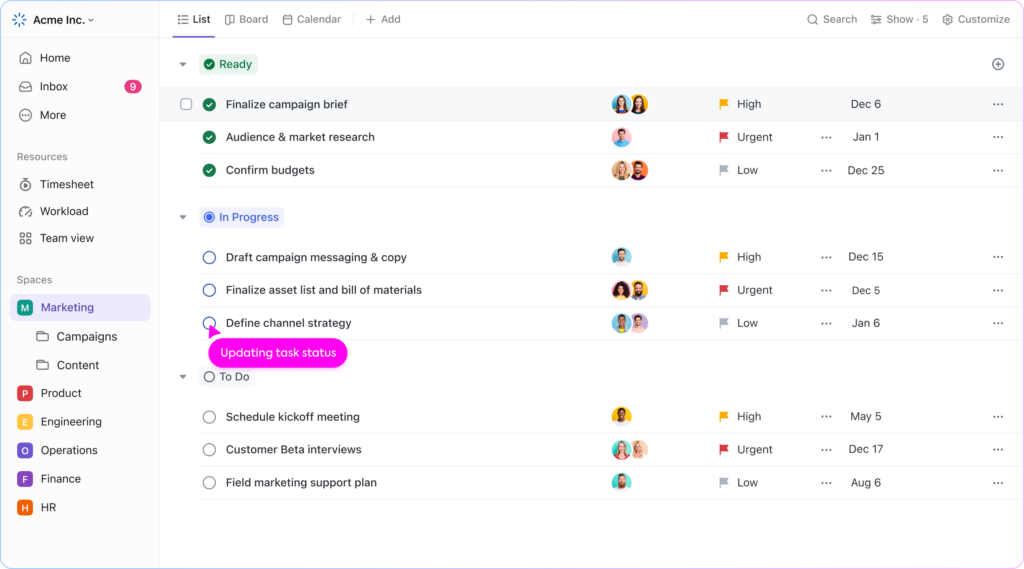
The level of customization on offer is genuinely impressive. Views, statuses, custom fields, and automation workflows can all be tailored to fit how a specific team operates, which makes ClickUp adaptable to a wide range of business types and project styles.
That flexibility does come with a trade-off: the breadth of options means the initial setup takes meaningful time and thought to get right.
Key features
- Task management: Create and organize tasks with custom statuses, fields, priorities, and dependencies across projects.
- Multiple views: Switch between list, board, calendar, Gantt, and other views to plan and track work in whatever format suits the project.
- Sprint planning: Organize work into sprints, track progress, and review sprint reports to keep development or project cycles on track.
- Docs and wikis: Create and store documents, SOPs, and company knowledge bases directly within ClickUp alongside your tasks.
- Time tracking: Built-in time tracking lets you log hours against specific tasks and pull timesheet and billable hour reports.
- Automation: Build custom workflow automations to assign tasks, post updates, and trigger actions based on status changes or other conditions.
Pros & cons
Pros
- Exceptional breadth of features that can genuinely replace multiple separate tools
- Highly customizable to fit a wide range of team structures and workflow types
- Strong free plan that's usable for real work, not just evaluation
- Responsive customer support with consistently positive reviews from users
Cons
- Feature depth creates a steep learning curve, particularly during initial setup
- The platform can feel cluttered when managing a large number of projects without careful organization
- Some useful features are only available on higher-tier paid plans
What we like
ClickUp's document and wiki creation capability is a practical addition that sets it apart from tools focused purely on task management.
Being able to build out SOPs, project briefs, and a company knowledge base in the same place where your tasks live means there's a single source of truth for both work and documentation.
What users say
G2 reviewers consistently praise ClickUp's flexibility and the sheer range of what you can accomplish within a single platform. The ability to manage tasks, docs, and reporting without leaving the app draws particular appreciation from teams that have previously relied on multiple tools.
"ClickUp keeps me organized and even accountable to myself, both professionally and personally. There really is no limit to what you can use ClickUp for, and the more they expand the features, the less I have to deal with software spread."
The most common criticism is the overwhelming number of options, with some users finding the platform difficult to navigate until they've invested time in learning the system.
"ClickUp can feel overwhelming at times. There are many features and configuration options, which is helpful, but it also means the system can become cluttered if it is not set up carefully."
Pricing
ClickUp has a limited free plan. Paid plans include:
- Unlimited ($7/user/month)
- Business ($12/user/month)
- Enterprise (custom pricing)
17. Notion
Notion is one of the most flexible productivity tools available, functioning as a note-taking app, project management tool, and company wiki all in one.
Working with it regularly, the real appeal becomes clear: almost any workflow can be mapped out within the platform, from a simple daily task list to a fully structured team knowledge base.
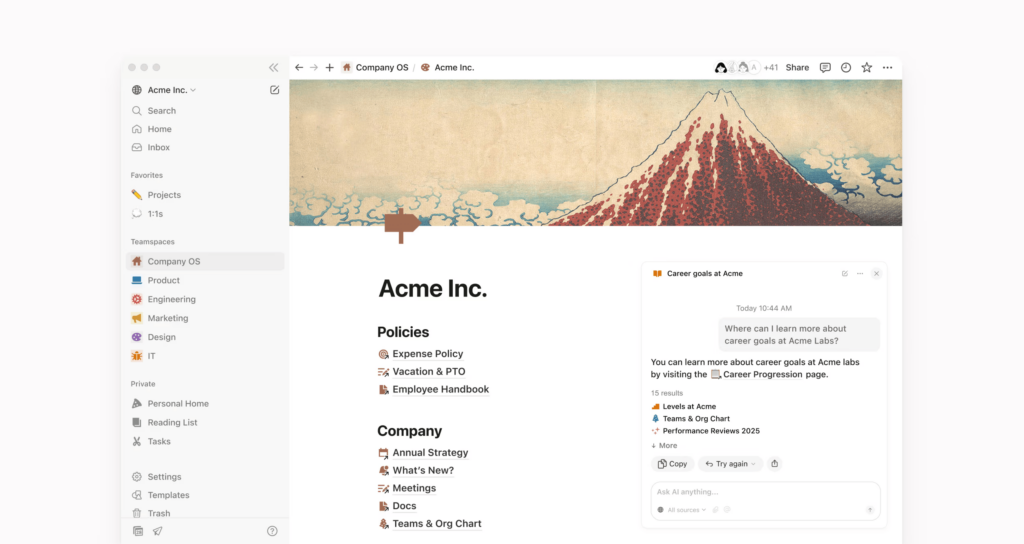
The database functionality is what gives Notion much of its power, letting you build structured collections of information that can be filtered, sorted, and displayed in multiple formats including tables, boards, calendars, and galleries. The AI assistant adds a useful layer on top, helping with research, writing, and summarizing content without leaving the workspace.
Key features
- Notes and documents: Create rich, structured pages for notes, meeting records, project briefs, and any other written content your team needs.
- Databases: Build structured collections of information that can be viewed as tables, boards, calendars, or galleries, with filters and sorting applied.
- Project management: Track tasks and projects within databases, assign owners, set due dates, and monitor progress across the team.
- Company wiki: Organize and store company knowledge, SOPs, and reference documents in a structured, searchable format.
- AI assistant: Helps with writing, research, brainstorming, and summarizing content directly within pages and databases.
- Templates: A large library of community and official templates covers a wide range of personal and team use cases.
Pros & cons
Pros
- Highly flexible and customizable to suit a wide range of personal and team workflows
- Databases are powerful for organizing structured information in multiple formats
- Generous free plan that covers core functionality for individuals
- AI assistant is well-integrated and adds genuine value for writing and research tasks
Cons
- Performance can slow down noticeably with large databases or complex pages
- The learning curve is real, particularly for users who want to get the most out of the database features
- Frequent updates can occasionally disrupt established workflows
What we like
Notion's ability to serve as a single workspace for notes, tasks, and company documentation is what sets it apart from more narrowly focused tools.
Rather than maintaining a separate wiki, project tracker, and note-taking app, teams can consolidate all three into one organized Notion workspace, which makes information significantly easier to find and maintain.
What users say
G2 reviewers consistently highlight Notion's flexibility and how effectively it eliminates the need to maintain information across multiple platforms. The customizable database views and ease of use for daily task tracking draw particular praise.
"Notion solves this by giving me a single, highly customizable workspace. The benefit is a massive reduction in the time I spend searching for past assignments or notes, allowing me to focus entirely on learning and building."
The most frequently cited limitations are performance slowdowns with larger workspaces and the time required to fully grasp the platform's more advanced capabilities.
"What I dislike is that once things are scaled up, such as a large database or a complex page, the performance may not be so smooth and may even lag a little. The learning curve is also a reality, and it may take some time to fully grasp how to use everything to the fullest."
Pricing
Notion offers a limited free plan. Paid plans include:
- Plus ($12/user/month)
- Business ($24/user/month)
- Enterprise (custom pricing)
Accounting tools
18. QuickBooks
Good verified G2 quotes from results 151 and 152. Here's the entry:
18. QuickBooks
QuickBooks is the most widely used bookkeeping solution for small businesses, and that ubiquity is partly what makes it such a practical choice.
Getting set up is straightforward: connecting a bank account and letting the platform import and automatically categorize transactions takes most of the manual data entry out of day-to-day bookkeeping.
The invoicing tools are well-built, with customizable templates, automatic reminders, and the ability to add billable hours directly to invoices.
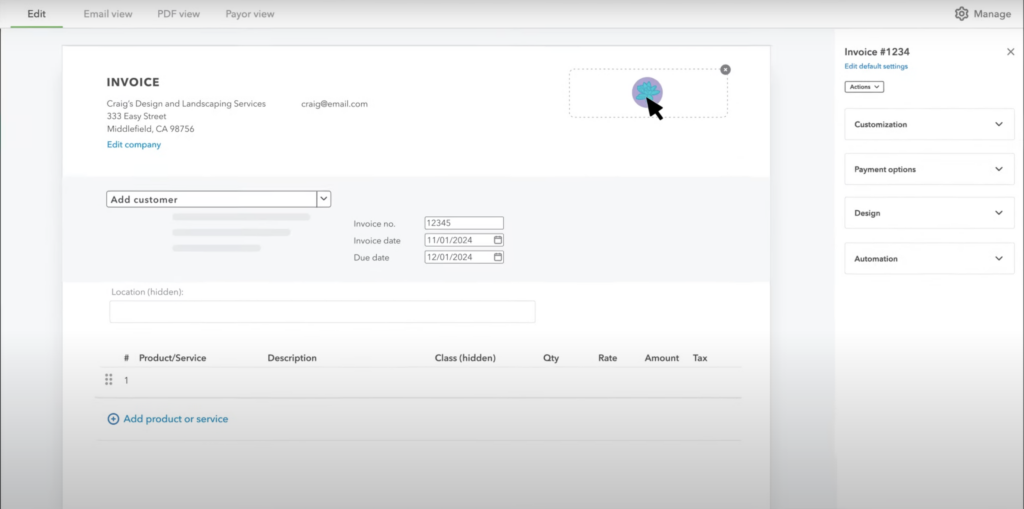
The bank reconciliation feature is particularly smooth, with bank feeds updating automatically and making it easy to match transactions without having to work through them one by one.
The reporting suite covers the essentials well, with income statements, balance sheets, and cash flow reports generated automatically.
Key features
- Invoicing: Create customized, branded invoices, set up recurring billing, and get notified when customers view or pay.
- Expense tracking: Connect bank accounts to import and automatically categorize transactions, or snap photos of receipts to match them to expenses.
- Bank reconciliation: Automatic bank feeds pull in transactions and make reconciliation straightforward with smart matching.
- Financial reporting: Automatically generated income statements, balance sheets, cash flow reports, and more available at any time.
- Billable hours: Add tracked time directly to customer invoices to ensure all billable work gets captured.
- Payroll integration: Optional payroll add-on handles payroll calculations, tax filings, and direct deposit within the same platform.
Pros & cons
Pros
- Industry-standard platform that most accountants and bookkeepers are already familiar with
- Bank reconciliation and automatic transaction categorization save significant time on routine bookkeeping
- Clean, user-friendly interface that's accessible without an accounting background
- Strong integration library connects with a wide range of third-party business tools
Cons
- Customer support quality is inconsistent, with slow response times reported by some users
- Costs rise meaningfully as you move up pricing tiers or add modules
- Some workflows and custom reporting options aren't as intuitive as the core features
What we like
The bank reconciliation workflow in QuickBooks is one of the most polished implementations of this feature we've come across in a small business accounting tool.
Automatic bank feeds, smart transaction matching, and clear discrepancy flagging make what's typically a tedious task significantly faster and less error-prone.
What users say
G2 reviewers consistently highlight QuickBooks' ease of use and the way it centralizes invoicing, expense tracking, reconciliation, and reporting into one reliable platform. The bank integration and automatic categorization features draw particularly strong praise.
"What I like most about Intuit QuickBooks is how user-friendly it is while still being very powerful. It makes day-to-day tasks like invoicing, expense tracking, bank reconciliations, and reporting efficient and easy to manage."
The most common criticisms relate to customer support response times and the platform occasionally feeling limited or slow depending on the subscription level.
"One thing I dislike about Intuit QuickBooks is that some features are limited depending on the subscription level, so you often need upgrades to access tools that would be helpful day to day. It can also lag at times, especially with larger files."
Pricing
QuickBooks offers the following plans:
- Simple Start ($30/month)
- Essentials ($60/month)
- Plus ($90/month)
- Advanced ($200/month)
19. Wave
Good verified G2 quotes. Here's the Wave entry:
19. Wave
Wave is a strong option for small businesses and solo operators looking for accounting software that doesn't come with a steep price tag. The free plan covers a genuinely useful range of features, and getting started is quick: connecting a bank account, setting up invoices, and tracking expenses are all straightforward from the first session.
The invoicing tools are well-designed for small business use, with recurring invoices, automatic payment reminders, and the ability to accept multiple payment types directly from the invoice.
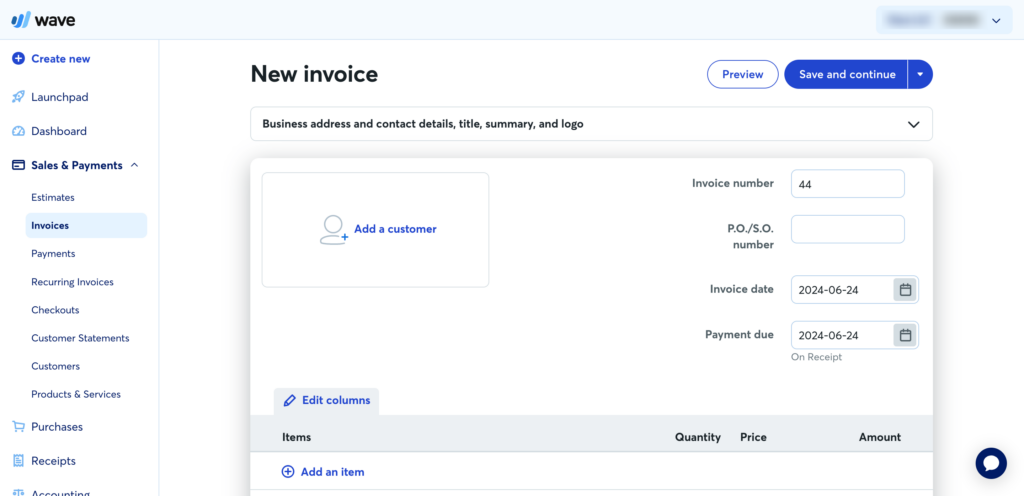
The receipt capture feature works well for keeping expense records tidy without manual data entry. For businesses that need a clean, accessible accounting tool without the complexity or cost of QuickBooks, Wave is worth a close look.
Key features
- Invoicing: Create and send professional invoices, set up recurring billing, and configure automatic payment reminders so clients don't slip through the cracks.
- Expense tracking: Connect bank accounts to import transactions automatically, or scan and forward receipts to log expenses without manual entry.
- Payments: Accept credit card, debit card, and ACH bank transfer payments directly from invoices.
- Financial reporting: Access built-in reports covering income, expenses, cash flow, and balance sheets to monitor your business's financial health.
- Bank reconciliation: Reconcile transactions by connecting bank and credit card accounts directly to the platform.
- Mobile app: Native iOS and Android apps for scanning receipts and sending invoices while away from your desk.
Pros & cons
Pros
- Generous free plan that covers core accounting, invoicing, and expense tracking
- Clean, accessible interface that works well for non-accountants
- Recurring invoices and automatic reminders handle a lot of billing admin automatically
- Setup is quick, especially when bank accounts are connected from the start
Cons
- Some features that were previously free or low-cost have moved behind the paid plan
- Customer support access is limited, particularly on the free tier
- The mobile app is more limited in functionality than the web version
What we like
Wave's automatic payment reminders are a quietly useful feature for small business owners who'd rather not chase invoices manually. Setting a reminder schedule means clients receive follow-ups automatically at the intervals you choose, which keeps cash flow moving without requiring any awkward outreach on your part.
What users say
G2 reviewers consistently point to Wave's simplicity and value as its biggest strengths, with the recurring invoicing and automatic reminder features drawing particular praise from long-term users.
"I really like that Wave's user interface is simple and easy to use, making it straightforward to find things. It was important for me as a small business owner to avoid combing through a poorly designed interface, and Wave helps me get things done quickly and accurately."
The most common frustration among reviewers relates to features moving behind paid plans over time and limited customer support options on the free tier.
"I don't like that they removed the feature to file 1099s for a small fee. Now, you have to subscribe to their payroll service for the whole year, which I don't need. Their customer service hours are also very limited compared to before."
Pricing
Wave offers a limited free plan. The paid Pro plan costs $16/month.
20. Xero
Good verified G2 quotes. Here's the Xero entry:
20. Xero
Xero is a cloud-based accounting platform that's particularly well-regarded among small business owners who want a clean, accessible tool without needing an accounting background to use it effectively.
Time spent in the platform confirms that reputation: the dashboard gives you a clear snapshot of cash flow, outstanding invoices, and upcoming bills without requiring any configuration.
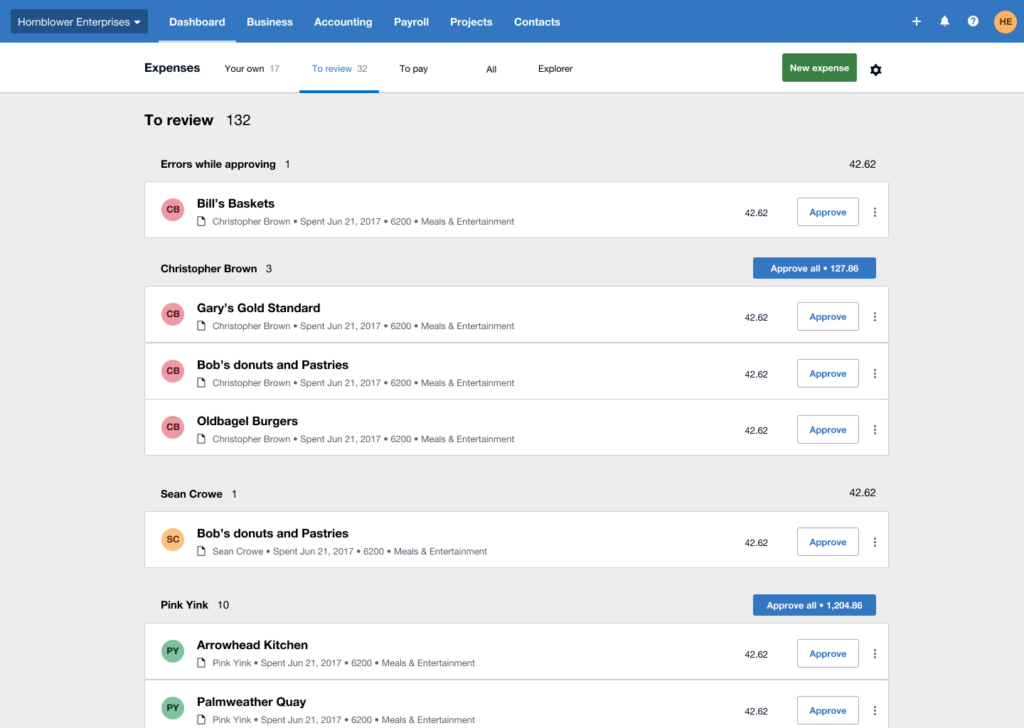
The bank reconciliation workflow is one of Xero's strongest features, with automatic bank feeds pulling in transactions and smart matching doing most of the heavy lifting.
The add-on ecosystem is worth noting too, with over 1,000 third-party integrations covering inventory, CRM, payroll, and more, which means the platform can expand alongside your business without requiring a switch.
Key features
- Bank reconciliation: Automatic bank feeds import transactions and match them to existing records, with rules available to automate reconciliation for recurring transactions.
- Invoicing: Create and send invoices, set up automated payment reminders, and track which invoices are outstanding.
- Expense management: Team members can submit expense claims from within the platform, which can then be reviewed and approved before reimbursement.
- Bills and payments: Track and pay bills, schedule payments, and monitor cash flow from a central dashboard.
- Financial reporting: Access built-in reports covering profit and loss, balance sheets, cash flow, and more, with a customizable dashboard for quick daily reference.
- Add-ons: Connects with 1,000+ third-party apps covering payroll, inventory, time tracking, and other business functions through the Xero app store.
Pros & cons
Pros
- Clean, well-organized interface that's accessible even without an accounting background
- Automatic bank feeds and smart matching make reconciliation fast and low-effort
- Unlimited users on all plans, which is a meaningful advantage for growing teams
- Strong customer support reputation among G2 reviewers
Cons
- Can feel less intuitive for users unfamiliar with accounting concepts
- Reporting customization is more limited compared to some competing platforms
- Pricing is on the higher end relative to feature depth at the entry-level tier
What we like
Xero's unlimited user policy across all plans is a standout differentiator for small businesses with growing teams. Many competing accounting tools charge per seat, which means costs climb quickly as you add team members or give your accountant access. Xero removes that variable entirely.
What users say
G2 reviewers consistently highlight how straightforward Xero makes day-to-day bookkeeping, with the bank integration and reconciliation workflow drawing particular praise for saving time on routine financial tasks.
"I love how easy it is to track my receipts, spending, etc. The Hubdoc feature is especially helpful for matching my receipts to my spending. I also like how easy it is to integrate my credit cards so I don't have to worry about importing those transactions."
The most common criticism is that the platform can feel less than intuitive for users coming in without accounting experience, particularly around reconciliation concepts.
"Though I've certainly become more familiar with the program, I don't feel that it's intuitive, especially if you're not familiar with reconciling transactions."
Pricing
You can use Xero's free 30-day trial to test out the software. Paid plans include:
- Starter ($29/month)
- Standard ($46/month)
- Premium ($62/month)
21. FreshBooks
FreshBooks is an accounting tool built with small business owners and freelancers in mind, and that focus comes through clearly in how the product is organized.
Everything from invoicing to expense tracking to time logging is laid out in a way that makes sense without any accounting knowledge, and the initial setup is quick enough that you can be sending invoices the same day you sign up.
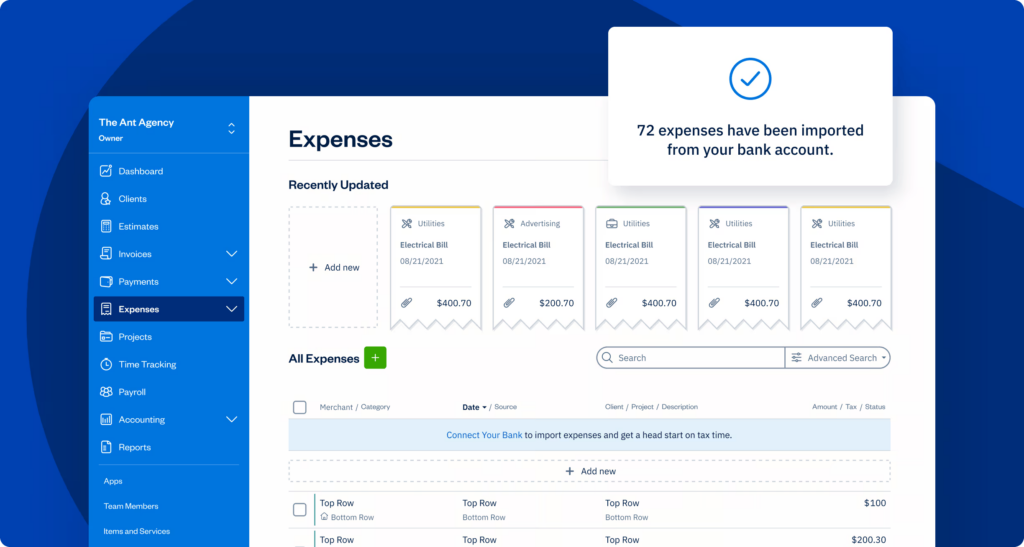
The time tracking feature is tightly integrated with invoicing, which is where FreshBooks earns real appreciation from service-based businesses.
Tracked hours flow directly into invoices without manual calculation, which removes a common source of billing errors and friction. Recurring invoices and automatic payment reminders handle the routine follow-up side of billing with minimal ongoing effort.
Key features
- Invoicing: Create and send professional invoices, set up recurring billing, and track whether clients have viewed or paid each invoice.
- Time tracking: Log time spent on client projects and convert it directly into billable line items on invoices without manual calculation.
- Expense tracking: Import bank transactions or scan receipts to track and categorize business expenses.
- Payment collection: Accept credit card and ACH payments directly from invoices, with automatic payment reminders for outstanding balances.
- Project management: Organize client projects, assign tasks, and track time and expenses by project in one place.
- Financial reporting: Access profit and loss statements, tax summaries, expense reports, and other standard financial reports.
Pros & cons
Pros
- Exceptionally easy to use, even for those with no accounting background
- Time tracking integrates directly with invoicing, removing a common manual step for service businesses
- Clean, intuitive interface with a short setup time
- Recurring invoices and payment reminders handle billing admin automatically
Cons
- Reporting features are less advanced than some competing platforms, limiting deeper financial analysis
- Invoice and dashboard customization options are more limited than some users would like
- Pricing can feel steep for freelancers or very small businesses with limited revenue
What we like
The way FreshBooks connects time tracking directly to invoicing is one of the more practical implementations we've come across for service-based businesses.
Tracked hours are pulled into the invoice automatically with the correct rates applied, which means less time on billing admin and fewer opportunities for errors to creep in.
What users say
G2 reviewers consistently highlight FreshBooks' ease of use and how effectively it simplifies the invoicing and billing process for small businesses. The time tracking and recurring invoice features draw particular appreciation from freelancers and service providers.
"FreshBooks is extremely easy to use, even for someone without an accounting background. The interface is clean, intuitive, and saves me time when creating invoices, tracking expenses, or managing projects. It strikes the perfect balance between simplicity and functionality."
The most commonly cited limitations are the depth of reporting and invoice customization options, along with the pricing relative to feature set for smaller operations.
"Although FreshBooks does a great job with ease of use, the reporting features could be more advanced for those who want deeper insights into financial trends. I'd also like a bit more flexibility when customizing invoices and dashboards. Additionally, the cost may feel high for freelancers or very small businesses on a tight budget."
Pricing
FreshBooks offers the following plans:
- Lite ($21/month)
- Plus ($38/month)
- Premium ($65/month)
- Select (custom pricing)
HR tools
22. BambooHR
BambooHR is a comprehensive HR platform that covers the full employee lifecycle, and it's one of the more polished options available for small and mid-sized businesses.
Working through the platform, the clean interface stands out immediately: employee records, time-off requests, and onboarding workflows are all accessible without having to dig through layers of menus.
The applicant tracking system handles recruiting from job posting through to offer letter and e-signature in one place, which removes a lot of the back-and-forth that comes with managing hiring across separate tools.
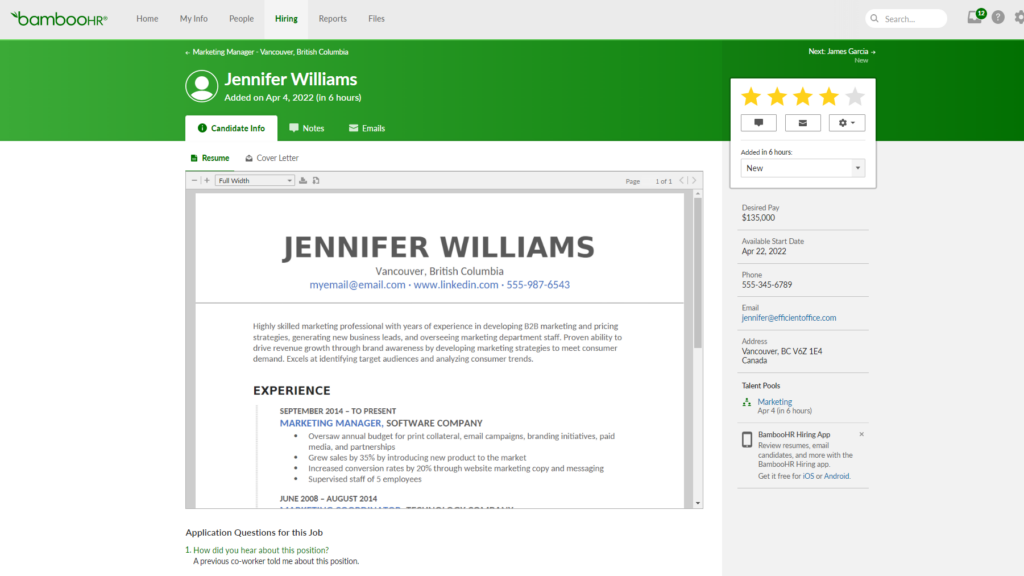
Onboarding in particular is well designed, with customizable "Hire Packet" templates that guide new employees through everything they need to complete before their first day.
Key features
- Employee records: A centralized database for all employee data, documents, and history, accessible to HR teams and employees through self-service profiles.
- Applicant tracking: Post jobs, manage candidates, collaborate with hiring team members, and send offer letters with e-signature collection from one platform.
- Onboarding: Customizable onboarding sequences that guide new hires through required steps before and after their start date.
- Time and attendance: Track employee hours, generate timesheets, and calculate overtime pay with built-in time tracking tools.
- Performance management: Set up performance reviews, track employee goals, and collect structured feedback on a regular cycle.
- Payroll: An optional payroll add-on handles payroll processing, tax calculations, and direct deposit within the same platform.
Pros & cons
Pros
- Clean, intuitive interface that's easy for both HR admins and employees to navigate
- Covers the full employee lifecycle from recruiting through offboarding in one platform
- Customer support is consistently praised across G2 reviews for responsiveness and helpfulness
- Employee self-service reduces the volume of routine HR requests
Cons
- Some fields are hard-coded and can't be customized or removed, which can be limiting for teams with specific data needs
- Leave management policy setup can be complex to configure correctly from the start
- Pricing isn't publicly listed, requiring a conversation with sales to get a quote
What we like
BambooHR's employee self-service functionality is a quietly valuable feature for small HR teams. Employees can manage their own time-off requests, update personal details, and access their documents independently, which frees up HR staff from handling a constant stream of routine administrative requests.
What users say
G2 reviewers consistently highlight BambooHR's simplicity and the quality of its customer support as standout strengths, with the clean interface and ease of daily use drawing the most praise across reviews.
"I think the best thing about BambooHR is how simple it is, along with its clean UI. I can usually find what I'm looking for pretty quickly. For example, I mainly use BambooHR to book time off or check my team's vacations, and I can do that in just a couple of simple clicks."
The most commonly noted limitations relate to customization constraints, with some users finding certain hard-coded fields and configurations less flexible than they'd like.
"There are a couple of small frustrations — the setup process for signature documents and some text fields within the job posting feature could be more intuitive. But these are minor quirks, not deal-breakers."
Pricing
BambooHR offers two plans: Core and Pro. Pricing isn't available publicly, so you'll need to reach out to the company's sales team to get a quote.
Once you hire new employees, you can streamline onboarding by creating “Hire Packet” templates with customized onboarding sequences.
BambooHR also offers tools for tracking hours worked, generating timesheets, and calculating overtime pay.
You can also use the platform to track employee performance, set up performance reviews, and collect employee feedback.
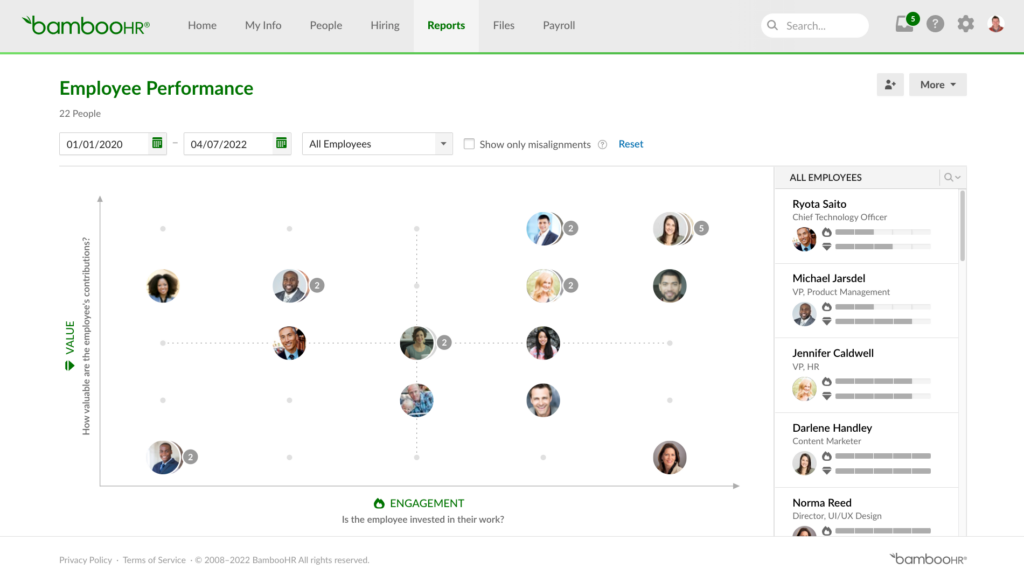
Pricing
BambooHR offers two plans: Core and Pro. Pricing isn’t available publicly—you’ll need to reach out to the company’s sales team to get a quote.
23. Breezy
Breezy is a recruiting and applicant tracking platform that covers the hiring process from job posting through to onboarding, and it's one of the more accessible options for small businesses that don't have a dedicated HR team.
Getting set up is relatively quick, with customizable hiring pipelines that can be configured to match your specific recruitment stages without much technical effort.
The multi-site job posting feature is a genuine time-saver, pushing a listing to 50+ job boards in one click.
Candidate scorecards are a practical addition for teams where multiple people are involved in hiring decisions, helping to bring some structure to what can otherwise be a subjective process.
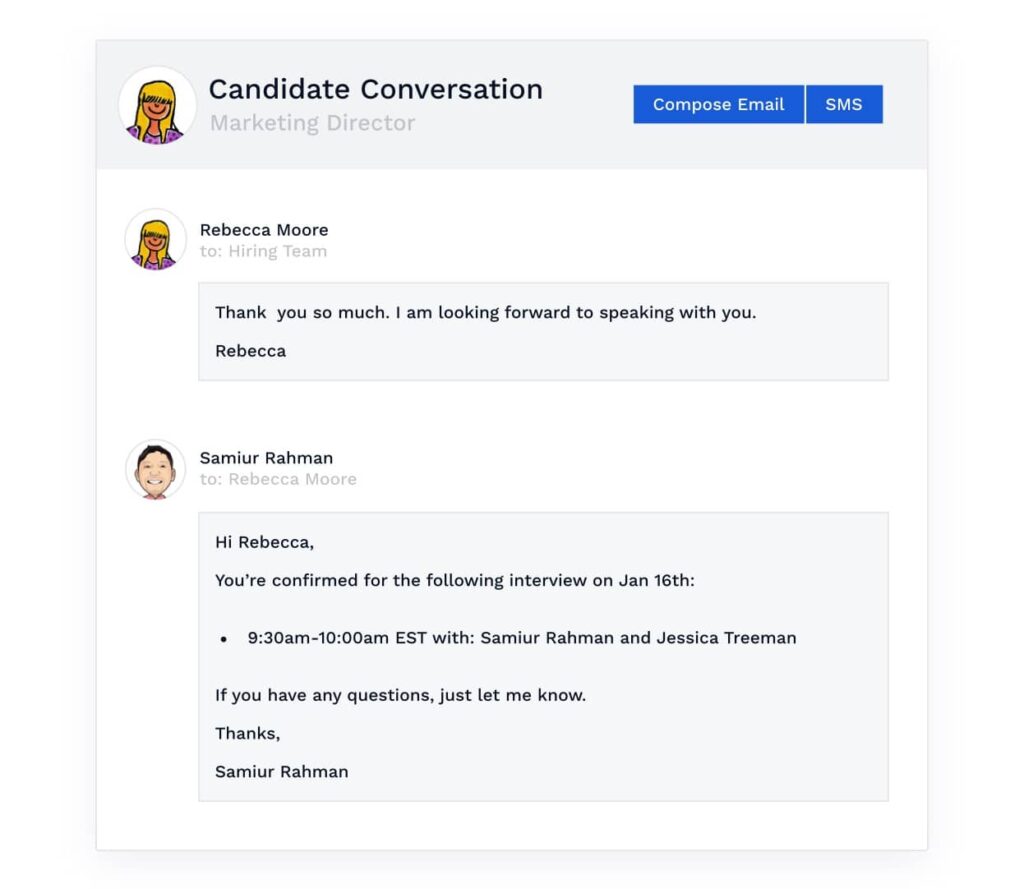
The video screening feature lets candidates submit recorded responses to screening questions, which can reduce the number of early-stage calls required.
Key features
- Multi-site job posting: Publish job listings to 50+ job boards simultaneously with a single click, including LinkedIn, Indeed, and Glassdoor.
- Customizable pipelines: Build hiring pipelines tailored to each role or department, with automations to move candidates between stages and send template communications.
- Candidate scorecards: Collect structured ratings from everyone on the hiring team to evaluate candidates consistently and reduce bias in decision-making.
- Video screening: Candidates can submit recorded video responses to screening questions, reducing the need for early-stage phone screens.
- Performance management: Schedule performance reviews, track employee goals, and review feedback and past performance records in one place.
- Branded career site: Create a career page or embed job listings directly on your existing website to attract candidates organically.
Pros & cons
Pros
- Multi-site job posting saves significant time compared to manually submitting to individual boards
- Clean, intuitive interface that requires minimal training to get started
- Candidate scorecards bring helpful structure to collaborative hiring decisions
- Integrates smoothly with tools like LinkedIn, Outlook, and calendar platforms
Cons
- Analytics and reporting are relatively limited, with date range restrictions on performance data
- Some advanced features are only available on higher-tier plans
- Occasional platform slowness and loading issues reported by some users
What we like
The candidate scorecard feature is a well-thought-out addition for small businesses where hiring decisions involve multiple stakeholders. Rather than relying on informal impressions shared over email or in meetings, scorecards give everyone on the team a structured way to evaluate candidates against the same criteria, which leads to more consistent and defensible hiring decisions.
What users say
G2 reviewers consistently highlight Breezy's ease of use and the way it keeps candidate information organized across hiring stages. The automated email templates and pipeline tracking features draw particular praise for saving time during active recruiting periods.
"Breezy is beginner-friendly and very easy to navigate. It offers essential features like scheduling interviews with candidates and creating different pipelines for various hiring projects. My favorite feature is the ability to track candidates across different hiring stages while also sending automated emails, which saves a lot of time."
The most common criticism relates to reporting depth, with some reviewers finding the analytics too broad for granular hiring performance tracking.
"Reporting is very broad. It would be great to be able to get very granular. Also, the date range for performance analytics is limited to only the last 30 days, with no funnel graph showing how the process is performing."
Pricing
Breezy offers a basic free plan. Paid plans include:
- Startup ($189/month)
- Growth ($329/month)
- Business ($529/month)
24. Gusto
Good verified G2 quotes from results 196 and 197. Here's the entry:
24. Gusto
Gusto is a payroll and HR platform built for small businesses, and it's one of the more complete solutions available at this end of the market.
Running payroll is genuinely quick once the platform is set up: employee and contractor details, pay schedules, and direct deposit are all configured in a guided setup process, and subsequent payroll runs take just a few minutes to review and approve.
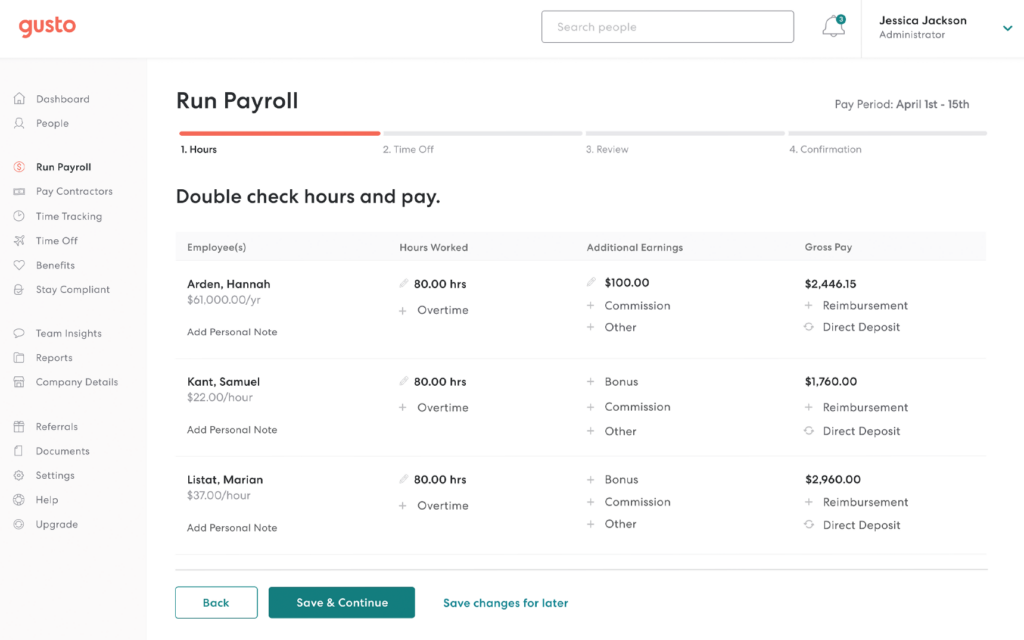
The automatic tax filing is one of the most practically useful features for small business owners who'd rather not track federal, state, and local payroll tax obligations themselves.
Benefits administration, time tracking, and employee onboarding are all integrated into the same platform, which keeps HR operations consolidated without requiring separate tools for each function.
Key features
- Payroll processing: Run payroll in minutes with automatic calculations for salaries, wages, and contractor payments, with direct deposit included on all plans.
- Automatic tax filing: Calculates and files federal, state, and local payroll taxes automatically, including year-end W-2s and 1099s.
- Benefits administration: Manage health insurance, 401(k), workers' comp, and other employee benefits alongside payroll in one platform.
- Hiring and onboarding: Post job listings, track applications, and set up onboarding checklists to guide new hires through their first steps.
- Time tracking: Track employee hours and sync them directly with payroll to reduce manual data entry and errors.
- Employee self-service: Employees can access pay stubs, tax documents, and benefits information through their own Gusto accounts without HR involvement.
Pros & cons
Pros
- Automatic tax filing removes a significant compliance burden for small business owners
- Clean, intuitive interface that works well for users without payroll experience
- Payroll, benefits, and HR tools are genuinely integrated rather than bolted together
- Strong employee self-service experience reduces routine HR requests
Cons
- Notification customization options are limited compared to what some users would prefer
- Customer support quality can be inconsistent, particularly for more complex queries
- Pricing rises as team size grows, and some useful features sit behind higher-tier plans
What we like
The employee-facing side of Gusto is notably well designed compared to many payroll platforms.
Employees can view their pay history, access tax documents, and manage their own details without ever needing to contact HR, which saves meaningful time for small business owners who are handling people management alongside everything else.
What users say
G2 reviewers consistently highlight how straightforward Gusto makes payroll and the peace of mind that comes from having tax filing handled automatically. The clean interface and reliable direct deposit draw particular praise from users without dedicated payroll experience.
"What I like best about Gusto is how easy it is to track my payments. I can see my pay history, upcoming payments, and tax documents all in one place without having to ask my employer for anything. The direct deposit is reliable and always arrives on time, which gives me peace of mind."
The most common criticism relates to limited notification customization and occasional navigation friction when accessing specific documents or settings.
"One thing I dislike about Gusto is that there are limited customization options for notifications, so sometimes I would like more control over how and when I receive updates. Also, some sections, like tax documents or payment details, can take a few extra clicks to find at first."
Pricing
Gusto offers the following plans:
- Simple ($40/month + $6/user/month)
- Plus ($80/month + $12/user/month)
- Premium (custom pricing)
25. Connecteam
Connecteam is an employee management app built specifically for non-desk and field-based teams, and that focus shapes everything about how the product works.
The mobile-first design means staff in the field can clock in, view their schedules, complete tasks, and communicate with managers from their phones without needing to be at a computer.
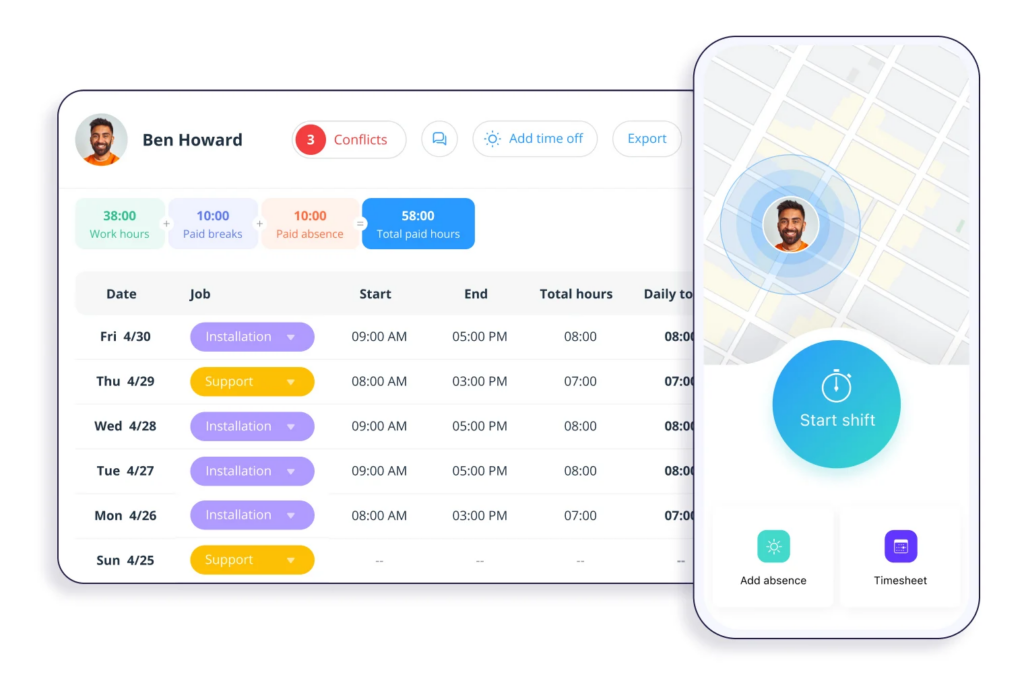
The scheduling tool is well designed for businesses managing shift workers, with drag-and-drop shift creation, recurring shift templates, and automatic error alerts if you accidentally create a scheduling conflict.
Task management lets you attach notes, images, PDFs, and checklists directly to assignments so field staff have everything they need before they start. The built-in chat feature keeps communication with on-site employees organized without relying on personal messaging apps.
Key features
- Employee scheduling: Create and manage weekly shift schedules with drag-and-drop tools, recurring templates, and auto-scheduling to fill gaps quickly.
- Time clock: Employees clock in and out from the app, with geofencing available to verify location and auto-generated timesheets ready for payroll.
- Task management: Create and assign customized tasks with attached notes, images, PDFs, and checklists so field staff have full context on the job.
- Team chat: Built-in messaging keeps communication organized by team or project without requiring personal messaging apps.
- Forms and checklists: Create digital forms for inspections, incident reports, onboarding, and other recurring processes that field teams complete on the job.
- Training and knowledge base: Build and deliver training content and reference materials that employees can access from the app at any time.
Pros & cons
Pros
- Purpose-built for field and non-desk teams, with a mobile-first experience that works well for less tech-savvy employees
- Scheduling tools are flexible and include useful automation to reduce manual effort
- All-in-one platform covers scheduling, time tracking, tasks, and communication in one app
- Free plan available for businesses with up to 10 employees
Cons
- Advanced reporting features are limited compared to some competing platforms
- Some features require initial setup time before they work smoothly in practice
- Higher-tier plans can feel expensive for smaller businesses, and some useful features are locked behind upgrades
What we like
The geofencing time clock is a genuinely practical feature for businesses with field staff working across multiple locations.
Employees can only clock in when they're within a defined geographic boundary, which removes ambiguity around whether hours were actually worked on-site and reduces the admin involved in verifying timesheets.
What users say
G2 reviewers consistently highlight Connecteam's ability to keep field team operations organized from a single app, with the scheduling and task management features drawing the most praise from business owners managing distributed teams.
"What I like most about Connecteam is that it keeps both patient-related work and team coordination in one place. I can clearly see which tasks are open and which are completed, so nothing gets missed."
The most common criticism relates to advanced reporting limitations and the learning curve involved in configuring some of the platform's more complex features initially.
"While Connecteam is very useful, it can feel a bit limited if you need advanced reporting or complex integrations. Some features take time to set up properly, especially the first time."
Pricing
Connecteam offers three products: Operations, Communications, and HR & Skills. Each product offers four plans:
- Small Business Plan (free for businesses with up to 10 employees)
- Basic ($29/month)
- Advanced ($49/month)
- Expert ($99/month)
Website builders
26. Squarespace
Squarespace is one of the most design-focused website builders available, and that reputation holds up when you spend time building with it.
The template library is curated and polished, covering a wide range of use cases from portfolio sites to e-commerce stores, and each template is fully mobile-responsive without requiring any additional configuration.
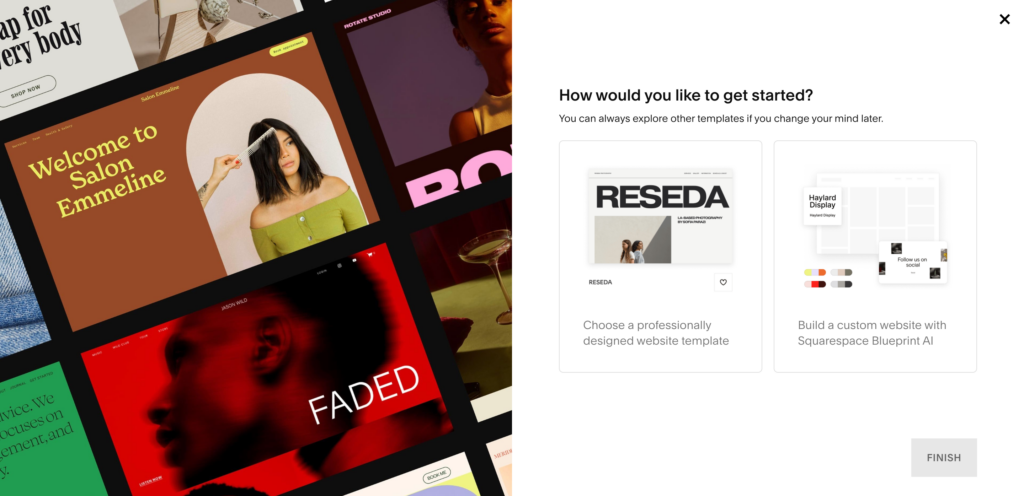
The drag-and-drop editor makes it straightforward to customize layouts, swap content, and adjust styling without coding knowledge. Built-in SEO tools, native analytics, and direct integrations with GA4 and Google Search Console make it a practical all-around choice for small businesses that want a professional-looking site without needing to piece together multiple tools. The e-commerce and appointment booking features are solid additions for businesses that need to sell or take bookings through their site.
Key features
- Website templates: 190+ professionally designed, mobile-responsive templates organized by industry and use case, all fully customizable.
- Drag-and-drop editor: Build and update pages without coding, with flexible layout options and style controls available throughout.
- Built-in SEO tools: Manage page titles, meta descriptions, alt text, and sitemaps from within the platform to support search engine visibility.
- Analytics: Track website traffic, visitor sources, and content performance through built-in reporting, with direct integration for GA4 and Google Search Console.
- E-commerce: Sell products and services directly through your website, with support for multiple payment methods and inventory management.
- Appointment booking: Let customers book appointments or services directly from your website through a built-in scheduling tool.
Pros & cons
Pros
- Among the most design-polished website builders available, with consistently high-quality templates
- Strong mobile responsiveness across all templates with no extra configuration needed
- Good built-in SEO and analytics tools for small businesses
- Covers website, e-commerce, and booking in one platform
Cons
- Third-party integration options are more limited than some competing builders
- Advanced customization beyond the built-in tools requires CSS knowledge
- No permanent free plan, with only a 14-day trial available before paying
What we like
Squarespace's direct integrations with GA4 and Google Search Console are a practical inclusion that saves small business owners from having to manually configure tracking.
Having analytics and search performance data accessible without additional setup means you can start making informed decisions about your site from day one.
What users say
G2 reviewers consistently praise Squarespace for its design quality, mobile performance, and the flexibility it offers across different types of websites. The template quality and overall ease of building draw the most enthusiastic feedback.
"I use it every single day for clients, and it is so much better than any other builder I have used. It's flexible, has amazing mobile responsiveness, has fast performance, and is great for SEO and schema. It integrates seamlessly with any embedded code needed and directly integrates with GA4 and Search Console."
The most commonly cited limitation is the Events feature, with some users also noting that more complex design customizations require CSS knowledge beyond what the editor provides.
"I dislike the Events settings on Squarespace. The date does not have a time zone function, and there isn't a recurring event function, which can be time consuming if you have a weekly or daily event."
Pricing
You can try out Squarespace for free for 14 days. Paid plans include:
- Personal ($25/month)
- Business ($36/month)
- Commerce Basic ($40/month)
- Commerce Advanced ($72/month)
27. Wix
Wix is one of the most feature-rich website builders available at the consumer end of the market, and time with the platform reveals just how much ground it covers.
The drag-and-drop editor is highly flexible, the template library runs to 2,000+ options across virtually every industry, and the built-in App Market connects to 800+ integrations covering everything from email marketing to booking and e-commerce.
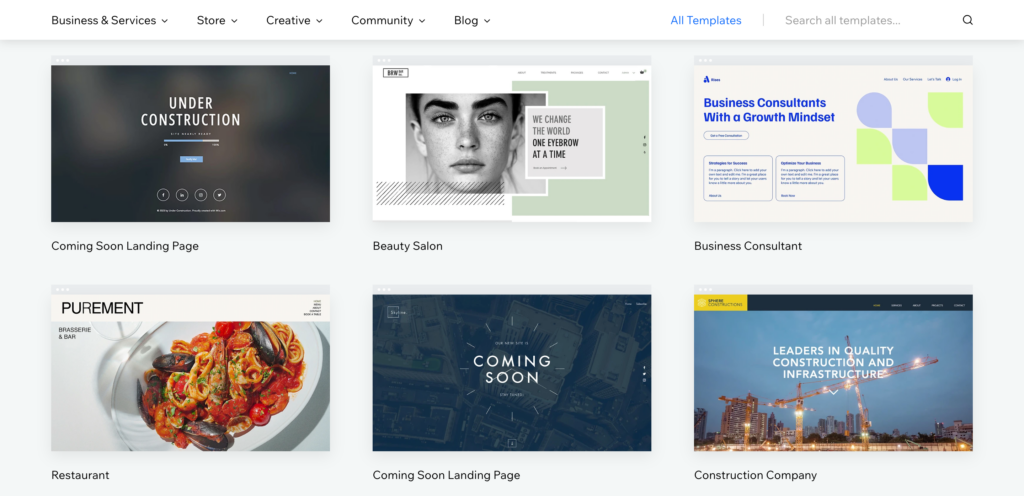
The AI site generation tool is a useful starting point for anyone who wants a functional first draft quickly without working through a template from scratch.
Hosting, security, payments, and a built-in CMS all come included, which keeps the overall setup relatively consolidated. For small businesses that expect their website needs to evolve over time, the depth of what Wix supports is a meaningful advantage.
Key features
- Drag-and-drop editor: Build and update pages with a highly visual editor, with flexible layout options and no coding required for most tasks.
- Template library: 2,000+ industry-specific templates, all mobile-responsive and fully customizable.
- AI site builder: Generate a starter website from a brief description of your business, then customize from there.
- E-commerce tools: Sell products and services online with support for 80+ payment options including Apple Pay and credit and debit cards.
- Built-in CRM: Capture leads, manage customer communication, send invoices, and collect payments from within the platform.
- App Market: Connect to 800+ third-party apps and integrations covering marketing, analytics, booking, and more.
Pros & cons
Pros
- Largest template library among major website builders, covering almost every industry
- Extensive App Market gives significant flexibility to extend the platform's functionality
- AI site builder provides a fast starting point for new websites
- All-in-one platform covers hosting, CRM, e-commerce, and analytics in one place
Cons
- Editor can lag occasionally when customizing pages, affecting the building experience
- Advanced SEO customization is more limited compared to some competing platforms
- Customization beyond the editor's built-in tools requires coding knowledge
What we like
Wix's built-in CRM is a practical addition that many users don't expect from a website builder. Having lead capture, customer messaging, invoicing, and payment collection available without a separate CRM subscription is a genuine time and cost saver for small businesses that don't need the complexity of a dedicated CRM platform.
What users say
G2 reviewers consistently highlight Wix's flexibility and the breadth of what you can build without technical knowledge. The drag-and-drop editor and the wide template selection draw the most consistent praise across reviews.
"I use Wix daily in my professional work as a website builder for client projects. I manage multiple active client websites from my Wix account, including business websites, blogs, landing pages, and small online stores. This allows me to focus on building high-quality, customized websites for my clients instead of spending time on infrastructure and maintenance."
The most commonly cited frustration is occasional performance lag in the editor, particularly when making multiple customizations in quick succession.
"The main thing I dislike is that it sometimes lags in between while performing tasks like customizing your website. They just need to optimize it further for a better user experience."
Pricing
Wix offers the following plans:
- Light ($17/month)
- Core ($29/month)
- Business ($36/month)
- Business Elite ($159/month)
28. Sitejet Studio
Sitejet Studio is a website builder that positions itself specifically for freelancers and agencies managing multiple client sites, and that focus shapes how the platform is built.
The project management layer on top of the website builder makes it possible to oversee multiple sites, assign team members to specific projects, and track where each build is in the process from a single dashboard.
The builder itself is fast and well-organized, with 120+ pre-built responsive sections and 170+ templates that cover a wide range of industries.
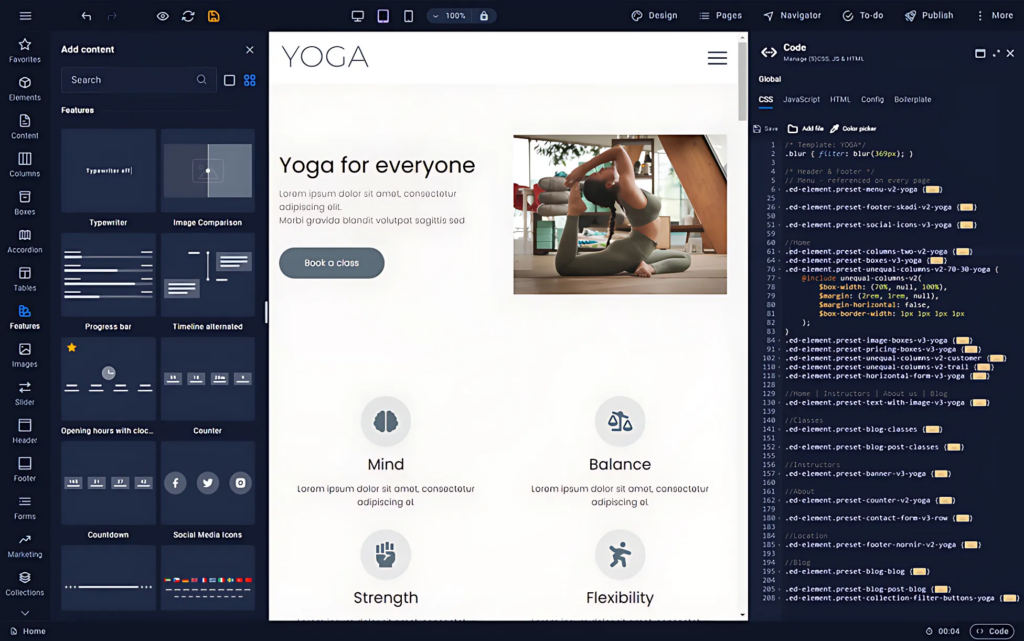
Performance optimization is baked in rather than bolted on: automatic image compression, code minimization, and lazy loading are all handled by the platform. Built-in SEO tools let you customize metadata at the page level, and Google indexing is automated.
Key features
- Website builder: A drag-and-drop editor with 120+ pre-built responsive sections and 170+ customizable templates optimized for speed and SEO.
- Project management: Manage multiple client sites from one dashboard, track project stages, and assign team members to specific builds.
- Client collaboration: Built-in tools for client feedback, content approval, and on-page commenting to keep communication organized without relying on email.
- Performance optimization: Automatic image compression, code minimization, and lazy loading keep sites fast without manual configuration.
- SEO tools: Customize metadata for every page, with automated Google indexing and built-in SEO settings throughout the builder.
- Integrations: Connects with booking systems, marketing platforms, and analytics tools to extend site functionality.
Pros & cons
Pros
- Project management features make it well-suited for agencies and freelancers managing multiple client sites
- Performance optimization is handled automatically, keeping sites fast without extra effort
- Built-in client collaboration tools reduce the need for external communication tools during builds
- Strong customer support reputation across G2 reviews
Cons
- No built-in stock image library, requiring a separate service for sourcing imagery
- The Collections feature has a learning curve and can take time to configure correctly the first time
- Template library is smaller than those of Wix and Squarespace
What we like
The client collaboration layer is a genuinely useful feature that sets Sitejet apart from more consumer-focused builders.
Having on-page feedback tools and content approval workflows built directly into the platform means agencies can manage the review and sign-off process without juggling separate communication threads alongside the build itself.
What users say
G2 reviewers consistently highlight Sitejet's speed for building and launching sites and the quality of its customer support. The ability to create professional sites quickly is the most frequently praised aspect of the platform.
"My clients want to get their site up fast, and this helps me do that. I can create a unique site in a fraction of the time as manually creating them with other CMSs. I have used Joomla, WordPress, and ModX, but love how SiteJet is just as simple."
The most commonly noted limitation is the absence of a built-in stock image library, which adds a step when sourcing visuals during a build.
"If I had to list something, the only thing is I wish it offered stock images in the system so I don't have to use another service. It would make it even faster to just have everything right there."
Pricing
Sitejet offers the following plans:
- Solo ($19/month)
- Team ($34/month)
- Agency ($59/month)
Save time and get more done with top small business tools
There are plenty of small business tools that can help you streamline marketing, sales, customer support, and more.
Try out the tools on our list and find the best one for your specific needs.
While you’re here, check out our list of tools that can help you grow your small business.
Streamline review management for your small business
Get, share, and manage customer reviews effortlessly with LocalImpact.