Collecting and acting on customer feedback is crucial for businesses that want to improve their product or service, get happier customers, and improve their bottom line.
There’s a variety of customer feedback tools on the market that allow you to:
- Collect customer feedback
- Store, organize, and analyze feedback
- Understand customer sentiment and spot trends
- Get actionable insights that will help you improve customer satisfaction
Here are our top 16 picks for the best customer feedback tools.
1. LocalImpact
You can use LocalImpact to monitor and collect customer feedback in the form of reviews.
It monitors 27 popular review platforms (including Google, Yelp, and Tripadvisor), and notifies you as soon as your business receives a new customer review.
You can respond to reviews right from within the software.
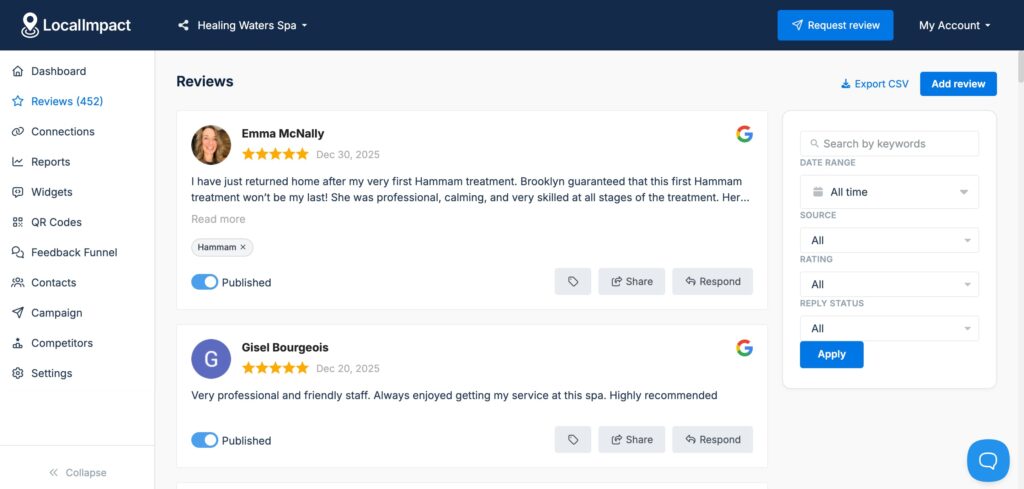
Or use the AI-powered response feature to generate personalized responses in seconds.
LocalImpact also lets you set up automated email and SMS reminders to encourage customers to leave reviews.
And you can even showcase reviews on your website using the review widget.
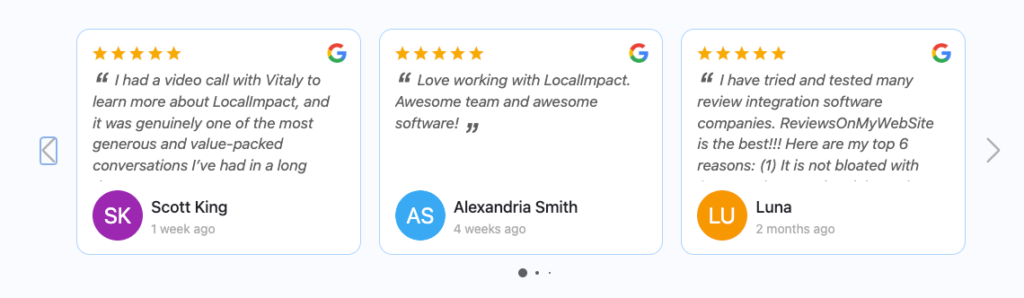
Or share them on social media using the social sharing feature.
What we like
The automated email and SMS review request feature makes it easy to build a steady stream of fresh customer feedback without any manual follow-up. You set it up once and it runs in the background, prompting customers to leave reviews at the right moment.
What users say
Users consistently highlight how easy LocalImpact is to set up and how quickly the automation tools start saving time on review collection and responses. The dashboard gets particular praise for being simple to navigate without requiring any technical knowledge.
"The platform is extremely easy to set up and integrate with my existing website. The dashboard is simple to navigate, and the automation tools save me time collecting and displaying reviews. Customer support is quick to respond and always helpful."
Pricing
You can use LocalImpact’s free 14-day trial to test out the software. Paid plans include:
- Growth ($49/month)
- Pro ($99/month)
- Agency ($149/month)
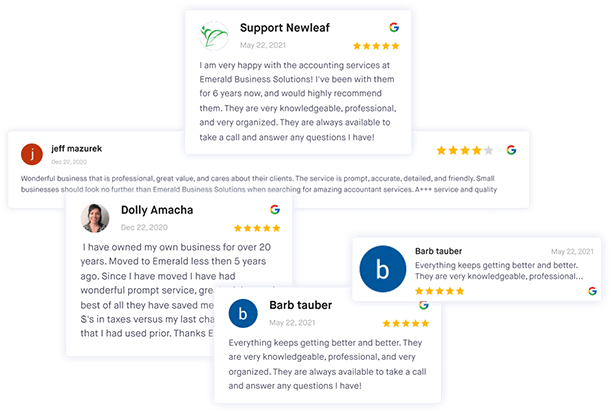
Collect customer feedback with ease
Collect, manage, and reply to customer reviews with LocalImpact.
2. Survicate
Survicate makes collecting and analyzing customer feedback effortless.
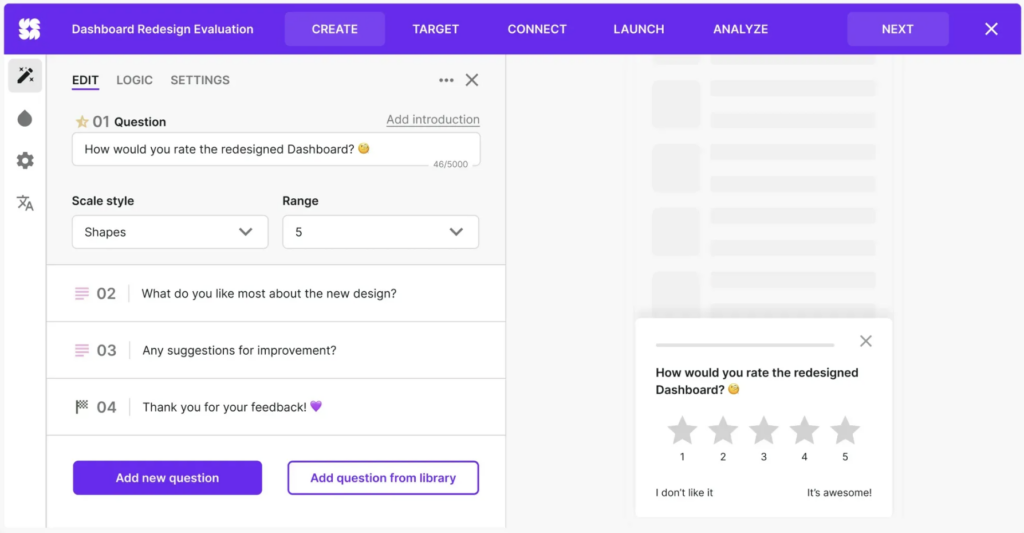
The platform allows you to gather user insights through email, website, in-product, and mobile app surveys, as well as connect other feedback sources, such as reviews, support chats, interviews, and more.
Thanks to its AI-driven features, Survicate lets you create and launch surveys in seconds simply by specifying the kind of data you need.
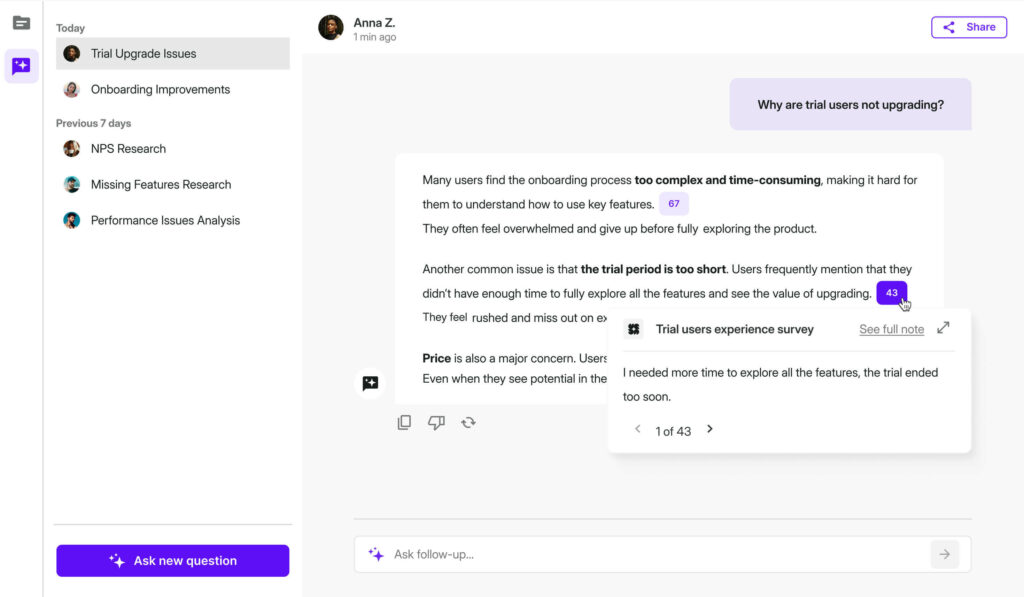
All your feedback is centralized in the Insights Hub, where it’s categorized and analyzed automatically with AI, providing you with meaningful, ready-to-use insights without any manual work.
The tool also comes with a wide range of native integrations with third-party tools, plenty of customization options, and advanced survey targeting.
What we like
The Insights Hub is what sets Survicate apart from many competitors. Rather than leaving you to manually sort through responses, it automatically categorizes and surfaces themes, so you can act on findings quickly rather than spending hours in spreadsheets.
What users say
Users consistently praise Survicate for making survey creation and launching more efficient, with flexible survey designs and solid integration with analytical tools. The support team gets especially strong mentions, with reviewers calling them fast and responsive.
Some users find the audience targeting can occasionally behave unexpectedly, and uploading custom user lists one at a time is flagged as a friction point for those managing larger segments.
"It was useful to use Survicate to make and send surveys, thanks to the easy-to-use interface, we can use them with different types of questions and different layouts in a matter of minutes."
A few reviewers also note that pricing can feel steep as response volume grows.
"Sometimes, Survicate has issues with audience targeting, where surveys in wrong language start appearing on pages that shouldn't have them."
Pricing
Survicate offers a 10-day free trial of all Business Plan features
The free plan gives you up to 25 survey responses per month and 3 team seats. Paid plans include:
- Business plan (from $99 per month)
- Scale plan (from $299 per month)
3. Qualaroo
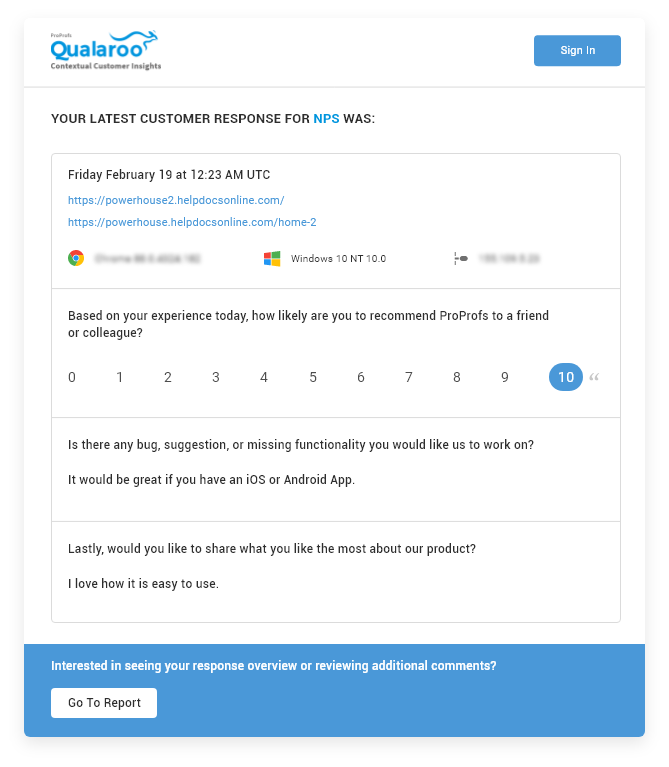
Qualaroo lets you survey users and customers on your website or within your web or mobile app.
You can target users based on audience segment, location, and more. The surveys can also be triggered based on how much time a user spends on page or when they’re about to leave.
You can use customize surveys to fit your brand’s look and choose fonts, colors, and more.
Qualaroo supports ten different types of questions and question branching. It also offers built-in templates to help you create surveys quickly.
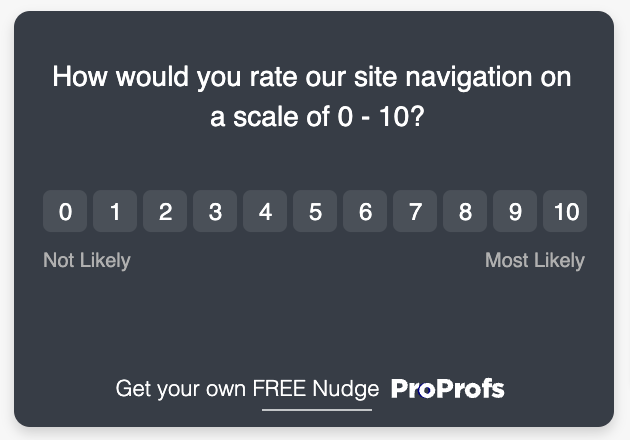
Then, there’s the sentiment analysis feature, which categorizes customer feedback into positive and negative, and surfaces key ideas.
You also have the option to receive a digest of user responses delivered to your inbox daily or weekly.
What we like
Qualaroo's question branching is genuinely flexible, allowing you to redirect visitors to relevant pages or offers based on their survey answers. That makes it useful well beyond basic feedback collection, particularly for teams focused on improving conversion flows.
What users say
Users find that Qualaroo makes implementing micro surveys on apps easy, with quick setup and no code required. The advanced targeting options also earn consistent praise for letting teams reach the right audience at the right moment.
"With Qualaroo, the implementation of micro surveys on our app at the early stages was very easy. It was quick to set up, and no code was required."
Some users feel the paid plan is slightly overpriced relative to the features on offer, particularly for smaller teams.
"In terms of the features and analytics provided, the paid version of Qualaroo seems slightly overpriced."
Pricing
Qualaroo offers a free plan that’s limited to 50 responses. There’s also a paid Business plan, which costs $79.99/month.
4. Usersnap
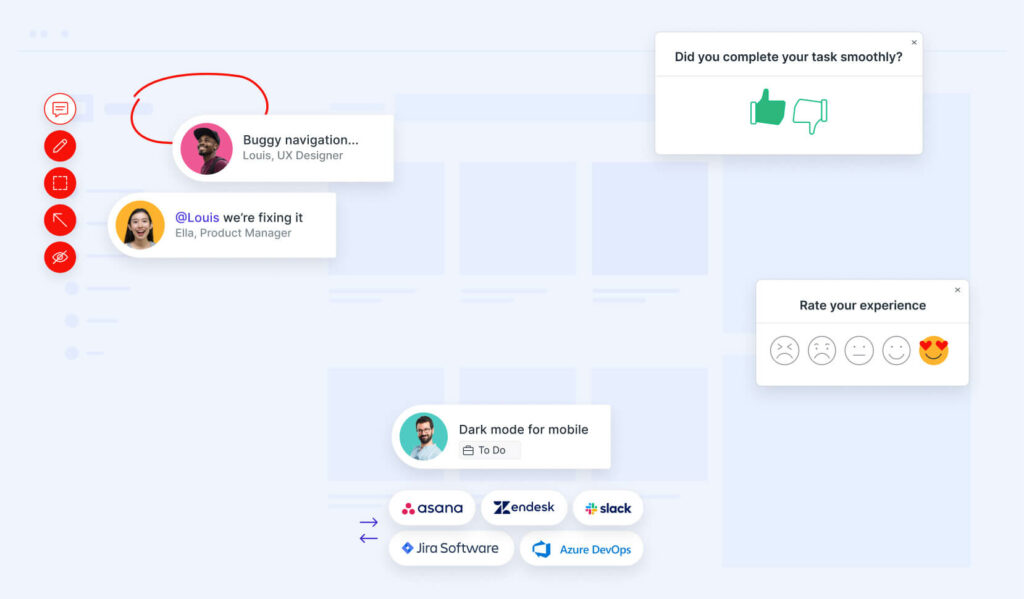
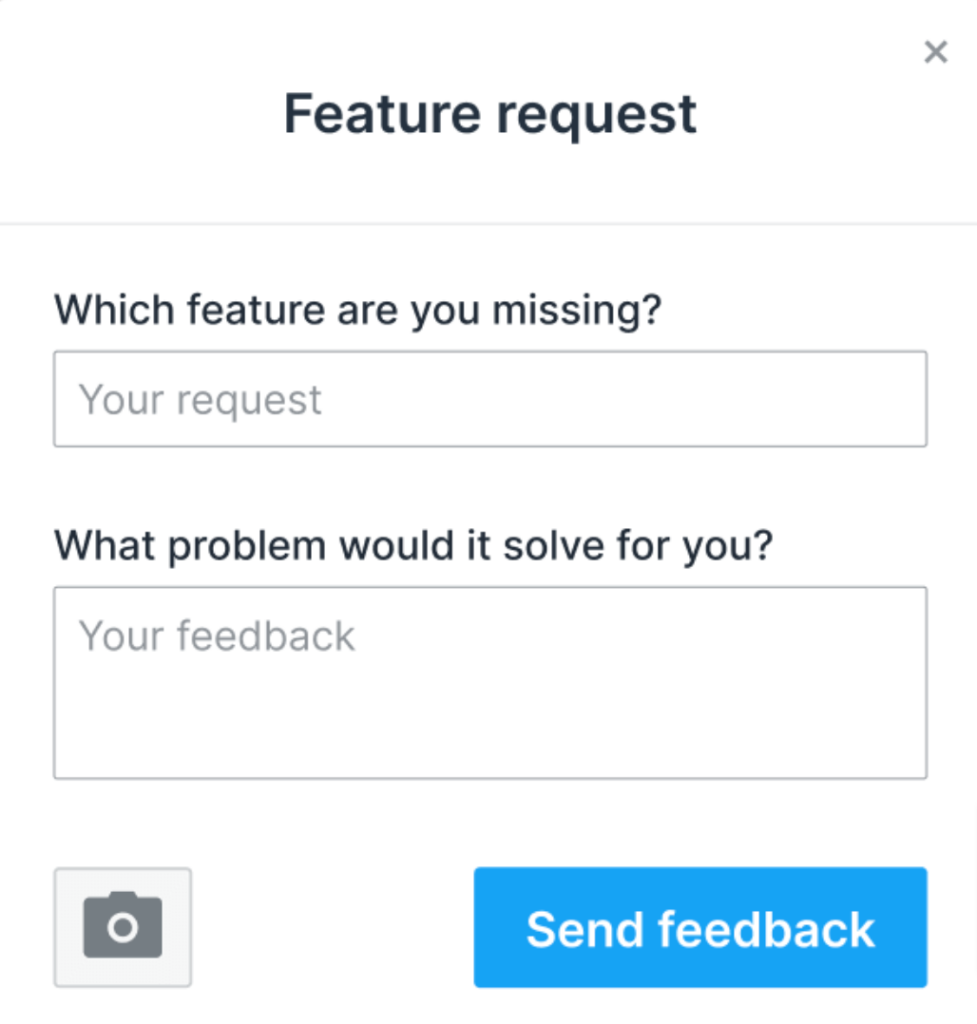
Usersnap is a customer feedback platform that allows you to set up in-app surveys to capture feedback from customers.
It works by displaying a feedback widget within your web app, which customers can use to provide their feedback.
Usersnap includes screen capturing and annotation tools to help users deliver highly detailed customer feedback.
It’s very easy to set up—all you need to do is add a piece of code to your website.
Apart from allowing you to capture customer feedback, Usersnap can also categorize and label it automatically using AI.
It comes with plenty of built-in survey templates for different use cases, including user research, roadmap planning, and more.
What we like
The visual annotation capability dramatically improves the quality of feedback you receive. Customers can point directly at what they mean rather than trying to describe it in words, which cuts down on back-and-forth with your team and speeds up resolution.
What users say
Users describe Usersnap as extremely user-friendly, giving teams an efficient way to test website components and registration flows. Integrations with tools like Jira, Slack, and GitLab are frequently mentioned as working without friction.
"When I showed Usersnap to our content creators, they knew how to use it right away. Quality of reported issues is much higher. This enables the dev team to resolve issues faster."
Some users note that filtering and search within the feedback queue is limited, and that advanced features like the REST API are reserved for higher-tier plans.
"A bit expensive and the use of the REST API seems to be reserved for the enterprise plan that may be too expensive."
Pricing
Usersnap has a 15-day trial offer you can use to test out the software for free. It offers the following plans:
- Startup ($65/month)
- Company ($189/month)
- Premium ($329/month)
- Enterprise (custom pricing)
5. Mopinion
You can use Mopinion to collect feedback on websites, in apps, or through email.
It offers built-in survey templates, but you can also create custom surveys using the software.

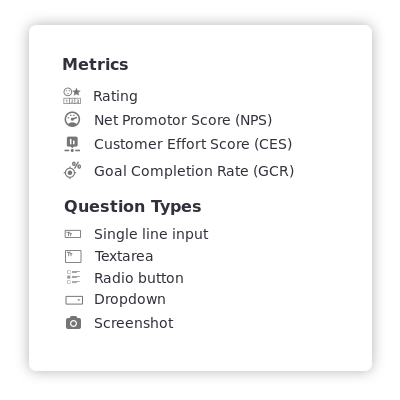
You can choose between multiple different types of questions, and metrics such as Net Promoter Score and Customer Effort Score.
There’s also the option to customize the colors and fonts used for the surveys to make sure they fit your brand’s look.
Mopinion’s customer feedback surveys are responsive and look great on both desktop and mobile devices.
You can choose between embedded survey forms, modals, and slide-ins. The platform also offers multi-language support, allowing you to display surveys in a number of languages.
What we like
Mopinion's conversational feedback mode is worth calling out. It delivers surveys in a chat-style format rather than a standard form, which creates a less intrusive experience for respondents and tends to improve completion rates.
What users say
Users consistently praise Mopinion for its ease of use and flexibility in creating feedback forms, as well as how quickly it can be integrated into existing websites. The platform earns strong ratings for customer support responsiveness.
"I like most the conditional statements feature which allows us to simplify our forms, and ask users only the essential questions."
A handful of reviewers mention that the analytics dashboard can feel less polished than the rest of the product and that deploying your first form has a slight learning curve.
"It's hard to think of any cons, but maybe their deployment can be a bit unintuitive the first time you set up a form."
Pricing
Mopinion has a free 14-day trial you can use to test out the software. Paid plans include:
- Standard (starts at $329/month)
- Enterprise (custom pricing)
6. InMoment
InMoment is a customer experience platform that combines customer feedback from surveys, reviews, social ratings, live chat transcriptions, and customer support tickets.
It uses AI to analyze customer feedback in real-time and ask the right follow-up questions to get detailed and actionable insights. And provides AI summaries that can give you a quick overview of the main themes and ideas from hundreds of pieces of customer feedback.
InMoment offers built-in survey templates and a custom survey builder. It supports collecting customer feedback in the form of photos, videos, and audio.
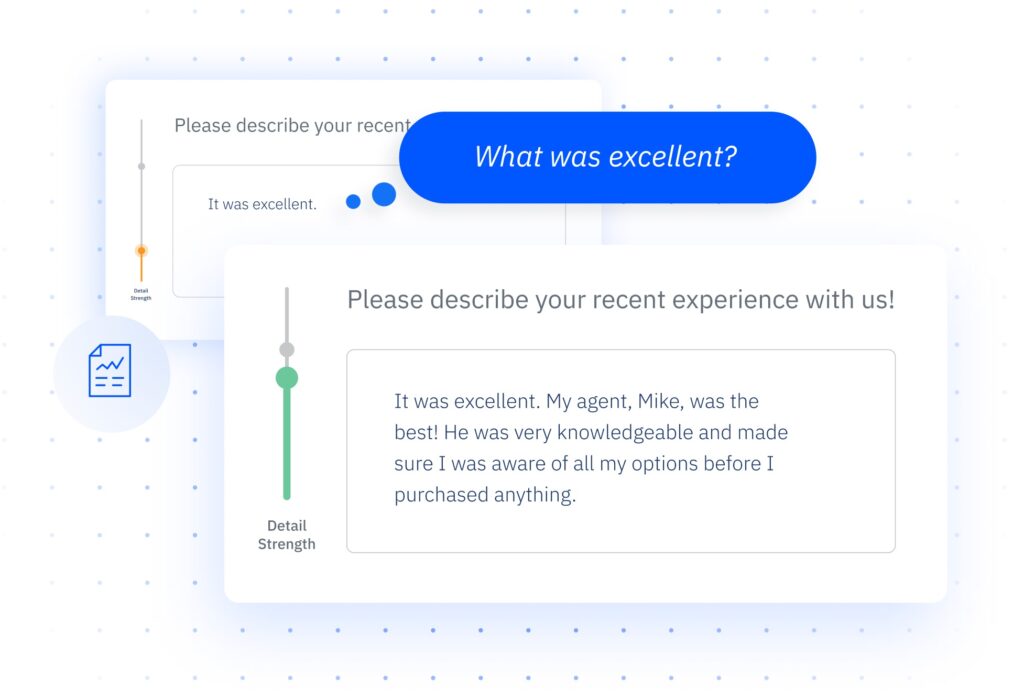
The software also integrates with platforms like Salesforce, Marketo, and HubSpot to send automated survey invitations to customers.
What we like
InMoment's ability to pull in structured and unstructured data from multiple sources, including call transcripts and support tickets, puts it in a different category from survey-only tools. For teams dealing with high feedback volumes across channels, that consolidation can save considerable time.
What users say
Users describe InMoment as very user-friendly for creating surveys without training, and many praise the customer support and training team as outstanding.
"The tool is very user friendly and you can create a survey without any training. They also have a great knowledge base and their customer support and training team are amazing."
Some reviewers note that the initial learning curve is steeper than expected, and that getting certain customizations done requires going through support rather than doing it yourself.
"InMoment is a steep learning curve and slow support which can make using the tool frustrating at times."
Pricing
InMoment doesn’t display its pricing publicly. You’ll need to reach out to their team to get a quote.
7. Nicereply
Nicereply allows you to set up one-click surveys in seconds. These can be displayed as pop-up surveys on your website or delivered in the form of links across other channels.
You can set up survey pop-ups to be triggered based on time spent on site, exit intent, and more.

Surveys can be displayed across your entire website or only on specific pages.
The platform can also send automated survey invitations via email. And the surveys can be translated into any language.
Once you collect responses, you can filter the feedback based on sentiment (positive, negative, or neutral). And use the detailed reporting features to measure customer satisfaction and uncover trends in satisfaction scores over time.
Alternatively, you can export all the customer feedback data to a .CSV file for further analysis.
What we like
Nicereply's A/B testing capability for survey copy is a genuinely useful feature that most tools at this price point don't include. Being able to test different question phrasing and optimize for response rate adds rigor to your feedback program.
What users say
Users praise Nicereply's clear interface and user-friendly design, and particularly appreciate that customers can rate their experience without filling out long forms.
"User experience for the customer is perhaps the most important aspect in gaining organic participation in a feedback system, and Nicereply does a great job with this."
Some users mention that irate customers can leave multiple ratings that skew averages, and that there's no way to require a comment alongside a negative rating.
"I wish a comment was required, because occasionally I get a negative review with no thoughts on why they rated the service poorly."
Pricing
Nicereply offers a free 14-day trial you can use to try out the platform. If you’d like to continue using the software after the trial period is over, you’ll need to opt for one of the paid plans:
- Starter ($79/month)
- Essential ($149/month)
- Growth ($299/month)
- Business ($449/month)
8. Canny
You can use Canny to collect and organize customer feedback. It allows you to centralize feedback from a variety of sources, including customer support tickets, sales calls, review platforms, social media, and more.
The software is capable of analyzing customer conversations and extracting feedback automatically.
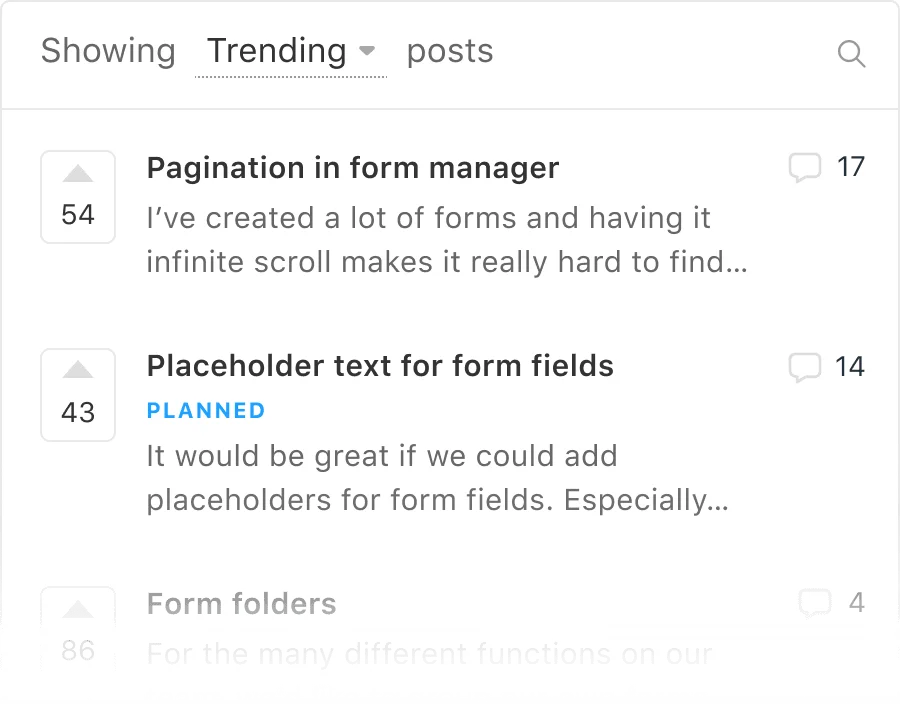
It can pull feedback from platforms like HubSpot, Zendesk, and Intercom.
There’s also the option to summarize lengthy feedback to help you understand the main ideas without having to spend too much time reviewing each piece of feedback.
You can add custom categories and tags to feedback, and group customers into segments based on similar feedback.
Canny supports automated responses and can even ask clarifying questions.
It also allows you to create a feedback portal for customers to share feedback whenever they want.
What we like
The upvoting system, combined with Canny's duplicate detection, gives product teams a reliable way to prioritize by actual user demand rather than gut feel. The public portal also creates a sense of community, with users sometimes answering each other's questions before your team gets involved.
What users say
Users with large customer bases find Canny particularly valuable for centralizing feature requests and allowing users to upvote, which helps identify which improvements would have the most impact.
"I'm thankful for the administrative capabilities like merging posts, reviewing and exporting data about the author, commenters and voters, and the ability to have my team easily in Canny and interacting with each other and our customers."
A common point of friction is the hard cap on seats at certain plan tiers, which some teams find makes upgrading feel like a bigger jump than necessary.
"The total seat count at the Pro plan is hard-capped at 10 users which feels like a big compromise because buying one more seat means having to switch to a business plan, which doesn't justify at all."
Pricing
Canny offers a limited free plan. Paid plans include:
- Starter ($99/month)
- Growth ($399/month)
- Business (custom pricing)
9. Zonka Feedback
Zonka Feedback helps businesses collect in-app and website feedback. It also offers the option to create survey links and QR codes.
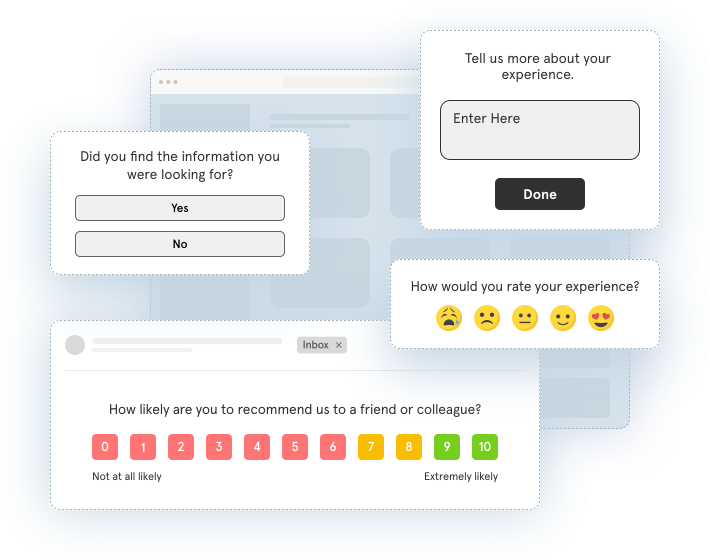
The software supports multilingual surveys and can pre-fill customer data (such as name and email address) to make it easier for customers to complete surveys.
Zonka Feedback’s built-in editor helps you create different kinds of surveys quickly, including pop-up, slide-in, and exit surveys.
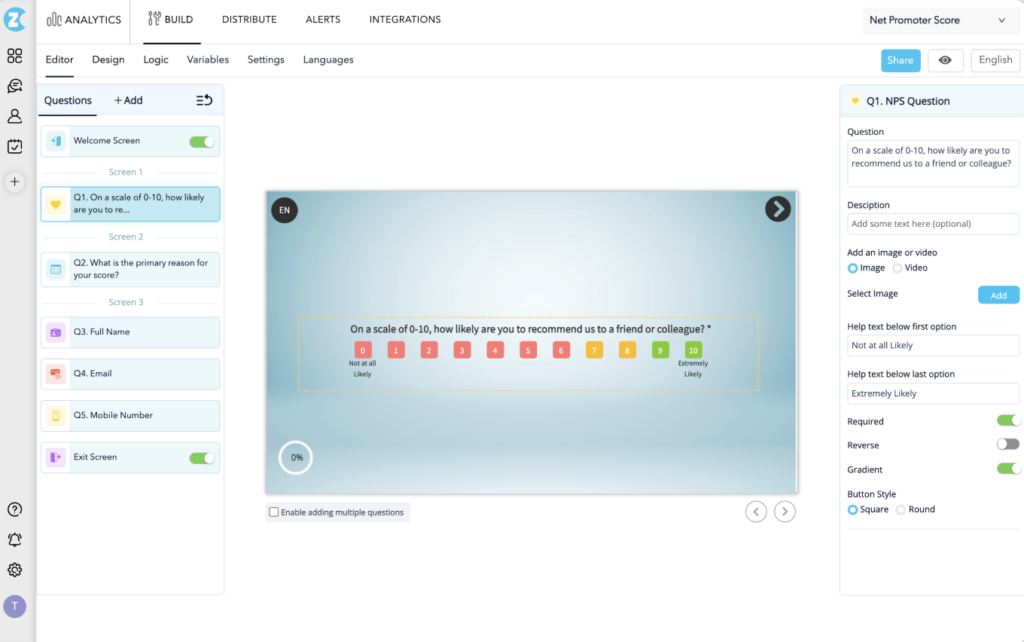
You can also embed surveys into emails you send to your customers.
Zonka Feedback offers seven types of reports to help you perform an in-depth analysis of customer feedback. You also get the option to schedule reports to be delivered to your email inbox automatically.
What we like
Zonka Feedback's offline mode is a genuinely practical feature that most web-focused tools skip entirely. Being able to collect responses via tablet kiosk or QR code at a physical location opens up feedback channels that matter for service businesses, healthcare providers, and event organizers.
What users say
Users highlight Zonka Feedback's modern-looking surveys and how quickly the setup process can be completed, with the team being particularly helpful during onboarding.
"All businesses who aspire to improve based on feedback can benefit from their product. It is easy to use, and the value proposition is fantastic."
Some reviewers note that the design elements for form customization, including fonts and layout options, feel less polished compared to other parts of the product.
"The form design elements, fonts, pixel, layout design are not yet polished. It can improve more beautifully."
Pricing
Zonka Feedback has a 14-day trial offer you can take advantage of to test the software for free. Paid plans include:
- Starter ($79/month)
- Professional ($149/month)
- Growth ($299/month)
- Enterprise (custom pricing)
10. AskNicely
AskNicely’s customer experience platform helps you gather customer feedback across email, SMS, websites, and mobile apps.
It supports automated follow-up messages designed to increase customer response rates.
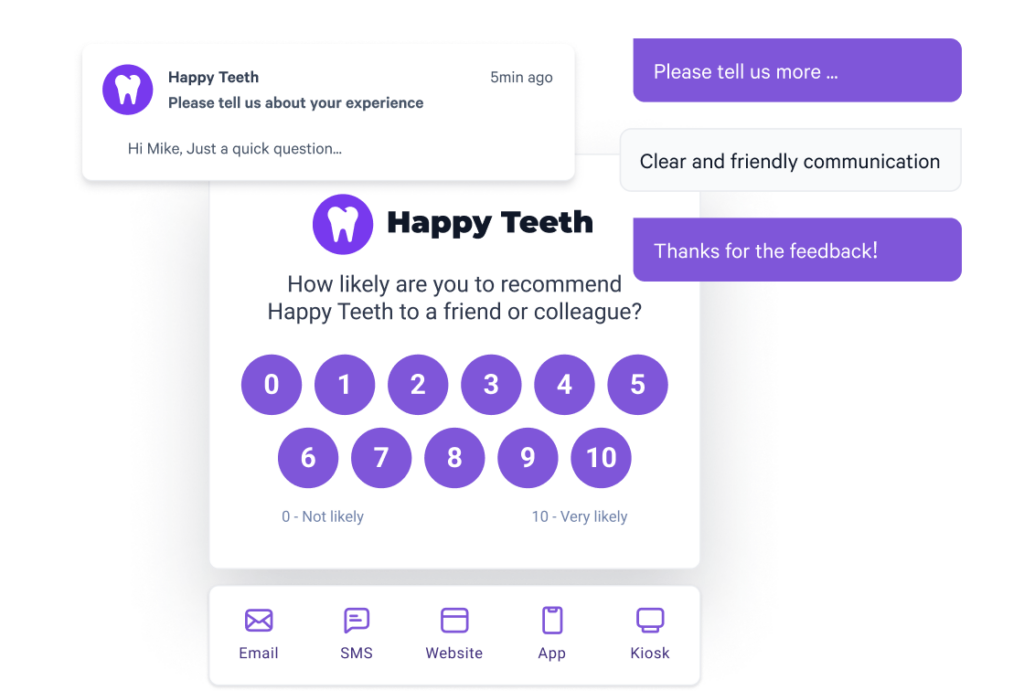
And automatically identifies themes from customer feedback using natural language processing.
What we like
AskNicely's frontline coaching features stand out from the competition. Managers can view team-level and individual-level feedback in real time, which makes it practical not just as a data collection tool but as a day-to-day management tool for service quality.
What users say
Users find AskNicely effective for getting a clear read on the strength of customer relationships, and appreciate having control over survey frequency to avoid over-surveying.
"Have only recently been using AskNicely, but the set up was super simple, the customer support was amazing, and we're already getting great actionable feedback from our NPS responses."
Some users feel the reporting and analytics features could go deeper, and customization options for survey design are more limited than they'd like.
"It can be difficult to keep up with the logistics of accurate data input to AskNicely. The platform itself organizes the customer information exactly as it should, but the upkeep of a location consolidating or a leader of a region changing results in a fair amount of work internally."
Pricing
AskNicely offers three plans: Starter, Standard, and Advanced. The pricing isn’t available publicly—you’ll need to reach out to their sales team to get a quote.
11. Refiner
Refiners lets you create microsurveys for a variety of use cases. The surveys are highly customizable and offer advanced targeting features.
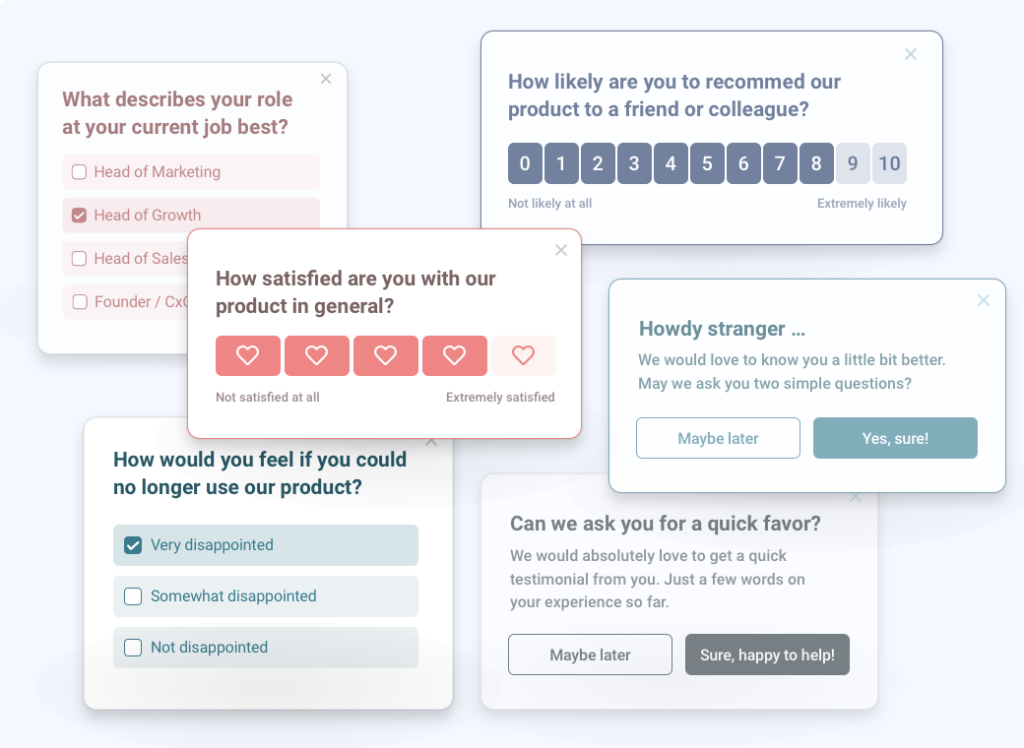
You can target customers and website visitors based on behavior, previous responses, and customer traits.
And set up web, mobile, email, and in-product surveys.
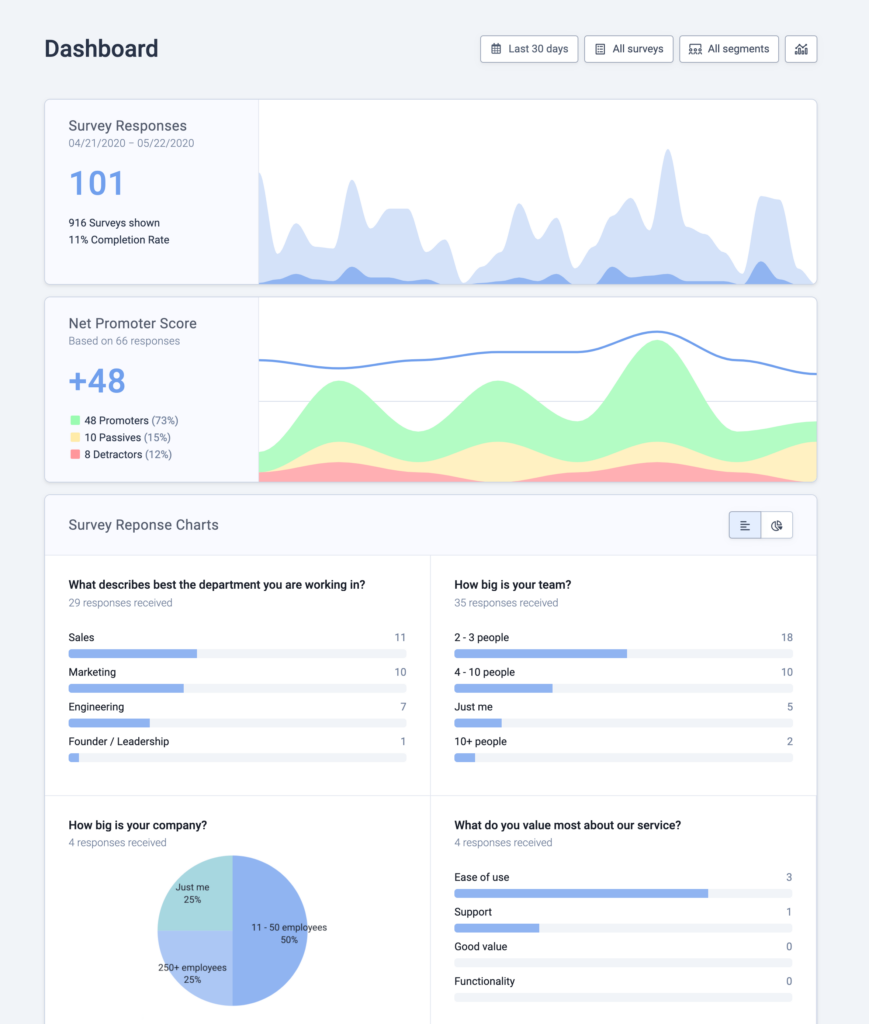
There’s also a detailed reporting dashboard that helps you understand user feedback at a glance.
What we like
Refiner's single-line SDK installation for both iOS and Android apps is a meaningful differentiator for mobile-first teams. Getting in-app surveys running doesn't require significant developer time, which removes a common bottleneck in feedback programs.
What users say
Reviewers praise Refiner's ease of building in-app surveys and the ability to trigger them at the right moment, with the response analytics feature highlighted for helping identify patterns quickly.
"Refiner is a great tool that's easy to set up with a smooth onboarding checklist. It's affordable, intuitive, and supported by a very friendly customer service team."
The main gap users point to is the lack of centralized survey management across multiple apps, with surveys needing to be configured separately for each application.
"Surveys need to be set up separately for each app, which can be time-consuming. A centralized way to deploy across multiple apps at once would be a big improvement."
Pricing
Refiner offers a free trial you can use to test out the software. Paid plans include:
- Essentials ($99/month)
- Growth ($239/month)
- Enterprise (custom pricing)
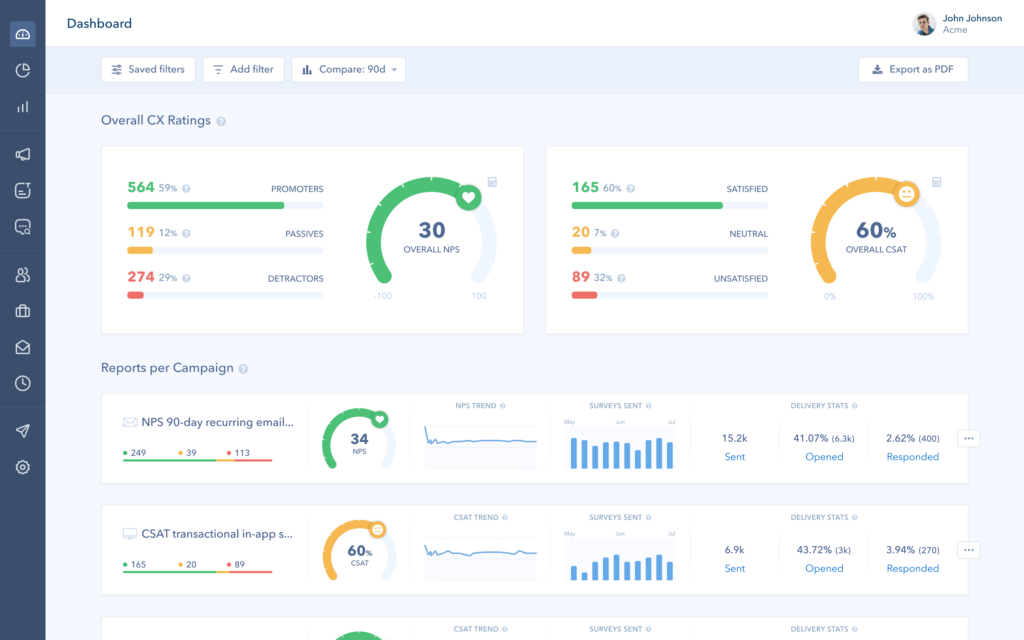
12. Retently
You can use Retently to survey customers through website pop-ups or email surveys.
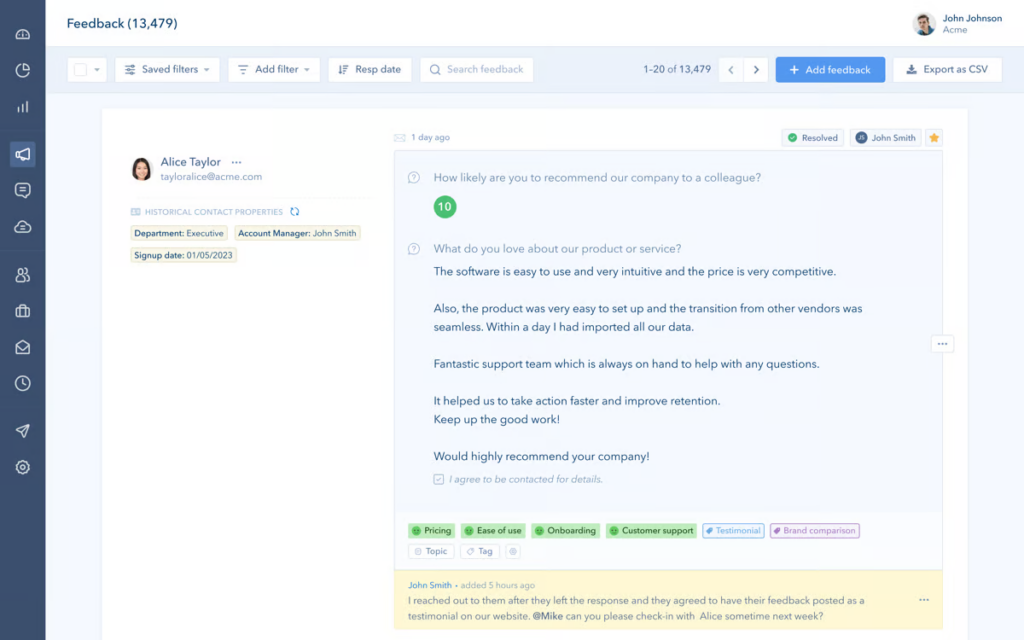
It supports automated follow-ups, and even allows you to A/B test survey copy to get better response rates.
There’s also the option to create audience segments and set up personalized surveys. And spot trends and analyze customer sentiment with the help of machine learning.
What we like
Retently's A/B testing functionality for survey copy is a practical addition that helps you optimize response rates over time rather than guessing at what question framing works best. Paired with its HubSpot integration, it fits naturally into existing marketing and customer success workflows.
What users say
Users consistently praise Retently's interface and reporting dashboard for making it straightforward to communicate NPS scores to stakeholders, and the HubSpot integration receives strong marks for flexibility.
"It does exactly what it's supposed to do without clutter. Good user experience and as the CEO I get to see exactly what I want to see and nothing more."
Some users note that the reporting on feedback tags doesn't always match up with the NPS dashboard, and that navigating to specific data points could be more intuitive.
"Would love to embed the survey as part of apps. Other than that, we have not faced any major issues with the product."
Pricing
You can use Retently’s free trial offer to see if the platform is the right fit for your needs. If you’d like to keep using the software after the trial period is over, you’ll need to opt for one of the paid plans:
- Basic ($50/month)
- Pro ($299/month)
- Ecommerce Pro ($49/month)
13. SatisMeter
SatisMeter is a simple customer feedback tool for Net Promoter Score (NPS), Customer Satisfaction Score (CSAT), Customer Effort Score (CES), and product-market fit (PMF) surveys.
It offers built-in survey templates. And an intuitive editor that allows you to create custom surveys with ease.
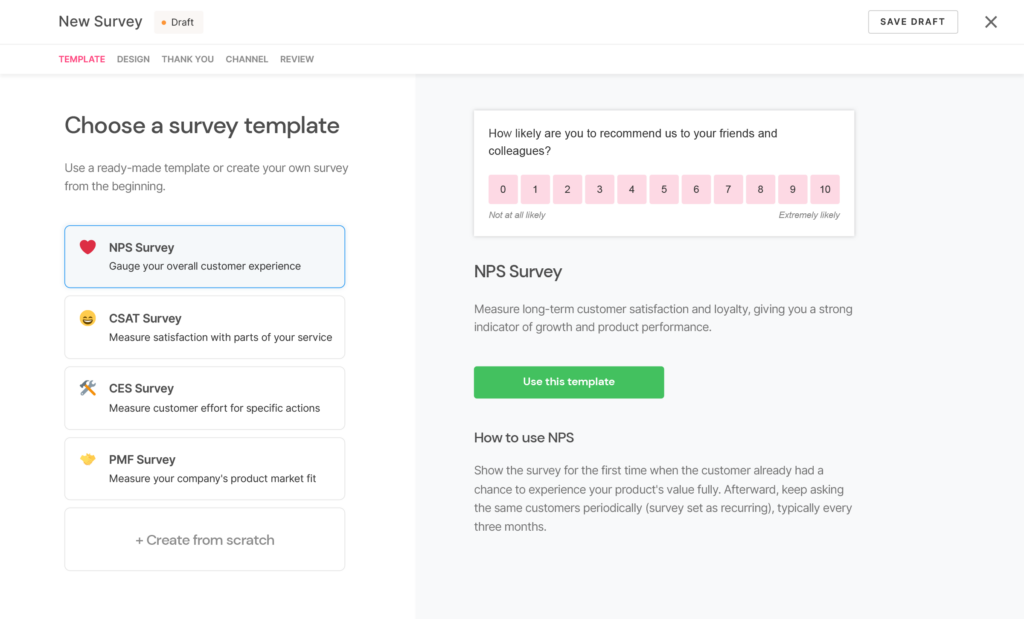
SatisMeter integrates with platforms like HubSpot, Zapier, and Segment for streamlined feedback collection.
What we like
SatisMeter's response-based pricing model is genuinely refreshing compared to most tools in this category. Teams with unpredictable survey volumes aren't penalized for quiet months, and there's no incentive to artificially limit your survey footprint to stay within display caps.
What users say
Users describe SatisMeter as intuitive with a pleasant user experience, praising its customer segmentation features and the speed of the support team's responses.
"Loving that we implemented SatisMeter at my organisation. Really helped to turn the tide in terms of user-centric development. Was easy to set up and integrate with our data platforms. We use it daily to gather feedback and help steer the organisation in the right direction."
Some users note that integration with tools not on the standard connectors list, such as lower-tier Productboard plans, requires manual workarounds.
"We also use Productboard, but on the lower plans that doesn't support a direct integration, so we've had to use workarounds for that unfortunately."
Pricing
SatisMeter offers a free plan that’s limited to 25 responses per month. Paid plans include:
- Growth ($199/month)
- Enterprise (custom pricing)
14. SurveySparrow
SurveySparrow extracts meaningful insights from your data automatically with the help of AI. It includes plenty of templates to help you create customer surveys quickly.
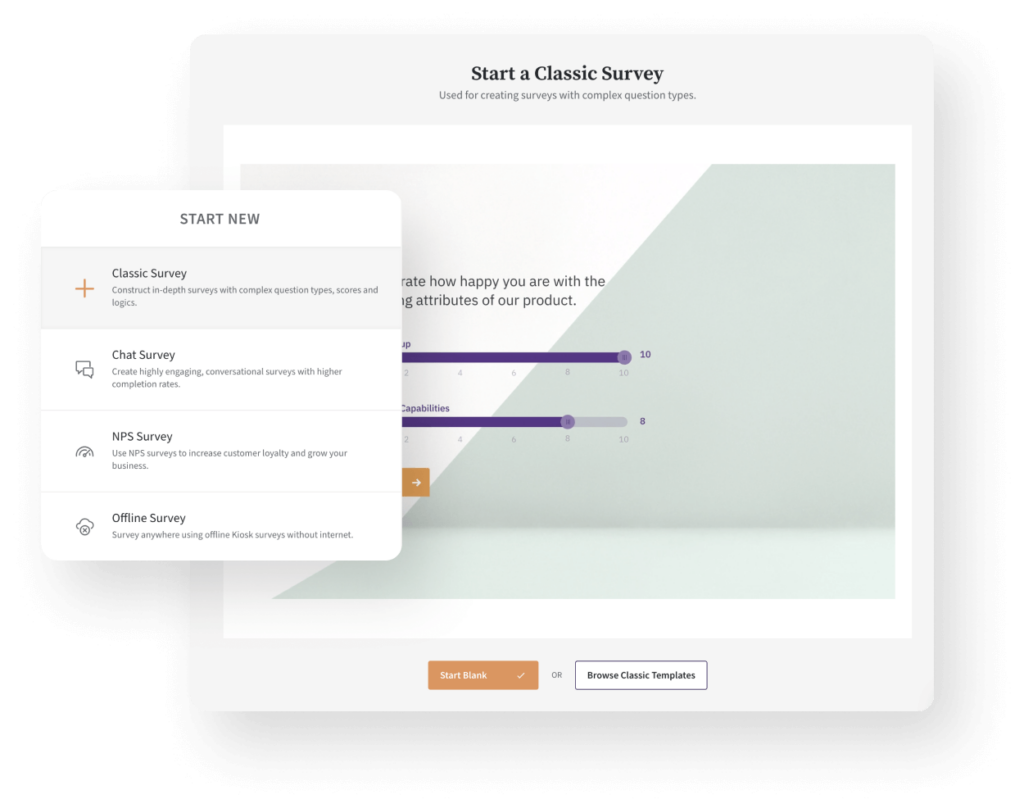
You can use it to create NPS surveys, CSAT surveys, and more. And pick from 30+ different types of questions.
It also includes built-in tools for sharing surveys via email, SMS, social media, and more.
What we like
The conversational UI is more than a design preference. By reducing the visual weight of a survey, it makes the experience feel less like a form and more like a quick conversation, which tends to improve both completion rates and the quality of open-text responses.
What users say
Users find SurveySparrow's interface easy to use for both designing surveys and taking them, describing it as straightforward and powerful in a way that speeds up data collection without adding complexity.
"Easy to use survey builder, flexible and powerful editing features. Well documented API with easy integration with other platforms. Strong support from the client services team."
Some users mention that advanced features like custom applications can be hard to locate within the platform, and that certain integrations such as PayPal are missing.
"Custom applications can add additional capability, but can be difficult to find and use within the platform."
Pricing
SurveySparrow offers a free 14-day trial you can use to test out the software. And a limited free plan.
The pricing for paid plans is as follows:
- Basic ($19/month, billed annually)
- Starter ($39/month, billed annually)
- Business ($79/month, billed annually)
- Professional ($249/month, billed annually)
15. UserVoice
UserVoice helps you capture and review all your customer feedback in one place.
It allows you to create a branded portal where customers can share feedback. There’s also the option to set up an in-app feedback widget.
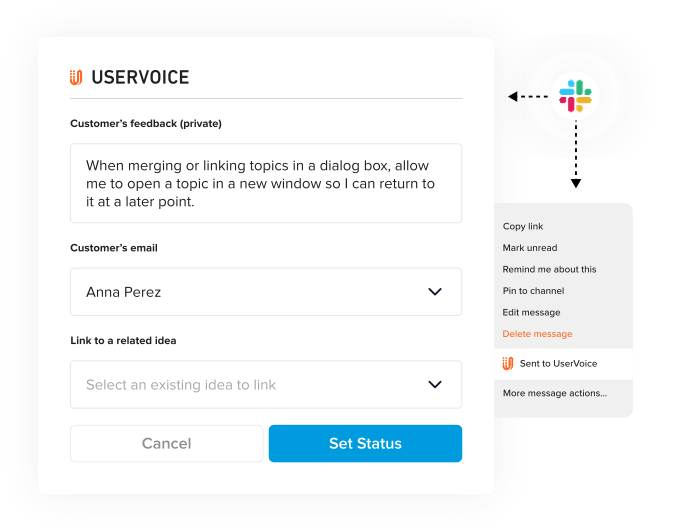
UserVoice integrates with platforms like Salesforce, Fullstory, Jira, Zendesk, and more.
What we like
UserVoice's Monthly Contributor Insights reports give product managers a structured, recurring view of what customers are asking for, without requiring manual analysis. That kind of consistent, scheduled reporting is particularly useful for teams managing stakeholder communication alongside active development.
What users say
Reviewers praise UserVoice for centralizing data and feedback effectively, producing easy-to-understand overviews that help teams see what customers want to see built next.
"The UserVoice platform was easy for us to implement, and we integrated it into our partner community to solicit feedback from our dealer partners. It's also easy for our digital support product team to manage that feedback, demonstrating our responsiveness."
Some users find the system complex to configure initially, noting it takes time to understand how to get the most accurate data flowing through it.
"It's a more complex system under the hood. There's a lot of information you need to understand and generate so that it can collect the most accurate feedback."
Pricing
UserVoice offers the following plans:
- Growth ($899/month)
- Team ($1,199/month)
- Strategic ($1,349/month)
- Enterprise (custom pricing)
16. Alchemer
You can use Alchemer to collect feedback across your website, in-app, and more.
It supports 43 question types. And offers an AI-powered reporting feature that helps you surface key insights you can act on to improve the customer experience.
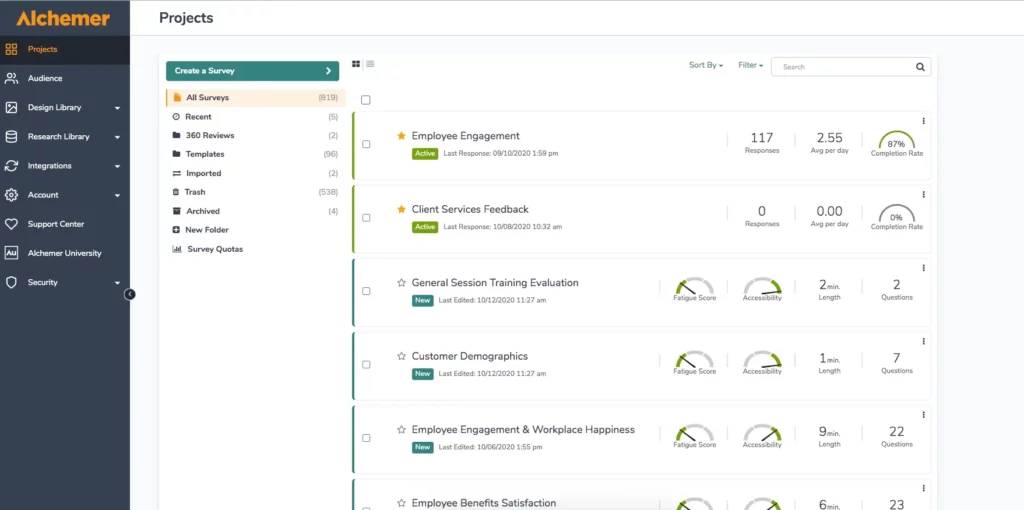
Alchemy integrates with HubSpot, Zendesk, Asana, and more.
What we like
Alchemer's advanced logic and branching engine is one of the most capable in this list. For teams running complex research surveys or customer studies with multiple pathways, it removes the need for workarounds that simpler tools require.
What users say
G2 reviewers praise Alchemer's advanced logic and branching options for enabling highly personalized surveys without complex workarounds, and highlight the reporting and analytics features for making it easy to turn raw responses into actionable insights.
"The ability to customize survey questions with various logic and filters makes a significant difference for our specific needs."
Some users note that the platform's power comes with a learning curve, and that the interface can feel less modern compared to some newer tools in the market.
"I find the learning curve challenging. The platform is very powerful, so some advanced features like complex logic and reporting can feel overwhelming at first and require time to fully understand."
Pricing
Alchemer’s plans are priced as follows:
- Collaborator ($55/user/month)
- Professional ($165/user/month)
- Full access ($275/user/month)
Improve your customer experience with customer feedback tools
Customer feedback tools can help you improve your customer experience by providing you with the necessary insights on what your customers want and need.
Try out the solutions on our list and choose the right customer feedback tool for your needs.
While you’re here, check out our guide on when to ask customers for reviews.
Collect customer feedback with ease
Collect, manage, and reply to customer reviews with LocalImpact.